
Renee Audio Recorder X
Record PC system sound and your microphone together or separately, in high quality.
 Record PC and microphone sound simultaneously or independently
- Pause automatically when silent
- Schedule automatic recordings
- Convert voice to text (GPU required)
- Play back recordings in the built-in player

Supported System: Windows 10/11
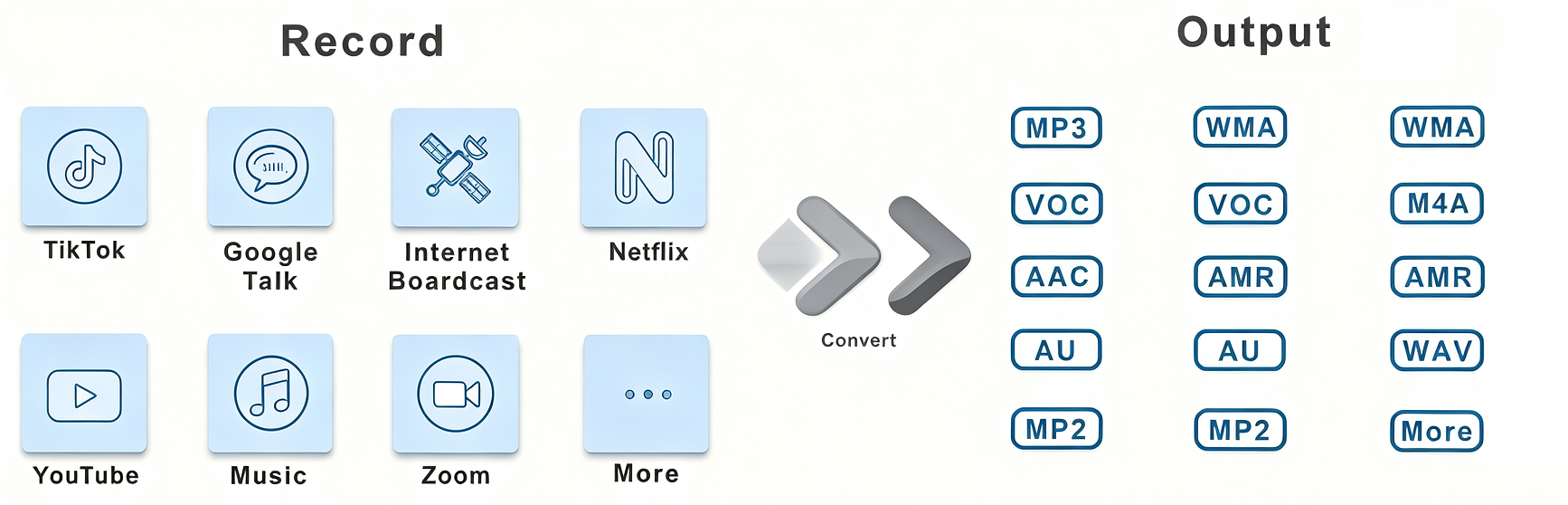
Supported Audio Formats: MP3, AAC, AC3, AIFF, AMR, AU, FLAC, M4A, M4B, MKA, MP2, OGG, RA, VOC, WAV, WMA ...
Reasons to Choose Renee Audio Recorder X

Record Audio At Will
Record PC audio from your microphone, system sound, or both at the same time. A few simple clicks start the perfect recording.

Auto Record Plan
Set up multiple auto-record plans to start and end recording at a specific time or on special occasions.

Multiple Output Format
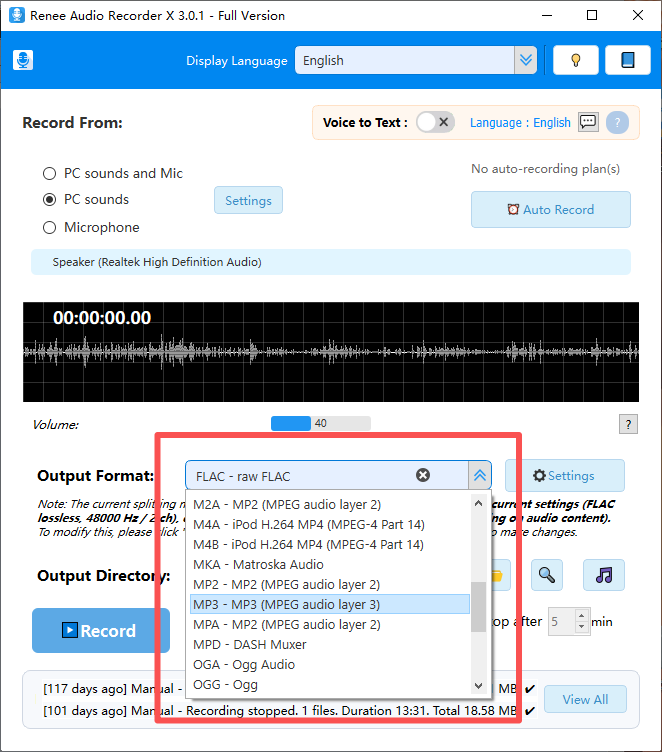
Save your recordings in popular formats including AAC, AC3, AIFF, FLAC, MP3, WAV and WMA, and more.

Support Long Time Recording
Records PC audio directly and auto-pauses when there is no sound, so you can capture long sessions without interruption.
Built-in Audio Player
Easily play back your recordings right after capture for quick review, and import & play any audio files from your computer.

Voice to Text Transcription
Instantly converts your recordings into accurate text, with one-click export to TXT, SRT, or DOCX formats. A supported GPU (NVIDIA, AMD, or Intel) is required.
What Can Renee Audio Recorder X Do?
30+ Audio Formats
Record PC Audio in One Click
The perfect free audio recorder – Renee Audio Recorder X records PC audio from your computer and microphone with just one click. Recording sound on a PC is not a difficult task, but with Renee Audio Recorder X, you can make recording much easier with advanced settings. Just a few clicks, and you can start recording audio at any time.
Renee Audio Recorder X is a definite upgrade in quality, capability, and convenience over the built-in sound recorder on Windows. Record system audio, microphone input, or both at the same time, save in MP3, WAV, FLAC, and more, and keep every recording private on your own PC – no cloud upload required.

Screenshots
Simple, Worry-free, Effective Audio Recording Software
User-friendly and easy-to-use, just a few steps for audio recording.
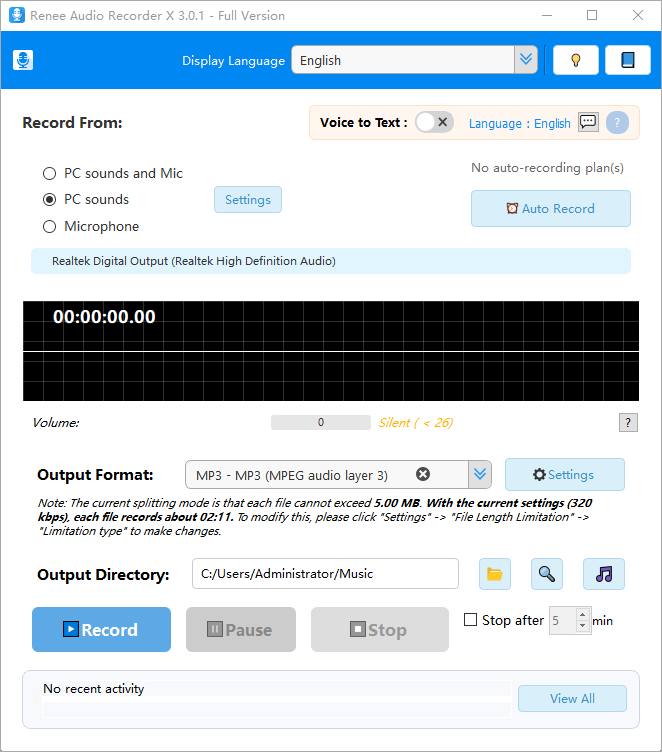
Modern & Intuitive Interface
A clean, elegant, and user-friendly design that puts everything at your fingertips.
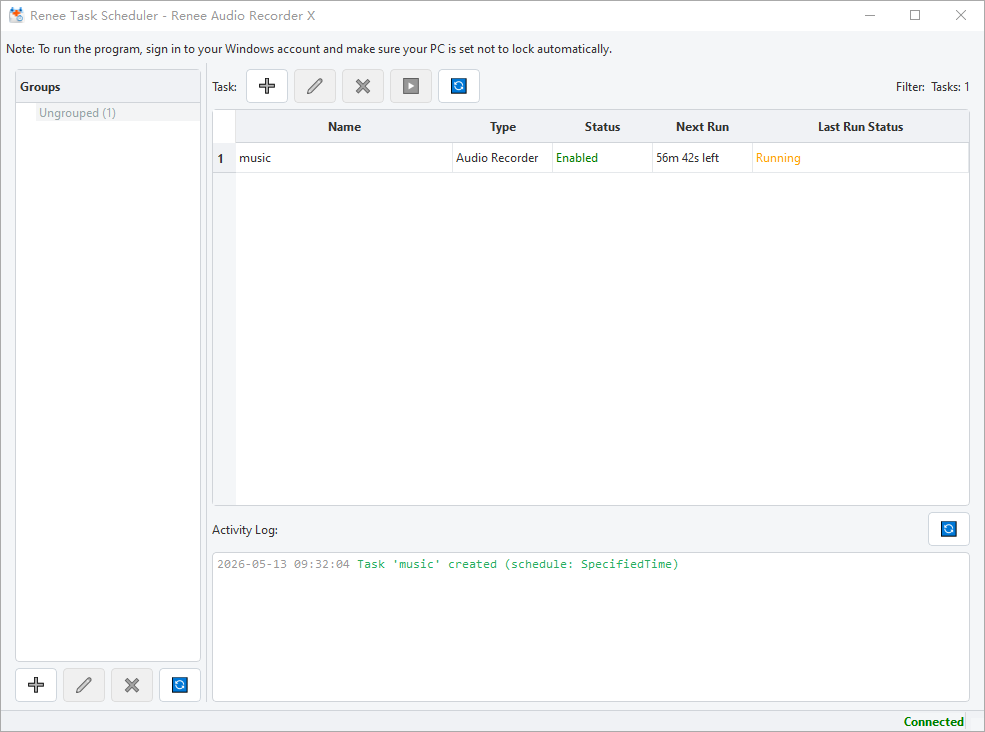
Scheduled Automatic Recordings
Set up multiple automatic recording tasks to run hands-free on a schedule.
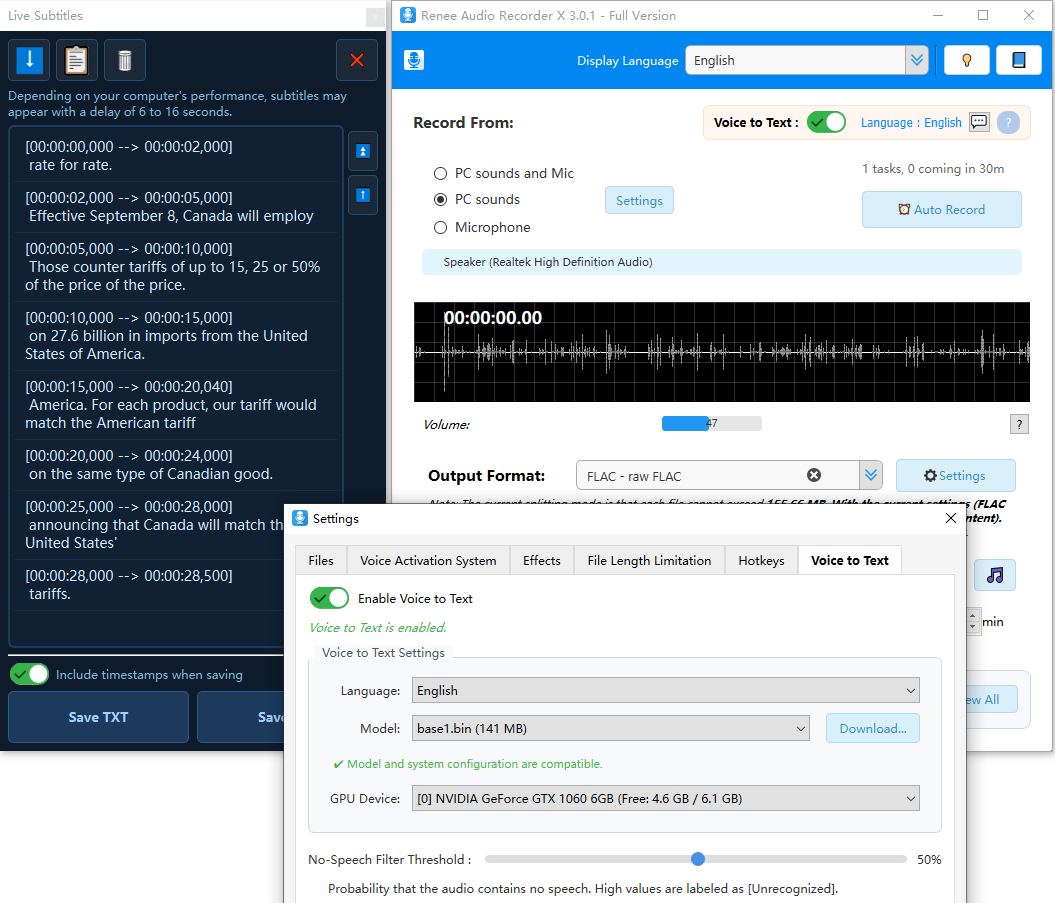
Flexible Audio-to-Text Settings
(100% Local processing) Powerful and customizable transcription options to suit your specific needs.
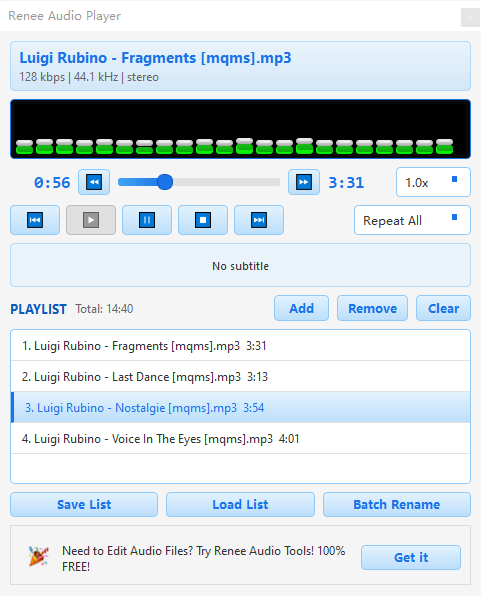
Built-in Audio Player
Convenient playback for reviewing recordings instantly, plus support for importing and playing external audio files.
Help Center
24/7 Customer Service
Knowledgeable representatives available to assist you through live chat or E-mail – any time of day or night.
How many payment methods for purchasing?
Is my purchase guaranteed by 60 days money-back?
Support
Runs on (supports 64-bit versions)
- Windows 11
- Windows 10
- Chinese
- English
- French
- Portuguese
- Spanish
- German
- Italian
- Japanese
- Korean
- Arabic
Clients & Testimonials
More Than 500,000 Happy Customers