
Burn CD Windows 10: Step-by-Step Guide

Summary
Learn how to burn cd windows 10 with our article, featuring multiple methods to ensure you can create physical copies of your music or data easily.


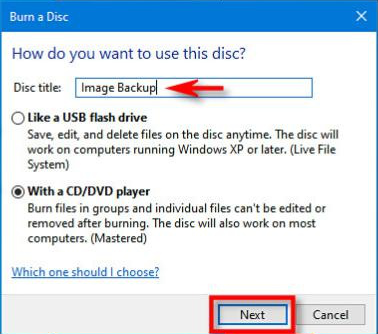
• CD-Rs are record-once, ie only allow data to be written to the disc.
• CD-RWs are rewritable, allowing data to be written to and erased from the disc, but only a specific number of times (usually about 1000), which varies slightly between brands.
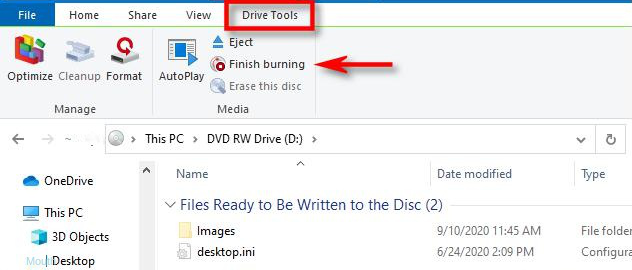
Once all the files are in place, click on “Finish burning” in the top menu bar under “Drive Tools” to initiate the burning process. Don’t forget to set the disc title and recording speed before clicking “Finish” to complete the process.

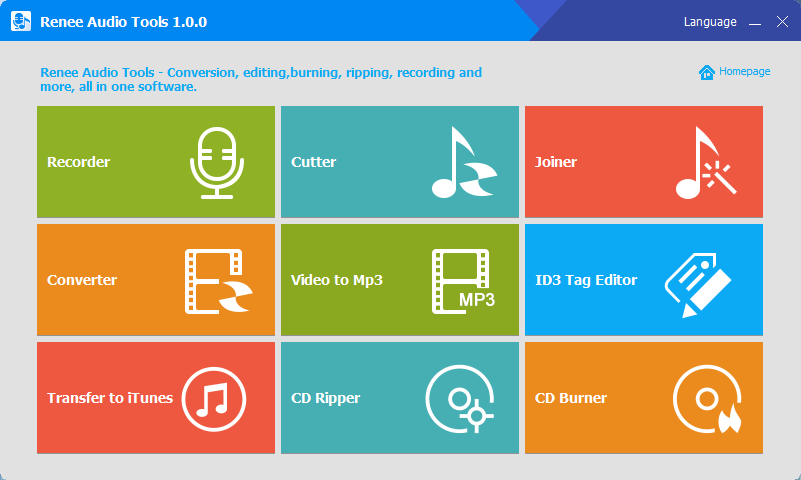
CutterArbitrarily cut and clip audios in MP3, ACC, FLAC and APE formats. Many effects, such as fade in/out, speed adjustment, music mixing and volume adjustment, are available.
ConverterConvert music files between all audio formats, including MP3, M4A, ACC, OGG, AAC, FLAC and the others. It can also convert the video format into MP3.
RecorderRecord computer sounds from streaming media and microphone at the same time and output into multiple audio formats.
JoinerMerge music files into one regardless the original file formats. The output format and quality can be set, too.
CD BurnerBurn multiple music files into CD, DVD and also make APE or BIN image file.
Compatible with: Windows 11 / 10 / 8.1 / 8 / 7 / Vista / XP (32bit/64bit)
CutterArbitrarily cut and clip audios in diffrent formats. Many effects, such as fade in/out, speed adjustment, music mixing, are available.
ConverterConvert music files between all audio formats, including MP3, M4A, ACC, OGG, AAC, FLAC and the others. It can also convert the video format into MP3.
RecorderRecord computer sounds from streaming media and microphone at the same time and output into multiple audio formats.
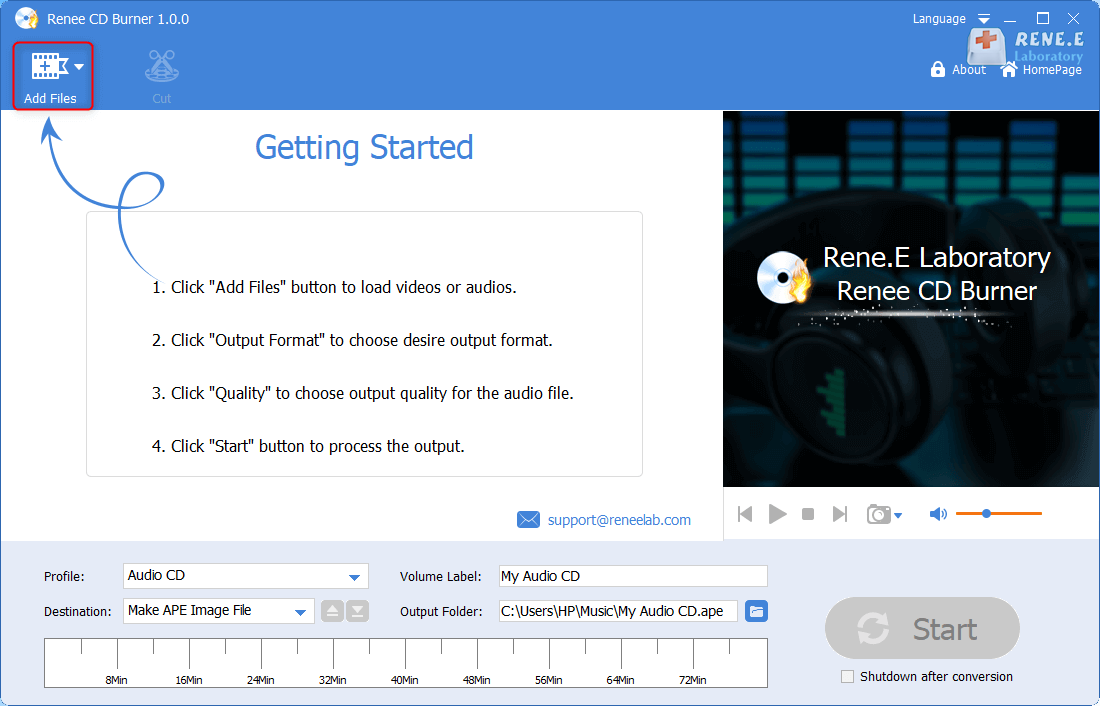
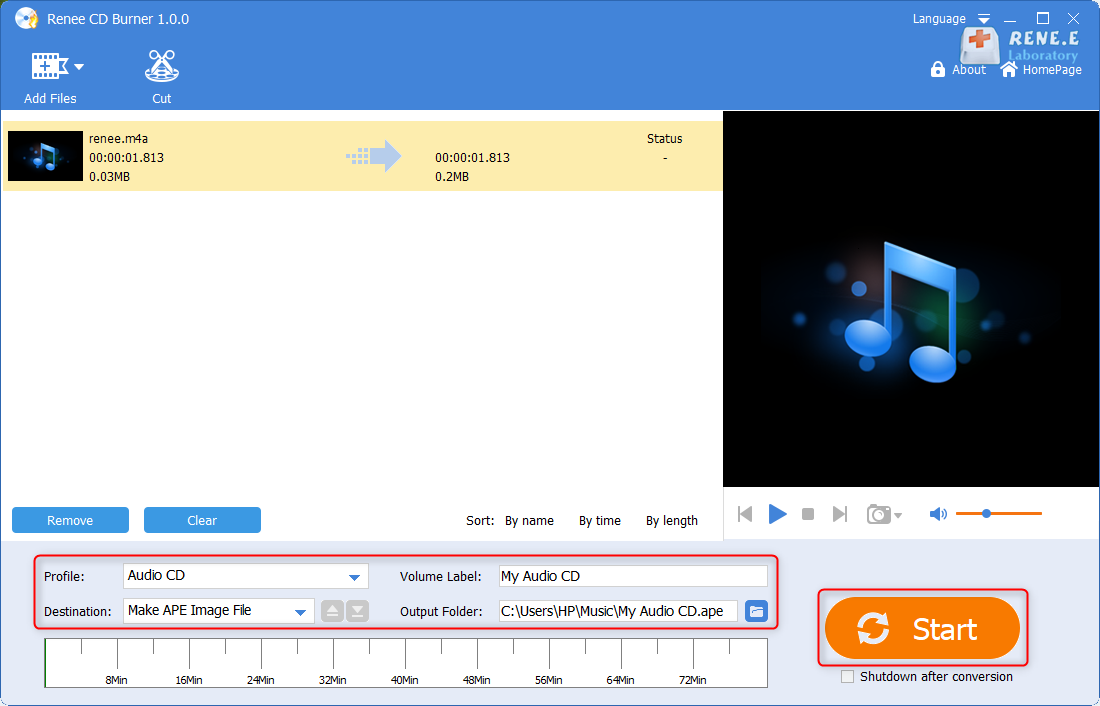
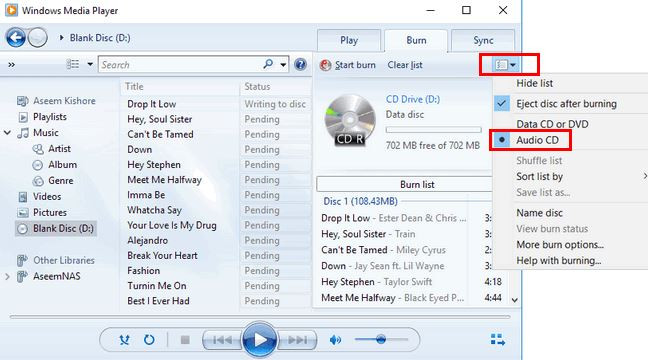
• If you wish to remove an item from the list, right-click on it and choose the option to remove it. This will take it off the burn list, but it will still remain on your PC.
• In cases where the list is too long for one disc, you can burn the remaining items onto a separate disc.
Relate Links :
How to Record Computer and Microphone Audios?
08-11-2026
Jennifer Thatcher : Sometimes, we need to record computer and microphone audios and save them as audio files, such as the...
08-11-2026
Jennifer Thatcher : If you find a well-played music on YouTube, want to save it to local disk for listening at...


User Comments
Leave a Comment