
Convert Video to GIF with Photoshop: Simple Steps

Summary
Learn how to convert video to gif with photoshop. This article explains the process step-by-step and offers an easier alternative method.



Separate videos with different parametersUsers can separate videos into equal clips by time, size and self-set parameter.
Cut Videos & AudiosUsers are free to cut videos and audios clips by setting start and end time.
Multiple Edit ToolsMerge, crop, rotate, cut and transform video easily. Change and add background music, subtitles and watermark to video.
Format ConversionSupport to convert videos and audios into different formats.
Separate videosSeparate videos into equal clips by time, size and self-set parameter.
Cut Videos & AudiosCut videos and audios clips by setting start and end time.
Format ConversionConvert videos and audios into different formats.
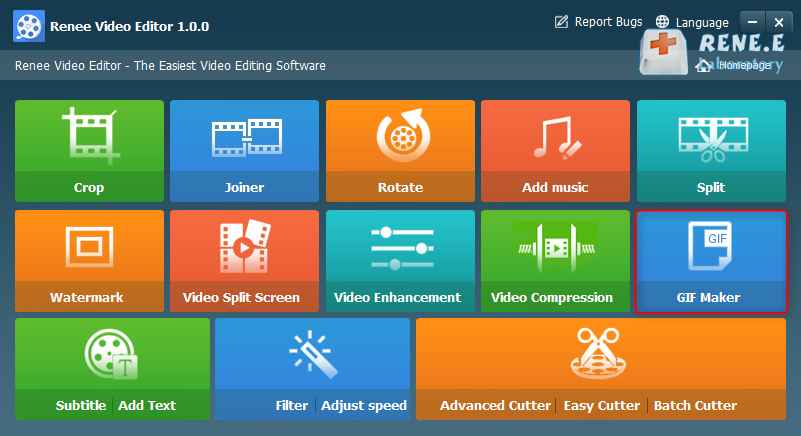
- Crop: Crop the size of the video frame
- Joiner: Merge multiple video/audio files into one complete file
- Rotate: Rotate the video 90°/180°/270° clockwise, counterclockwise, or turn the video upside down or mirror.
- Add music: Adjust volume, select audio tracks, score videos or delete original audio.
- Split: Divide the movie into multiple small clips according to duration, number of segments, or file size.
- Watermark: Add text, pictures, videos or GIF pictures to the video in the form of watermark.
- Video Split Screen: One video or multiple video clips can be spliced into one video screen.
- Video enhancement: Improve video quality.
- Video Compression: Compress movie size.
- GIFs Maker: Make videos or pictures into GIF files.
- Subtitle/ Add Text: Add subtitles/text to videos.
- Filter/ Adjust Speed: Adjust brightness, contrast, saturation and add a variety of special effects; video speed adjustment supports 1/10-4 times speed adjustment.
- Advanced Cutter: Edit video, crop video, add watermark, subtitles, filter effects, and soundtrack.
- Easy Cutter: Quickly cut video clips.
- Batch Cutter: Batch clip video/audio.
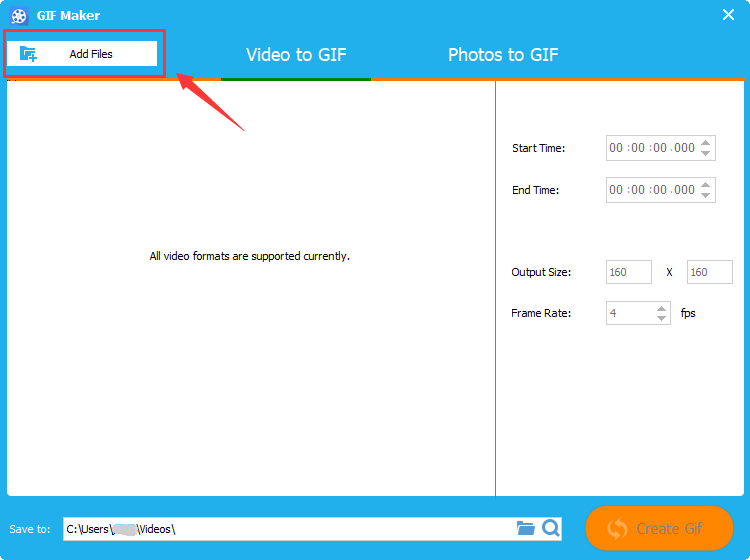
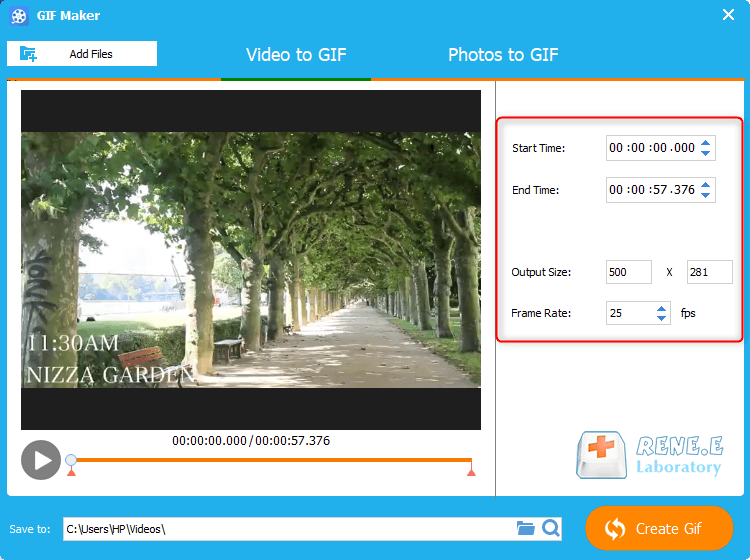
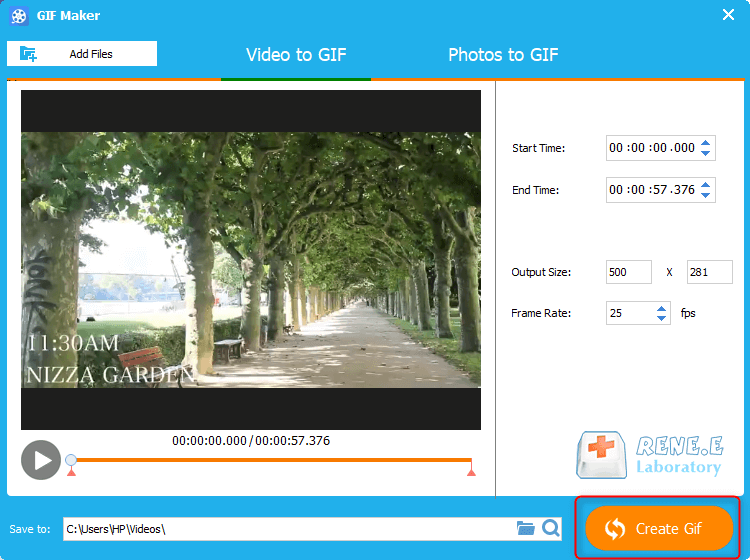
Relate Links :
Convert SWF to MP4: Easy Steps for Windows Users
09-11-2026
Amanda J. Brook : Discover the best SWF to MP4 converter to avoid wasting time on ineffective tools. We'll explore their features...
Convert AVI to MP4 Online: The Ultimate Solution
09-11-2026
Amanda J. Brook : Explore the process of converting AVI files to MP4 format online for enhanced storage efficiency and broader compatibility....
Convert MP4 to GIF Online - Quick and Easy Solution
09-11-2026
Amanda J. Brook : Learn how to convert mp4 to gif online with our easy-to-follow steps. Become familiar with these common formats...


User Comments
Leave a Comment