
How to Download Music from YouTube and Save as MP3/FLAC/APE

Summary
Do you want to listen to YouTube songs offline? In this essay, we will introduce 4 approaches to you. As you finish reading, you can know how to download music from YouTube and save them as MP3/FLAC/APE.
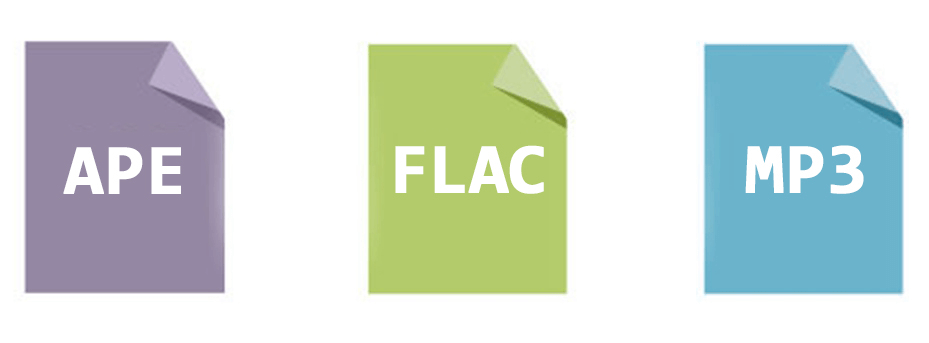
Part 1: Difference between MP3, FLAC and APE
MP3 is the mainstream coding format for digital audios. Because of the lossy data compression, it can greatly reduce the file size. Yet, once the file is converted to MP3, the removed file data will not be recovered.
FLAC and APE are common lossless audio files. The audio file will not be reduced after data compression. Compared with MP3, FLAC and APE have the better audio quality. Yet, there is difference between FLAC and APE.
Although the file size of FLAC is large, it can be well compatible with most of media players, audio editors and acoustic equipment. Besides, FLAC has high fault tolerance. The FLAC file is still available even though some parts are lost.
Compared with FLAC, the file size of APE is smaller. But this format is extremely CPU intensive and only used on Windows. In addition, once a part of an APE file is lost, the left part will be invalid.
Part 2: Four Approaches on Downloading Songs from YouTube
Approach 1: Renee Audio Recorder Pro
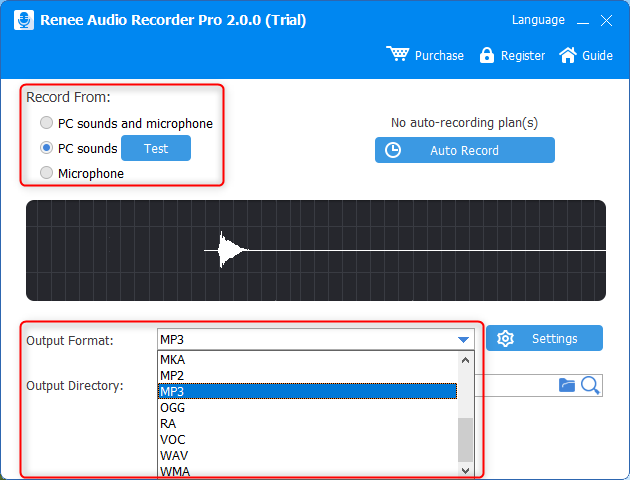
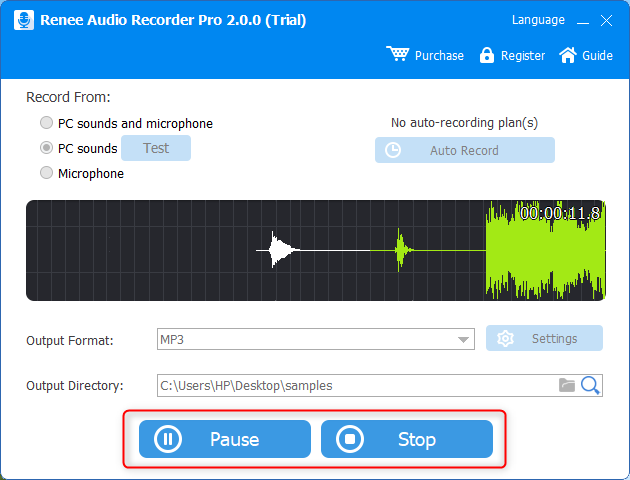
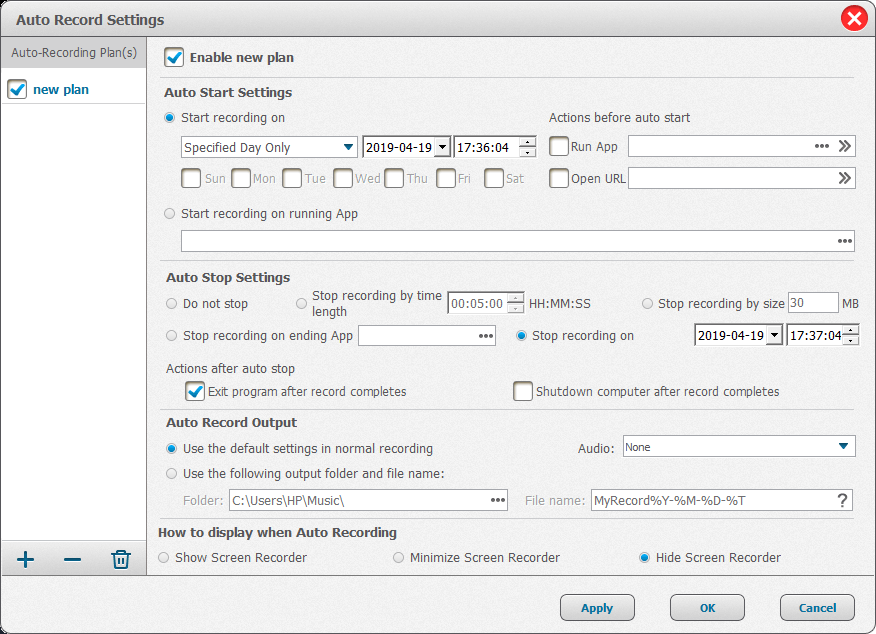
Many people focus on how to download music from YouTube. In fact, we can try to record while listening to music on YouTube. The recorded music can be used offline, or transferred to you smartphone. To get such easy, quick approach, Renee Audio Recorder Pro is qualified. Renee Audio Recorder Pro can record sounds from computer and microphone, adjust the recording quality, set the recording schedule. The formats, such as MP3, FLAC, VOC, WMA and WAV, are supported.

Easy to Use Just a few clicks to finsh the audio record.
Voice to Text Converts voice to text with multiple language support.
Multiple Output Formats Outputs recorded audios into WAV, AIFF, MP3, AAC and FLAC and more.
Audio Player Instantly play back recordings after capture.
Auto Recording Automatically record at scheduled times or when specific programs launch.
Easy to Use Just a few clicks to finsh the audio record.
Voice to Text Converts voice to text with multiple language support.
Multiple Output Formats Outputs recorded audios into WAV, AIFF, MP3, AAC and FLAC and more.


Approach 2: YouTube Music Premium
How to download music from YouTube? YouTube Music Premium is also an approach. After paying for this YouTube services, you can enjoy licensed music for offline listening. The donwloaded songs are valid within 30 days. Besides, subscribers have more benefits from YouTube.

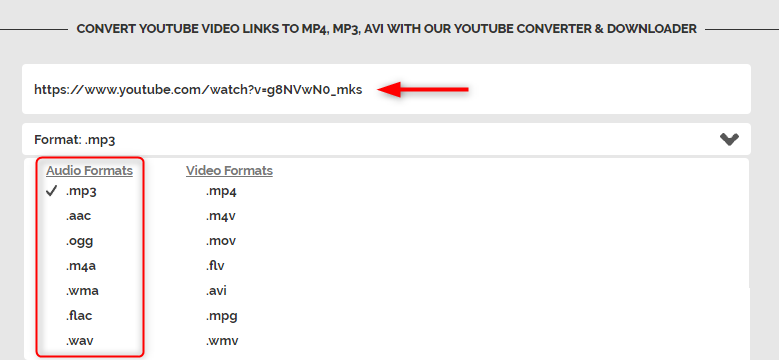
Approach 3: Save through Online Platform

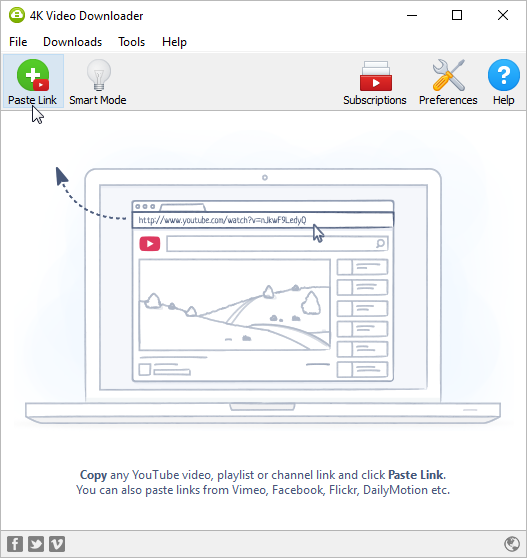
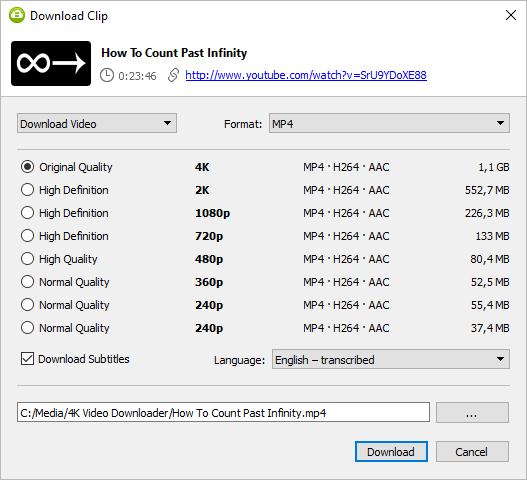
Approach 4: 4K Video Downloader
Relate Links :
How to Download Online Music to MP3
09-11-2026
Ashley S. Miller : Many people now listen to and search for various songs on the Internet. However, some websites do not...
How to Download Audio from YouTube Video

09-11-2026
John Weaver : Being an online video sharing platform, YouTube is very popular in foreign country. How to download a video...
Audio Extractor: How to Extract Audio from Video?
09-11-2026
John Weaver : We usually meet with the beautiful and attractive background music while watching online videos. Some people want to...


User Comments
Leave a Comment