
How to Rip YouTube Audio and Save to Local Disk

Summary
Being one of the popular video sharing social media, YouTube has become an important role in our daily life. Many users prefer to watch music videos and movie on YouTube. However, we may not have so many time to enjoy the whole video. Here, we can rip the YouTube audio and save it to local disk which can be listened at any time. Or you want to make the audio to be the background of your video. Follow us to get the audio out of the YouTube video.



CutterArbitrarily cut and clip audios in MP3, ACC, FLAC and APE formats. Many effects, such as fade in/out, speed adjustment, music mixing and volume adjustment, are available.
ConverterConvert music files between all audio formats, including MP3, M4A, ACC, OGG, AAC, FLAC and the others. It can also convert the video format into MP3.
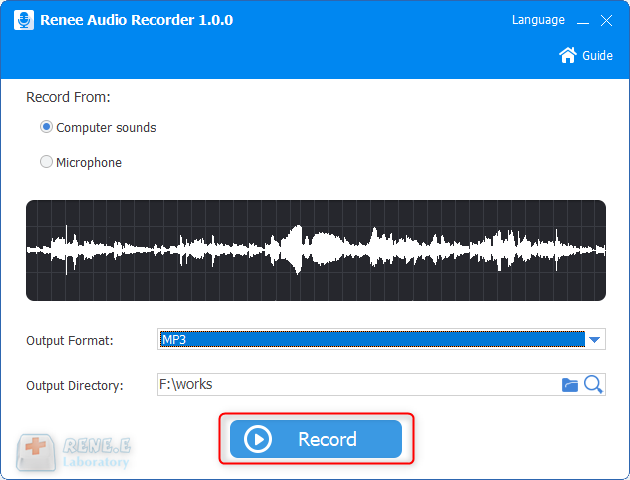
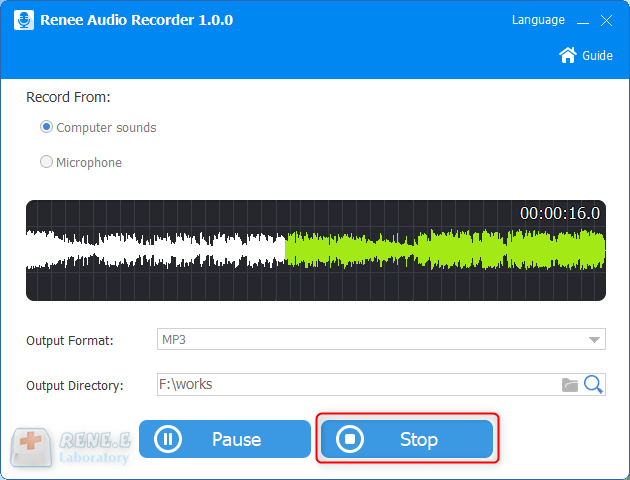
RecorderRecord computer sounds from streaming media and microphone at the same time and output into multiple audio formats.
JoinerMerge music files into one regardless the original file formats. The output format and quality can be set, too.
CD BurnerBurn multiple music files into CD, DVD and also make APE or BIN image file.
Compatible with: Windows 11 / 10 / 8.1 / 8 / 7 / Vista / XP (32bit/64bit)
CutterArbitrarily cut and clip audios in diffrent formats. Many effects, such as fade in/out, speed adjustment, music mixing, are available.
ConverterConvert music files between all audio formats, including MP3, M4A, ACC, OGG, AAC, FLAC and the others. It can also convert the video format into MP3.
RecorderRecord computer sounds from streaming media and microphone at the same time and output into multiple audio formats.
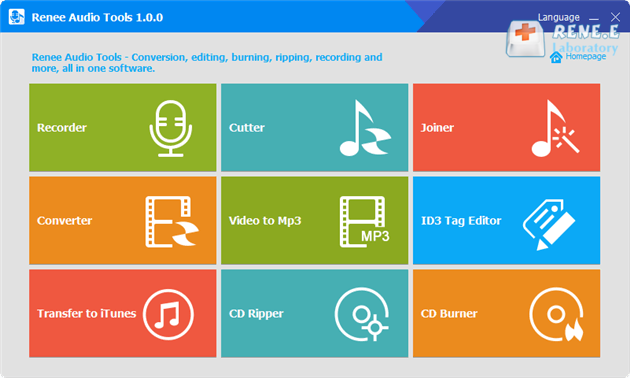
Recorder: Collect sounds from computer and microphone.
Cutter: Shorten the time length, adjust the playback speed, voice and volume.
Merger: Combine several files into one.
Converter: Convert between audio formats. Also, adjust the playback speed, change voice and mix sounds.
Video to MP3: Convert video to MP3, WAV, AAC and M4A.
ID3 editor: Fill in the information of the audio file, such as artiest, song name, album name, publish year and music genres.
Transfer to iTunes: Place audio files into iTunes.
CD ripper: Separate music from CD and save as audio files in the computer.
CD burner: Copy audio files in the computer and save in CD.
Relate Links :

08-11-2026
Jennifer Thatcher : If you find a well-played music on YouTube, want to save it to local disk for listening at...
How to Download Online Music to MP3
09-11-2026
Ashley S. Miller : Many people now listen to and search for various songs on the Internet. However, some websites do not...


User Comments
Leave a Comment