
Introduction of Chroma Key Video Editing Software

Summary
Have you ever visited the animation videos online? In some UGC (user-generated content) websites, there are some well-made vidoes with various special effects and editing tricks. Even some videos are made of the green-screen materials. How can we achieve these effects in our videos? What is chroma key? What is the chroma key video editing software? Let’s get the answer in this essay.






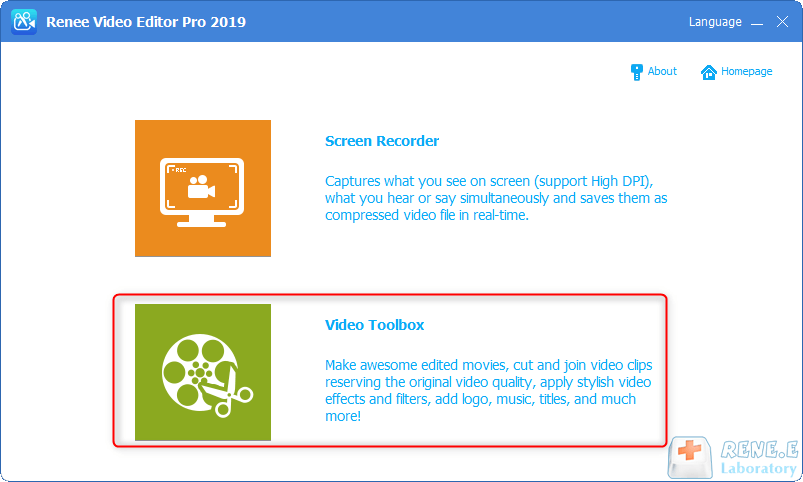
Screen RecordingRecord screen and webcam in Windows computer.
Cut Videos & AudiosUsers are free to cut videos and audios clips with setting start and end time.
Multiple Edit ToolsMerge, crop, rotate, cut and transform video easily. Change and add background music, subtitles and remove watermark from video.
Format ConversionSupport to convert videos and audios into different formats.
Screen Recording Record screen and webcam in Windows computer.
Multiple Edit ToolsCut Videos & Audios Users are free to cut videos and audios clips with setting start and end time.
Multiple Edit ToolsMerge, crop, rotate, cut and transform video easily. Change and add background music, subtitles and remove watermark from video.
Format ConversionSupport to convert videos and audios into different formats.
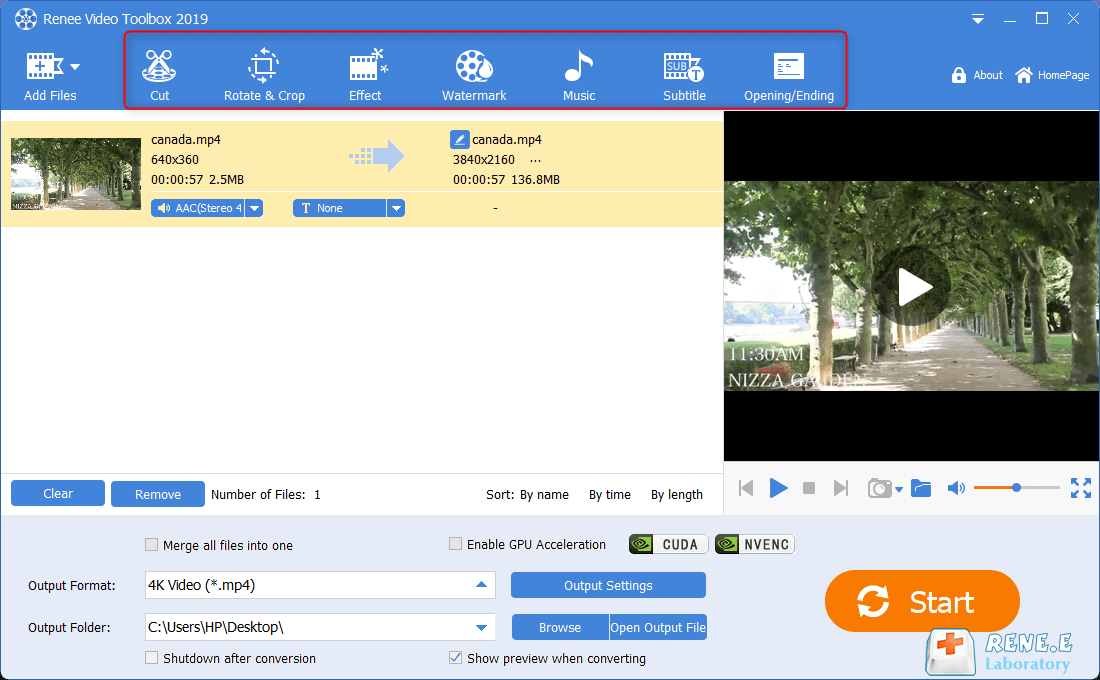
Rotate&Crop: Rotate and crop the video screen
Effect: Add filters, set zoom in/out effects and add audio effects
Watermark: Add text, image, video, shape watermark, or use the watermark remover
Music: Add background music or add voice over the video
Subtitle: Add the subtitles for the video
Opening/Ending: Add the opening/ending to enrich the video
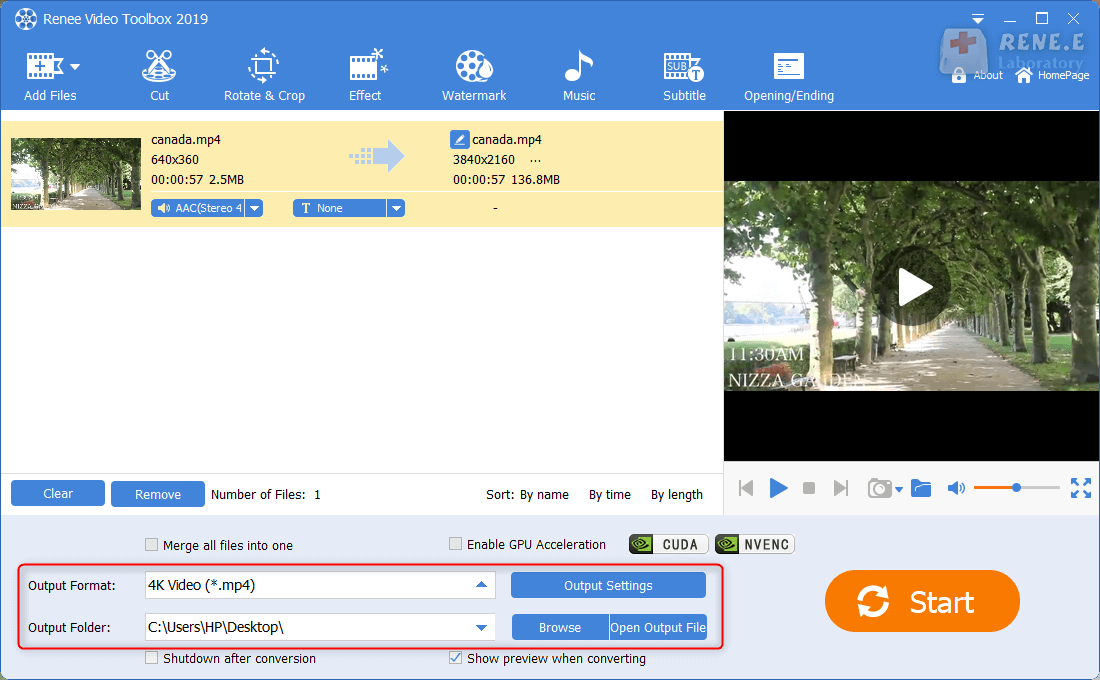
Relate Links :
Best Free Video Editing Software with No Watermark: Our Top Picks
09-11-2026
Amanda J. Brook : Discover the best free video editing software no watermark for Windows and Mac. Enhance your videos with professional...


User Comments
Leave a Comment