
How to Combine MOV Files on Windows 10?

Summary
How can we combine MOV files? If you want to use an application to combine MOV files, you should read this essay. You can use this multifunctional software to cut videos, crop the video screen, and add watermark, background music and subtitles. Both of Windows and Mac users can enjoy this application well. Let’s learn more about this software now!


Separate videos with different parametersUsers can separate videos into equal clips by time, size and self-set parameter.
Cut Videos & AudiosUsers are free to cut videos and audios clips by setting start and end time.
Multiple Edit ToolsMerge, crop, rotate, cut and transform video easily. Change and add background music, subtitles and watermark to video.
Format ConversionSupport to convert videos and audios into different formats.
Separate videosSeparate videos into equal clips by time, size and self-set parameter.
Cut Videos & AudiosCut videos and audios clips by setting start and end time.
Format ConversionConvert videos and audios into different formats.
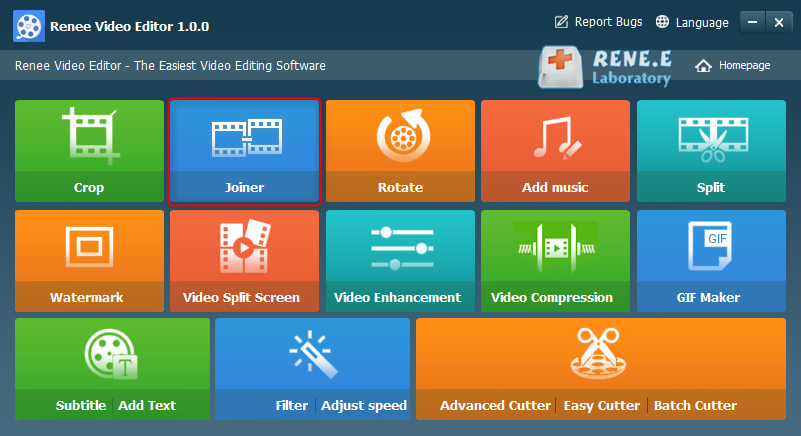
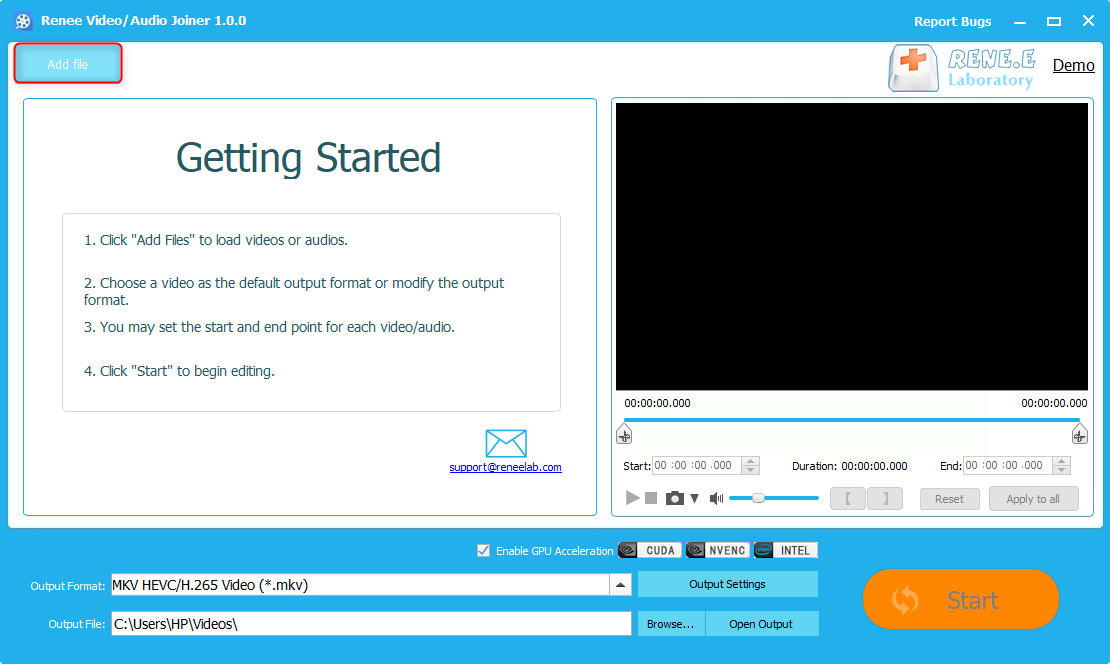
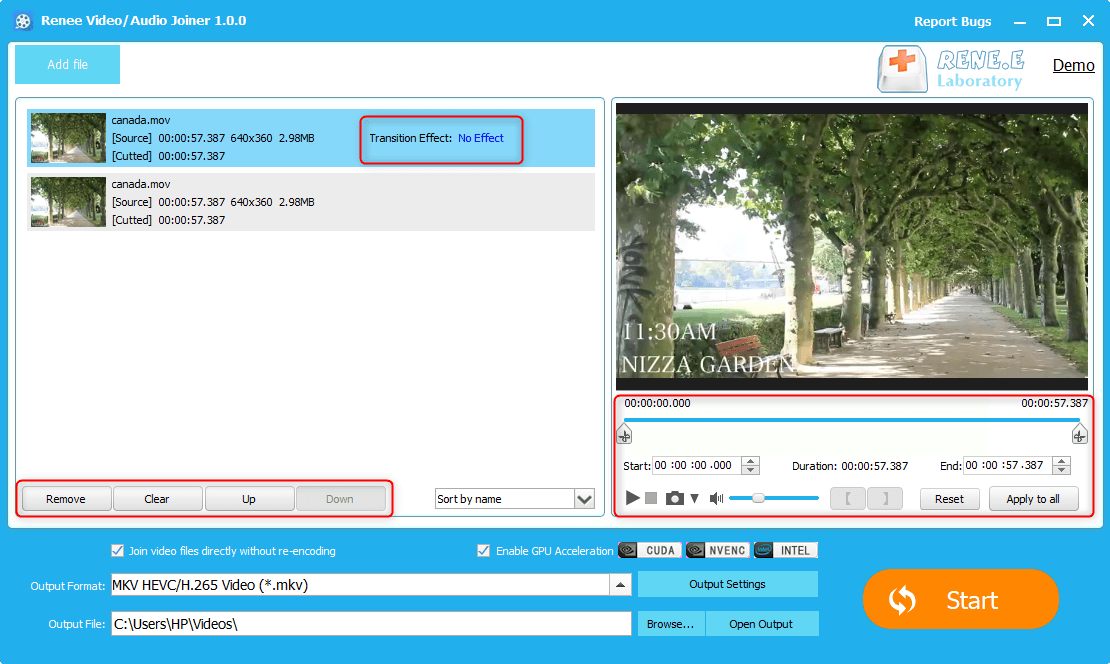
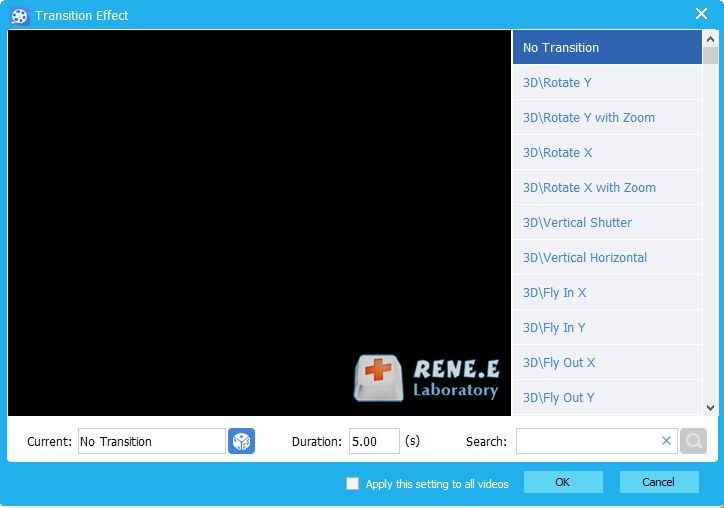
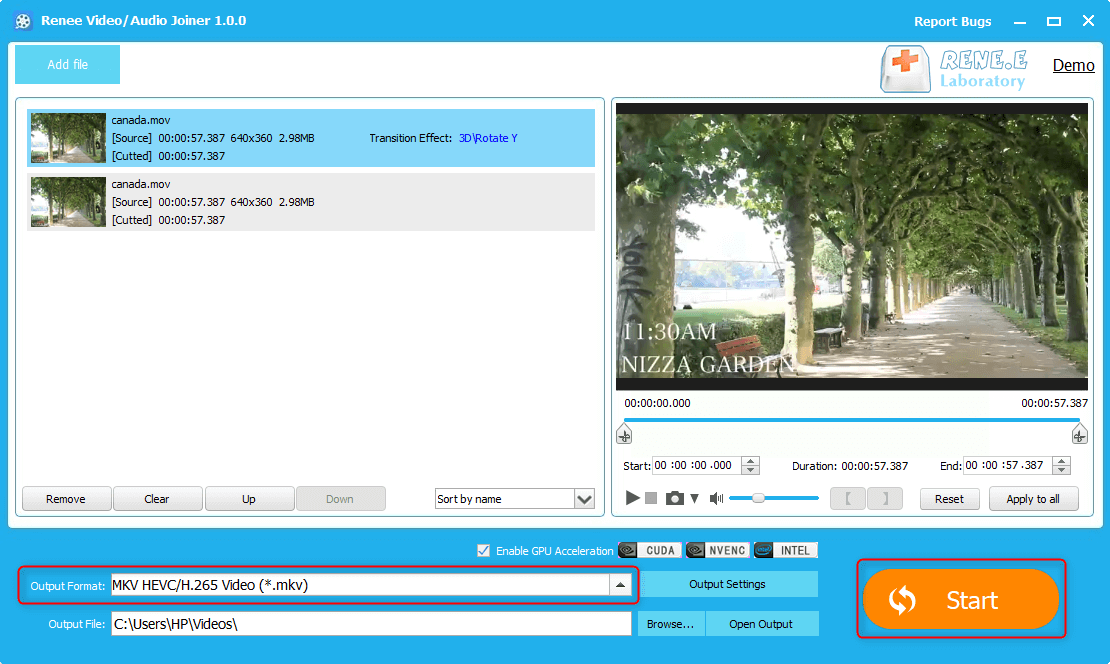
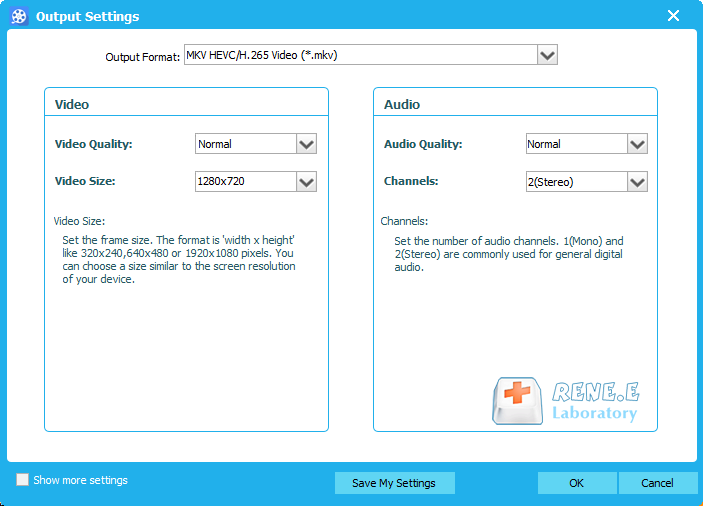
Among various output formats, you can select the format underpinned your devices, such as iPhone, iPod, HUAWEI, Apple TV and iPad. Besides, you can set the output quality, the video size, the audio quality and the sound channels in [Output Settings].
Relate Links :
Convert WAV Files to MP4: The Ultimate Guide

09-11-2026
Amanda J. Brook : Learn how to convert WAV files to MP4 format for easier transmission and use. Solve issues like failed...
Free Video Editing Software for Windows 10: Create Your Stunning Video Show
09-11-2026
Amanda J. Brook : Explore the top video editing software for Windows 10 to elevate your video projects. Master the art of...
How To Clone Yourself In a Video?
09-11-2026
Ashley S. Miller : Master how to clone yourself video with video editing software: synthesize backgrounds and seamlessly combine multiple characters into...


User Comments
Leave a Comment