
How to Cut Videos with Windows Movie Maker

Summary
Windows Movie Maker is a video editor released in Windows Vista and the latter versions. It is easy to use for light video editing. So, how to cut videos with Windows Movie Maker? Any other better software?
But Window Movie Maker doesn’t support various formats. You may need to convert formats before your editing.

Separate videos with different parametersUsers can separate videos into equal clips by time, size and self-set parameter.
Cut Videos & AudiosUsers are free to cut videos and audios clips by setting start and end time.
Multiple Edit ToolsMerge, crop, rotate, cut and transform video easily. Change and add background music, subtitles and watermark to video.
Format ConversionSupport to convert videos and audios into different formats.
Separate videosSeparate videos into equal clips by time, size and self-set parameter.
Cut Videos & AudiosCut videos and audios clips by setting start and end time.
Format ConversionConvert videos and audios into different formats.
Video: .asf, .avi, .wmv
Movie: .mpeg, .mpg, .m1v, .mp2
Windows Media: .asf, .wm, .wma, .wmv
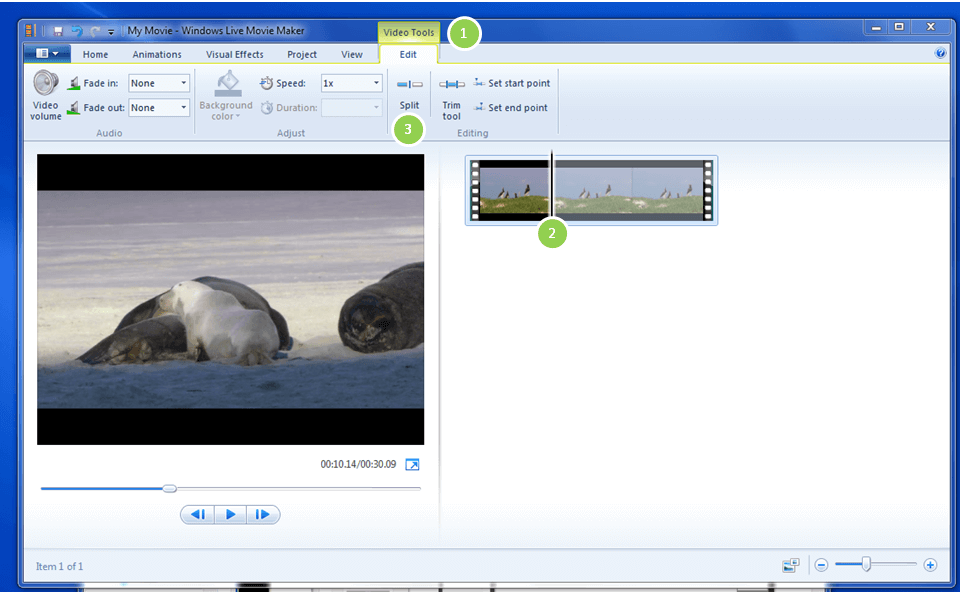
You have to repeat this steps several times because the software cannot locate at the specific start and end points.
It is recommended that the video quality be [Best quality for playback on my computer]. If you want to define another definition, click the option [Show fewer choices] for more parameters.
Video: .wmv
Audio: .wma
DV/AVI: .avi
However, Renee Video Editor can support almost all video formats in daily life. With its high compatibility, it is quietly convenient for you to merge videos even they are in different formats.
Renee Video Editor supports to output/input these video and audio formats:
FLV (*.flv), AVI Video (*.avi), ASF Video (*.asf), 3GP Video (*.3gp), 3G2 Video (*.3g2)
AMV Video (*.amv), M4V Video (*.m4v), DVD Video(PAL)(*.vob), DVD Video(NTSC)(*.vob), 4k Video (*.mp4), DivX Video (*.avi), Xvid Video (*.avi), MKV Video (*.mkv), MOV Video (*.mov), H.264 Video (*.mp4), M2TS Video (*.m2ts), MPEG2 Video (*.vob), MPEG4 Xvid Video (*.mp4)
Renee Video Editor supports these audio formats:
SUN AU Format (*.au), M4A MPEG-4 Audio (*.m4a),M4B MPEG 4 Audio (*.m4b),
AC3 Dolby Digital AC-3 (*.ac3), OGG Ogg Vorbis Audio (*.ogg), AAC Advanced Audio Coding (*.aac), FLAC Free Lossless Audio Codec (*.flac), Aiff Audio Interchange File Format (*.aiff), AMR Adaptive Multi-Rate Audio Coding (*.amr)
…
Renee Video Editor can automatically recode inconsistent videos but not affect the image quality. You don’t need to set the parameters by yourself, such us the encodings, bit rates and FPS.
Besides, lossy compression degrades the image quality and the sound quality. Yet, Renee Video Editor can skip this process and edit videos without any quality degradation.
| Product | Renee Video Editor | Windows Movie Maker |
|---|---|---|
| Edit losslessly | √ | × |
| Support multiple formats | √ | × |
| Convert formats by built-in encoder | √ | × |
Separate videos with different parametersUsers can separate videos into equal clips by time, size and self-set parameter.
Cut Videos & AudiosUsers are free to cut videos and audios clips by setting start and end time.
Multiple Edit ToolsMerge, crop, rotate, cut and transform video easily. Change and add background music, subtitles and watermark to video.
Format ConversionSupport to convert videos and audios into different formats.
Separate videosSeparate videos into equal clips by time, size and self-set parameter.
Cut Videos & AudiosCut videos and audios clips by setting start and end time.
Format ConversionConvert videos and audios into different formats.
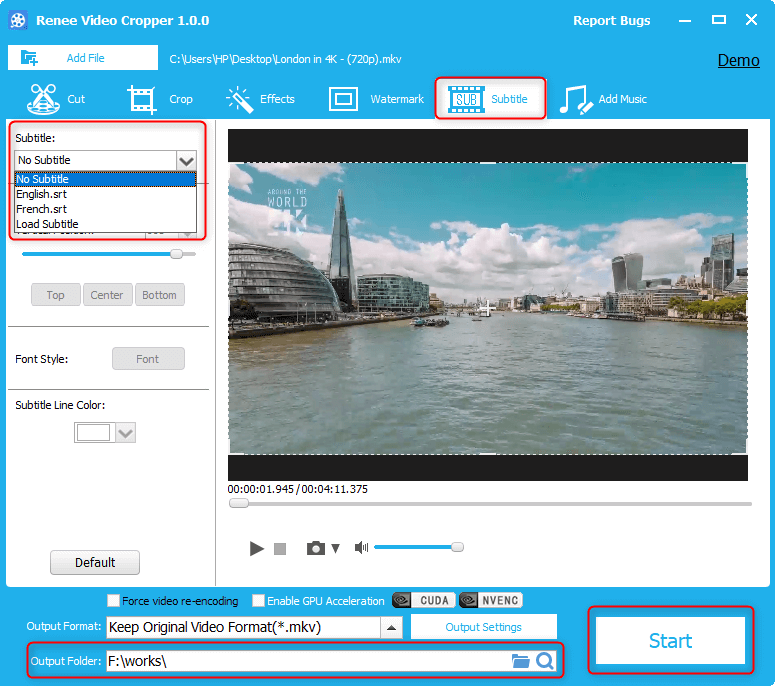
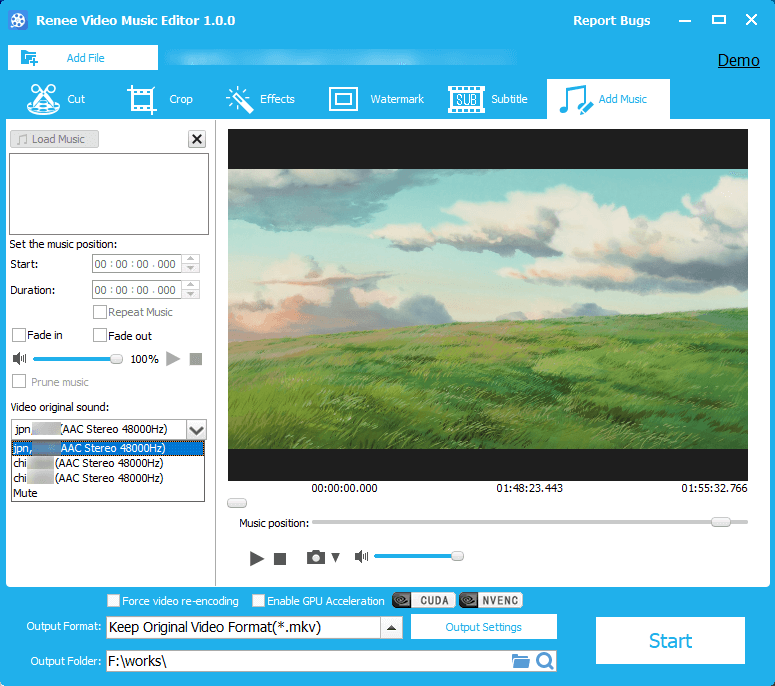
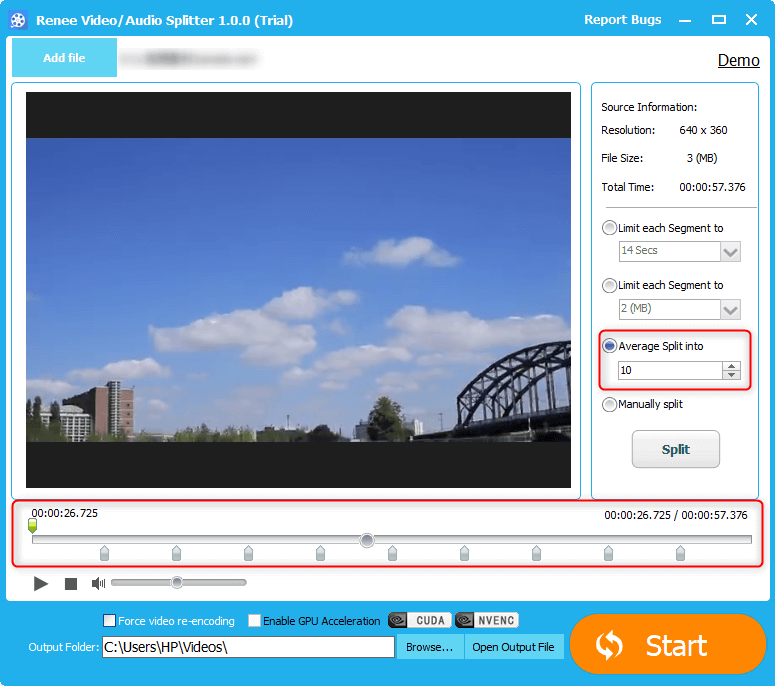
As we all know, different video platforms limit the upload video to different length: YouTube, 15mins; Facebook, 20mins; Dailymotion, 60mins; Twitter, 2mins 2s. If you want to split a video up to hours, you have to divide it into several parts and upload segments. The function [Limit each Segment to] in Renee Video Editor really helps you!
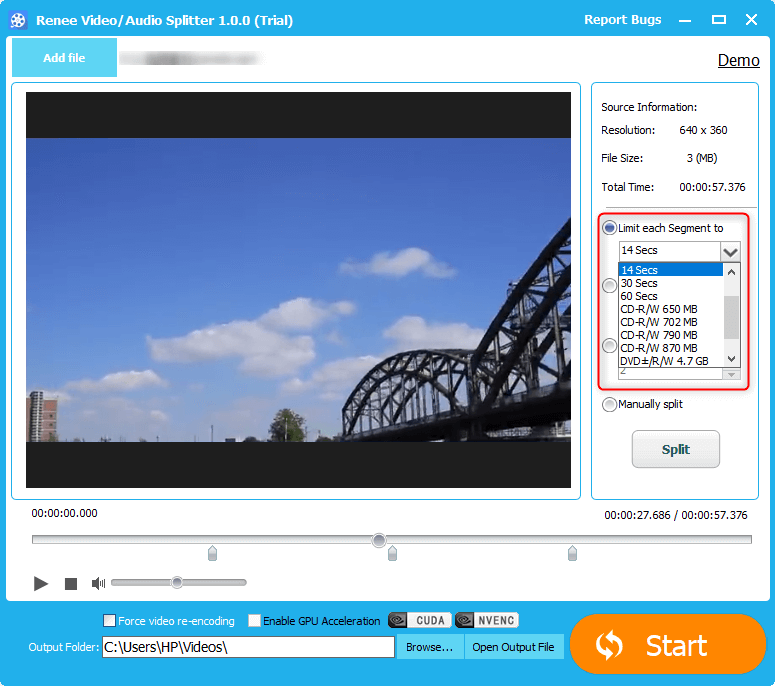
| Platform | Video size | Platform | Video size |
|---|---|---|---|
| YouTube | 123 GB | 1.75 GB | |
| 0.5 GB | Vimeo | 25 GB | |
| niconico | 1.5 GB | Dailymotion | 2 GB |
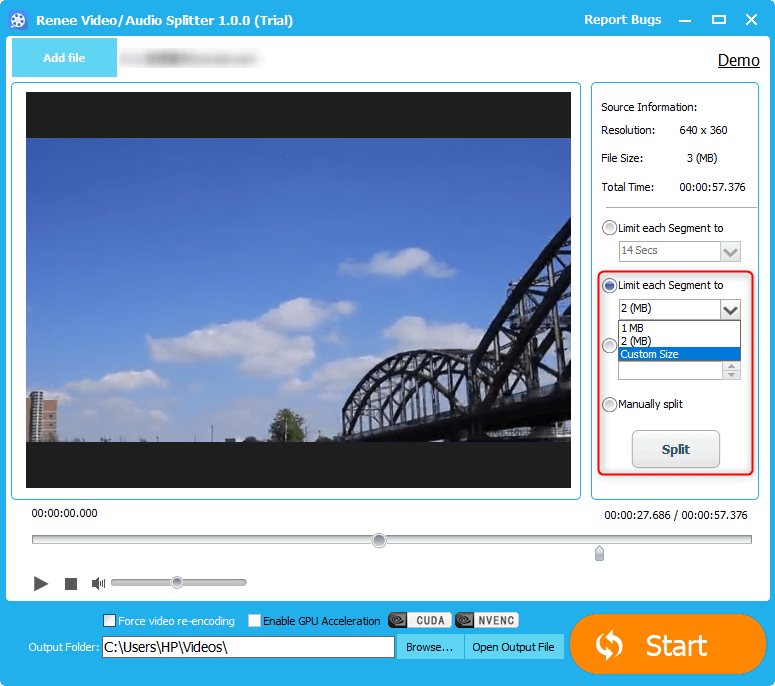
Yet, if you equally split the video and play them one by one, your boss can well appreciate your work.
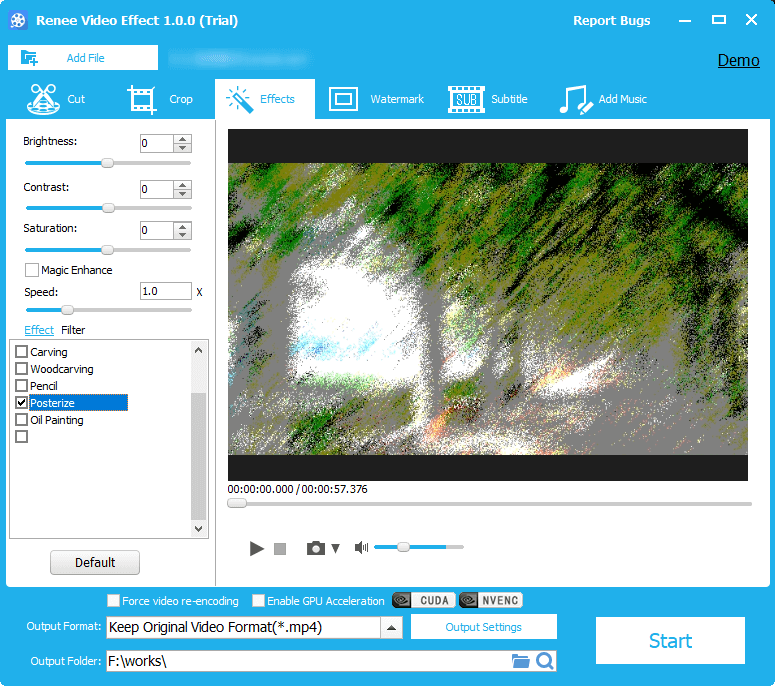
However, if the output format changes (i.e. F4V to MPEG or AVI) and the other parameters remain unchanged, the split video will be larger.
Relate Links :
Convert SWF to MP4: Easy Steps for Windows Users
09-11-2026
Amanda J. Brook : Discover the best SWF to MP4 converter to avoid wasting time on ineffective tools. We'll explore their features...
Convert Windows Media files to MP4 effortlessly
09-11-2026
Amanda J. Brook : Learn how to convert windows media file to mp4 format for better compatibility and smaller file sizes without...
How to Convert MP4 to GIF on Windows?
09-11-2026
Amanda J. Brook : Learn how to convert MP4 videos to GIF on Windows. GIF files have small sizes and load quickly,...


User Comments
Leave a Comment