
Convert MOV to MP4: The Easiest Online Solution

Summary
Learn how to convert MOV to MP4 online to enhance compatibility with Android devices, media players like Windows Media Player, and other operating systems.

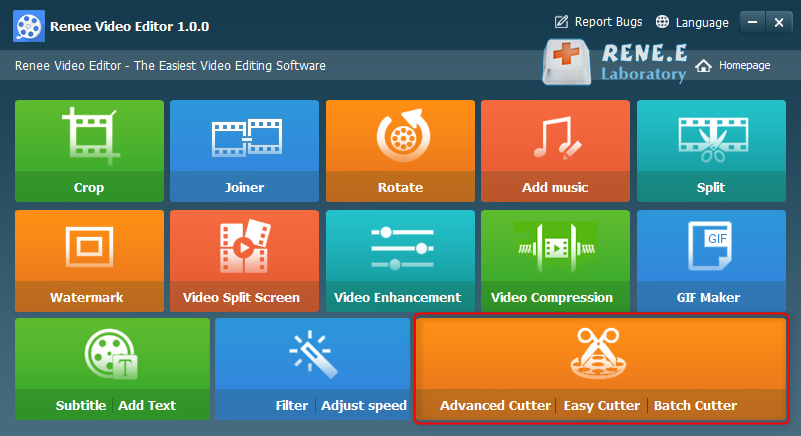
Separate videos with different parametersUsers can separate videos into equal clips by time, size and self-set parameter.
Cut Videos & AudiosUsers are free to cut videos and audios clips by setting start and end time.
Multiple Edit ToolsMerge, crop, rotate, cut and transform video easily. Change and add background music, subtitles and watermark to video.
Format ConversionSupport to convert videos and audios into different formats.
Separate videosSeparate videos into equal clips by time, size and self-set parameter.
Cut Videos & AudiosCut videos and audios clips by setting start and end time.
Format ConversionConvert videos and audios into different formats.
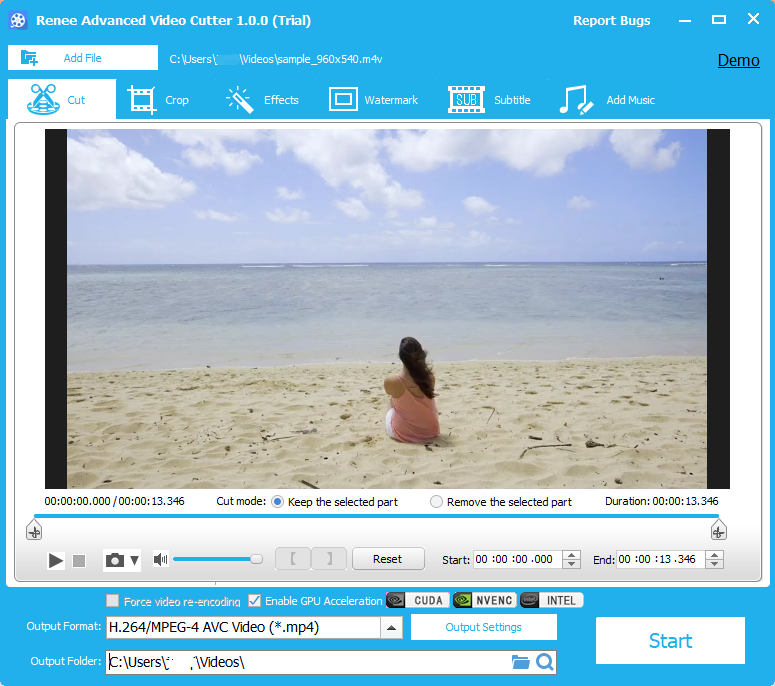
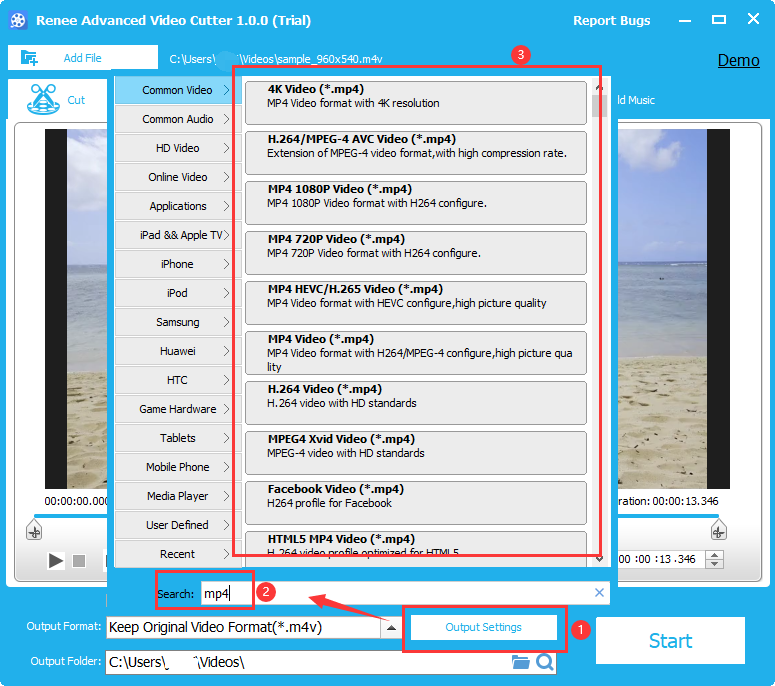
Options include editing, cropping, filter effects, watermarks, subtitles, and soundtrack. Once editing is complete, select the video format at the bottom (output format) based on terminal devices or preferences. Choose MP4 format. After selecting, click the bottom right (Start) button to begin processing and exporting the video.
Relate Links :
Convert AVI to MP4 Online: The Ultimate Solution
09-11-2026
Amanda J. Brook : Explore the process of converting AVI files to MP4 format online for enhanced storage efficiency and broader compatibility....
Convert MP4 to GIF Online - Quick and Easy Solution
09-11-2026
Amanda J. Brook : Learn how to convert mp4 to gif online with our easy-to-follow steps. Become familiar with these common formats...
Convert Video to GIF with Photoshop: Simple Steps
09-11-2026
Amanda J. Brook : Learn how to convert video to gif with photoshop. This article explains the process step-by-step and offers an...


User Comments
Leave a Comment