
How to Transfer Audios from WAV to M4A

Summary
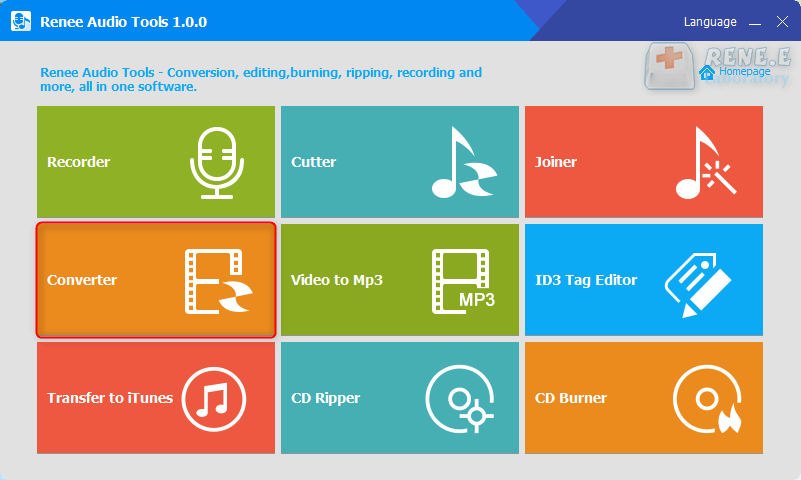
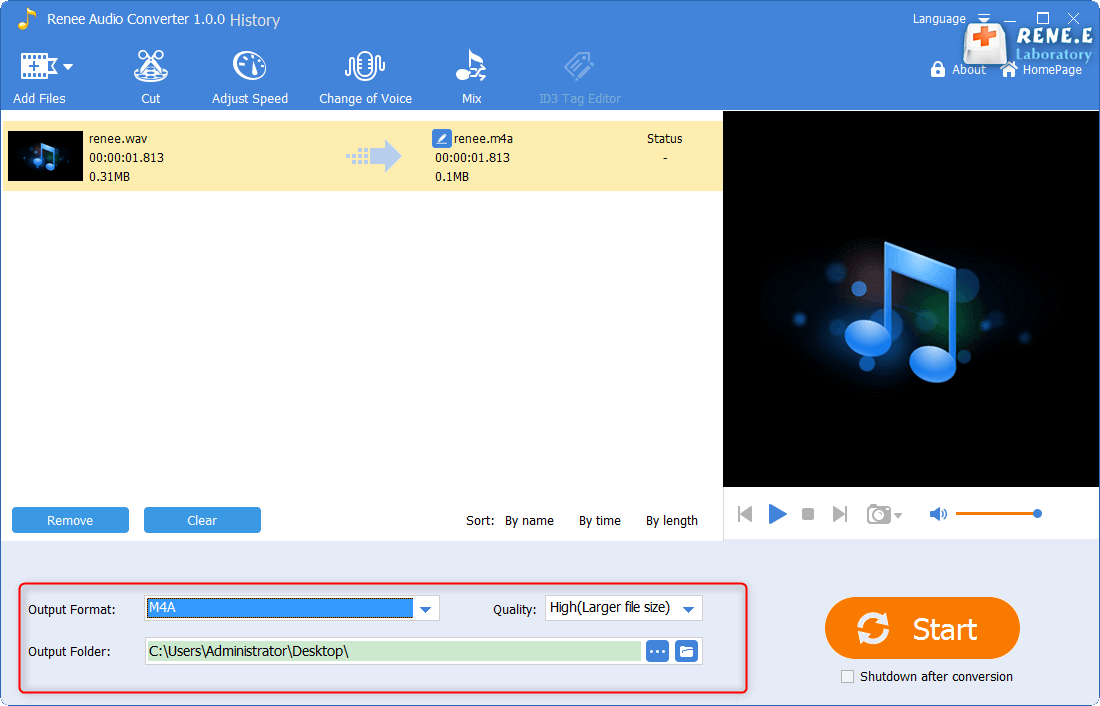
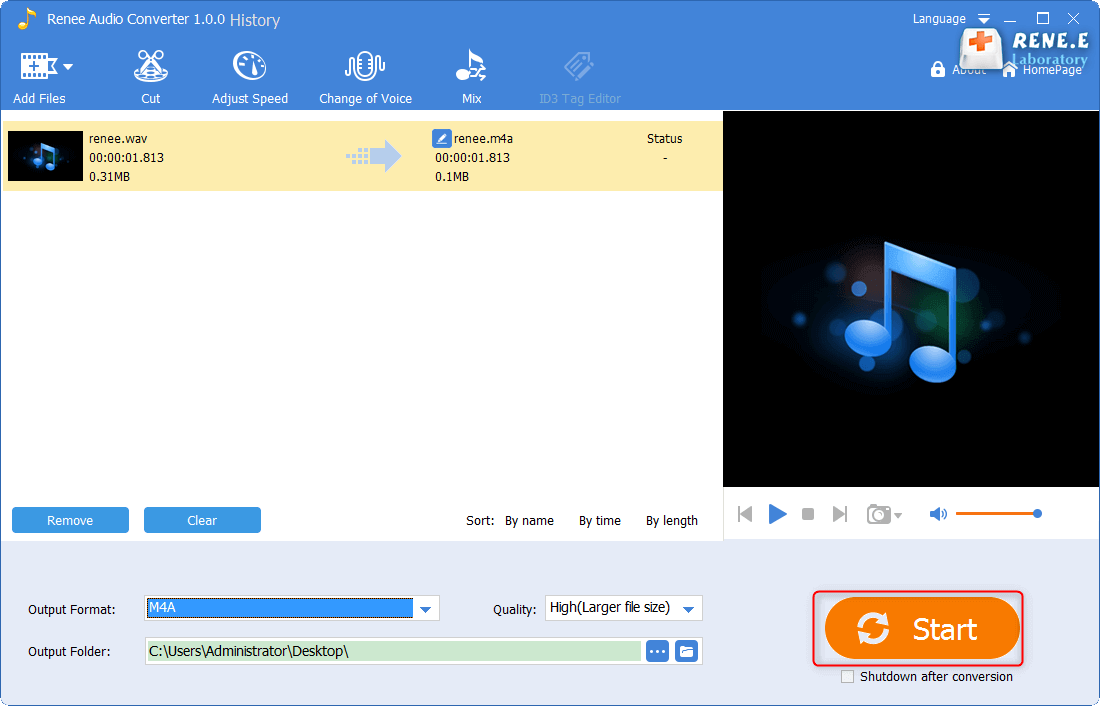
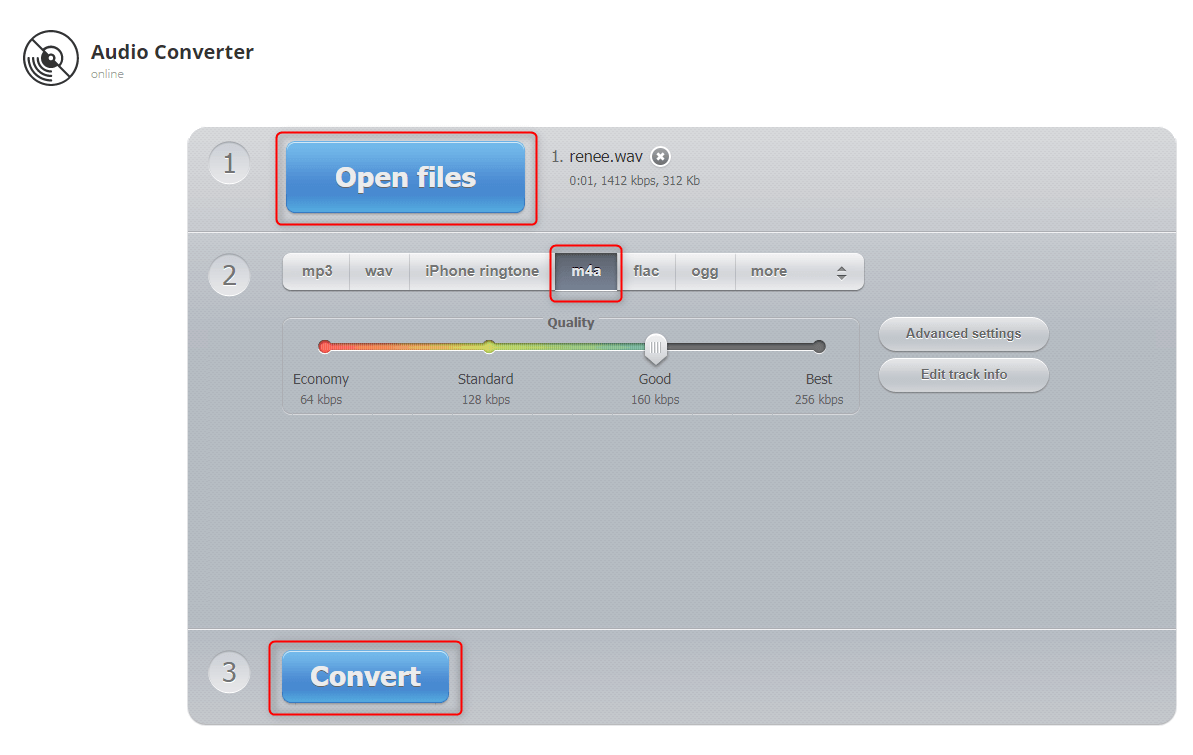
Audio format transferring is very common when editing audios. For different audio formats have different characteristics. Then how to transfer audio format? Here we take WAV to M4A as an example to introduce audio format transfer.

CutterArbitrarily cut and clip audios in MP3, ACC, FLAC and APE formats. Many effects, such as fade in/out, speed adjustment, music mixing and volume adjustment, are available.
ConverterConvert music files between all audio formats, including MP3, M4A, ACC, OGG, AAC, FLAC and the others. It can also convert the video format into MP3.
RecorderRecord computer sounds from streaming media and microphone at the same time and output into multiple audio formats.
JoinerMerge music files into one regardless the original file formats. The output format and quality can be set, too.
CD BurnerBurn multiple music files into CD, DVD and also make APE or BIN image file.
Compatible with: Windows 11 / 10 / 8.1 / 8 / 7 / Vista / XP (32bit/64bit)
CutterArbitrarily cut and clip audios in diffrent formats. Many effects, such as fade in/out, speed adjustment, music mixing, are available.
ConverterConvert music files between all audio formats, including MP3, M4A, ACC, OGG, AAC, FLAC and the others. It can also convert the video format into MP3.
RecorderRecord computer sounds from streaming media and microphone at the same time and output into multiple audio formats.
Relate Links :
08-11-2026
Jennifer Thatcher : If you want to cut an audio file, the online tool is convenient. In this essay, we will...
How to Record Computer and Microphone Audios?
08-11-2026
Jennifer Thatcher : Sometimes, we need to record computer and microphone audios and save them as audio files, such as the...
09-11-2026
Jennifer Thatcher : M4A is the file extension of MPEG-4 standard audios. But, M4A has been indicated as both of video...


User Comments
Leave a Comment