
Effortlessly Convert Videos for iPhone in a Flash!

Summary
Discover the iphone video converter and learn how to effortlessly convert videos to play seamlessly on your device. No more compatibility issues.
Reasons Why Videos Won't Play on iPhone
1. Unsupported video format or codec (main reason)
If you encounter an Unsupported Video Format or Codec error, your iPhone may be unable to play the video. iPhones are designed to support only certain video formats and codecs. When a video file uses an incompatible format or codec, it will not display correctly on your device.
2. Resolution Compatibility
Certain high resolutions may not be supported on some mobile phone models due to their limitations. For instance, the iPhone 6 and iPhone 6 Plus support up to 1080p resolution, whereas the iPhone 5s is compatible with both 1080p and 720p. Attempting to play videos with resolutions higher than the supported limit on these devices could result in playback issues
3. Resolving Video Corruption Issues
Video corruption may arise due to downloads from unreliable sources. It can also occur from improper file transfers to an iPhone, or due to conflicts with other apps, resulting in videos that are unplayable on the device.
What video formats can the iPhone play?
MOV |
M4V |
MP4 |
|
|---|---|---|---|
| Introduction | The audio/video file format developed by Apple Inc. is the video format of QuickTime player. | A video file format developed by Apple Inc., which is a special type of MP4 format. | Also known as MEPG-4 Part 14, it is a common video file format. |
| features | MOV is Apple's most original video file format, which encapsulates video content in a lossy way; the video quality of MOV format is higher. | Designed for iPhone, iPod and other products, it is also called Apple's video podcast format, with small size and high definition. | Wide application, fast video loading speed, high quality and high compatibility. |
| Devices that support playback | Support playing on iTunes, Apple iPhone, iPad, iPod, Apple TV and other devices. | Support playing on iTunes, Apple iPhone, iPad, iPod, Apple TV and other devices. | It supports playing on almost all media players and devices, and has extremely high compatibility. |
How to convert video to a format that iPhone can play?
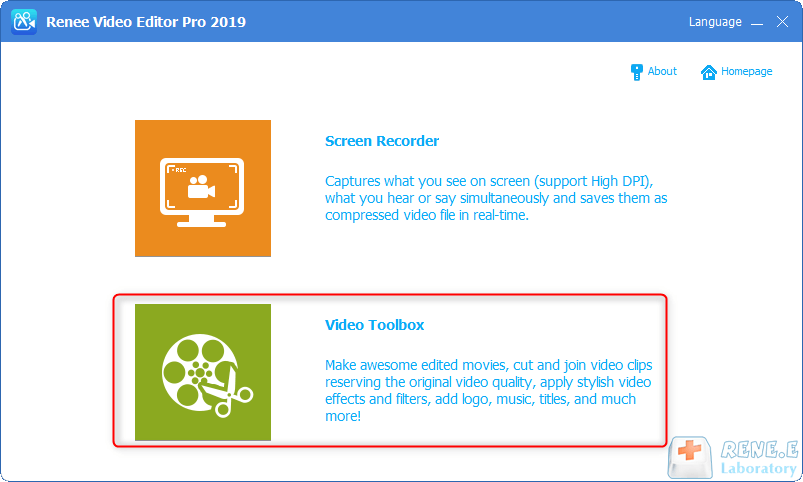
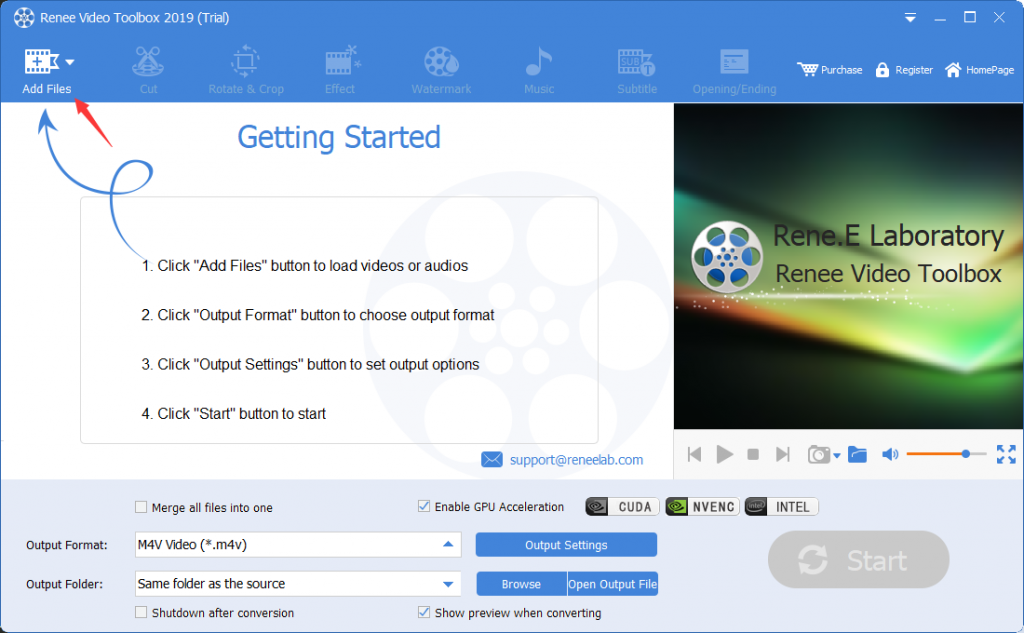
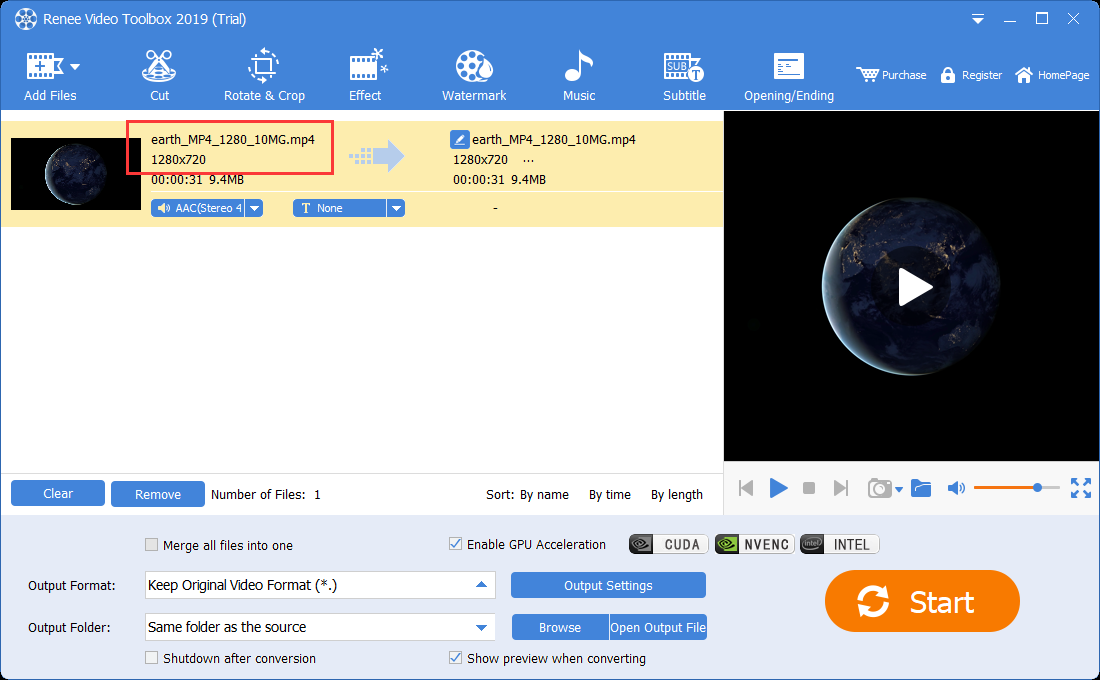
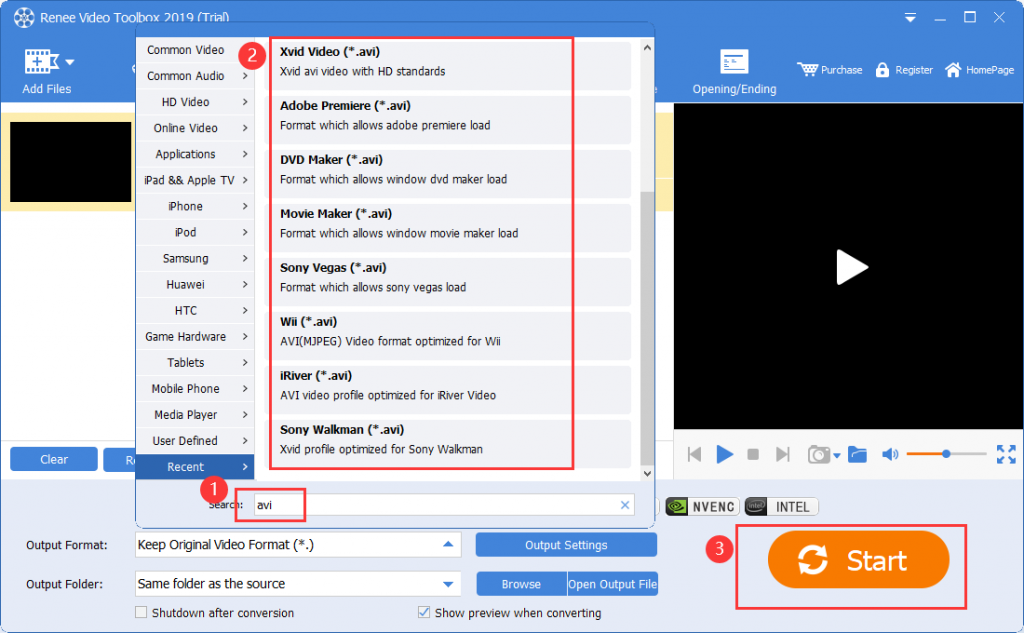
1. Use Renee Video Editor Pro to convert video formats

Screen RecordingRecord screen and webcam in Windows computer.
Cut Videos & AudiosUsers are free to cut videos and audios clips with setting start and end time.
Multiple Edit ToolsMerge, crop, rotate, cut and transform video easily. Change and add background music, subtitles and remove watermark from video.
Format ConversionSupport to convert videos and audios into different formats.
Screen Recording Record screen and webcam in Windows computer.
Multiple Edit ToolsCut Videos & Audios Users are free to cut videos and audios clips with setting start and end time.
Multiple Edit ToolsMerge, crop, rotate, cut and transform video easily. Change and add background music, subtitles and remove watermark from video.
Format ConversionSupport to convert videos and audios into different formats.
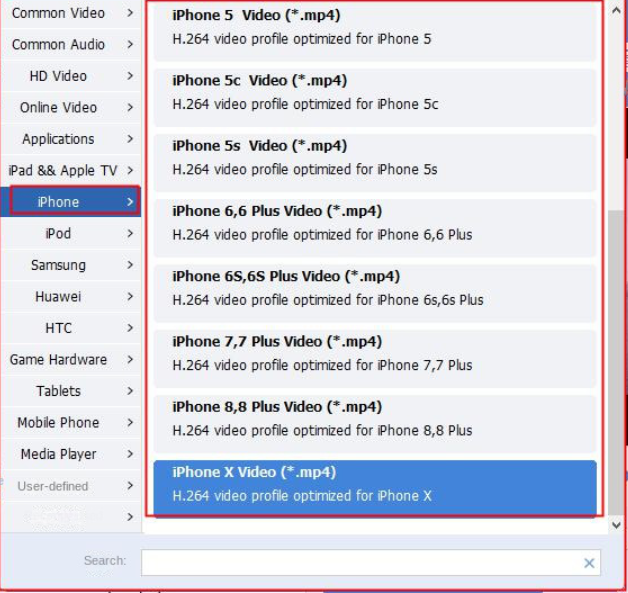
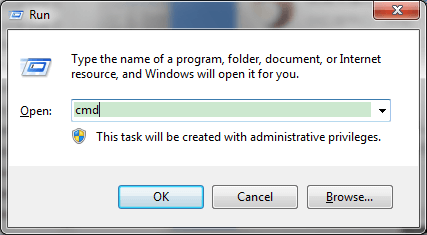
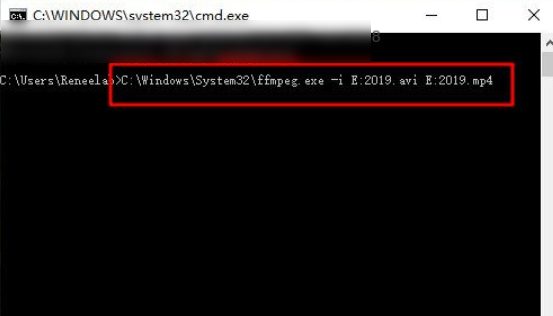
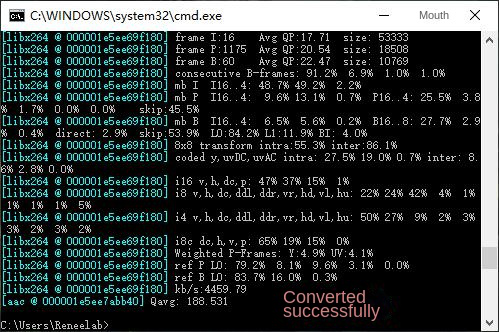
2. Use FFmpeg to convert video formats

Relate Links :
How to Effortlessly Convert MP4 to WEBM in Windows?

09-11-2026
Amanda J. Brook : Learn how to convert MP4 files into WEBM files in Windows and explore the benefits of using the...
Create Stunning Time-Lapse Videos Effortlessly

09-11-2026
Ashley S. Miller : Master how to make a time lapse video with our comprehensive guide. Learn to capture more content in...
Convert WMA to MP4 & Import MP4 Videos Effortlessly!
09-11-2026
Amanda J. Brook : Use a professional tool for lossless WMA to MP4 conversion; we recommend one that also supports adding WMA...
Effortlessly Convert 3GP/3GPP Video to MP3 - Expert Guide

09-11-2026
John Weaver : Unlock the simple steps to transform your 3GP files into MP3s and free up valuable storage on your...

