
Alternatives of ScreenFlow Screen Recording Software

Summary
For users who need to record screen, ScreenFlow is one the screen recording software that many users use. However, it comes with some disadvantages like users can not record any where of the screen at will, limited edit functions are provided, etc.. Following will introduce 2 alternatives for screen recording. Let’s go for it.

Screen RecordingRecord screen and webcam in Windows computer.
Cut Videos & AudiosUsers are free to cut videos and audios clips with setting start and end time.
Multiple Edit ToolsMerge, crop, rotate, cut and transform video easily. Change and add background music, subtitles and remove watermark from video.
Format ConversionSupport to convert videos and audios into different formats.
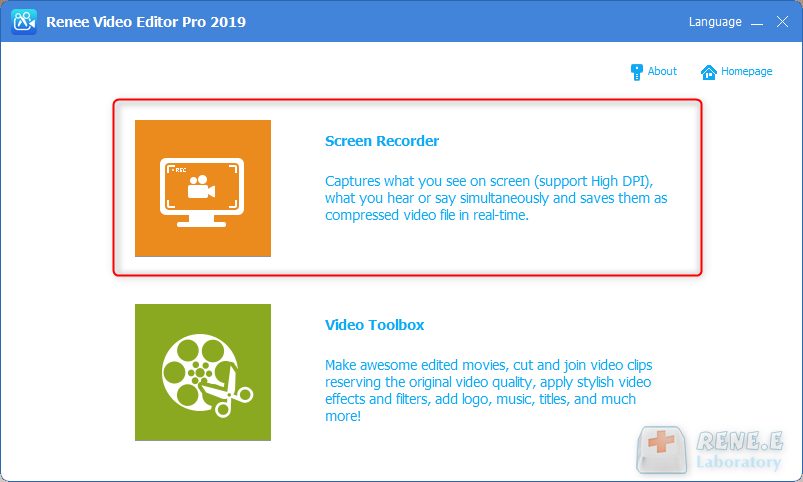
Screen Recording Record screen and webcam in Windows computer.
Multiple Edit ToolsCut Videos & Audios Users are free to cut videos and audios clips with setting start and end time.
Multiple Edit ToolsMerge, crop, rotate, cut and transform video easily. Change and add background music, subtitles and remove watermark from video.
Format ConversionSupport to convert videos and audios into different formats.
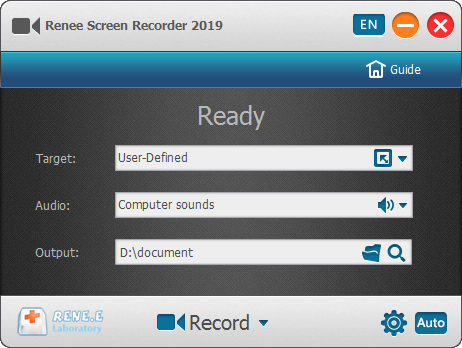
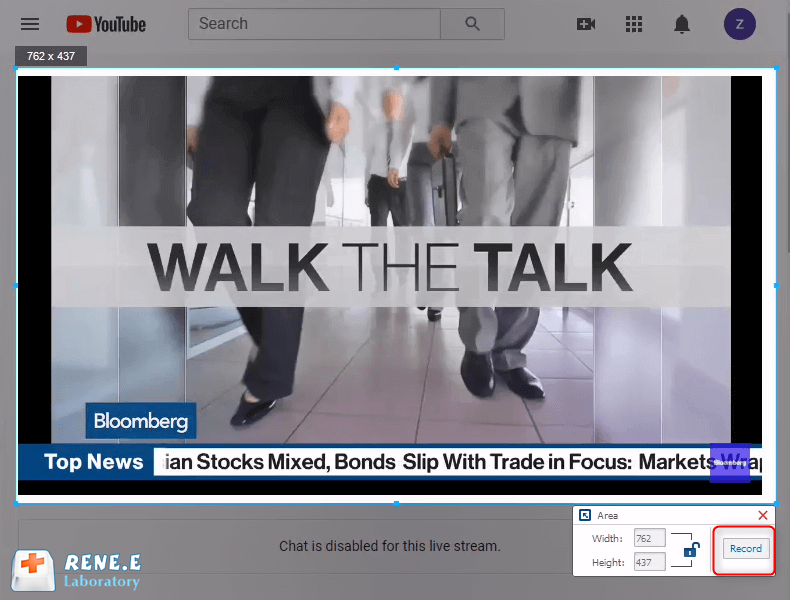
Target: User can select to record whole screen or define the area you want to record.
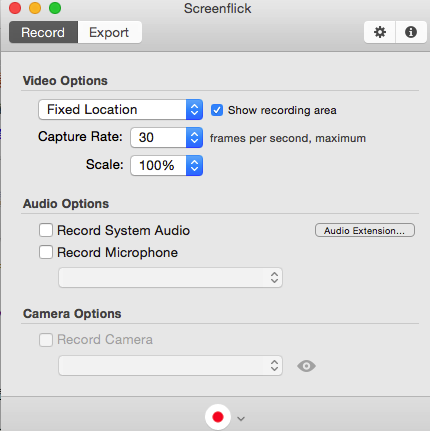
Audio: Refers to the source of sound like microphone, computer or both.
Output: Location to save the record.
Relate Links :
Better Alternatives to Aviutl Video Editing Software

09-11-2026
Amanda J. Brook : Check out these alternative video editing software options if AviUtl is not suitable for your needs. Edit a...
Top Free Windows Movie Maker Alternatives
09-11-2026
John Weaver : Discover the best windows movie maker alternatives. With free and full-featured options, we compare their pros and cons.
Useful&Free Alternatives to iMovie for Windows Users
09-11-2026
John Weaver : iMovie is the useful video editing tool developed by Apple Inc. In fact, there are many alternatives to...


User Comments
Leave a Comment