
Best Video Split Screen Software

Summary
Discover the definition and applications of the widely adopted video editing technique known as video split screen. Additionally, find out about the top software choices available for executing this technique effectively.

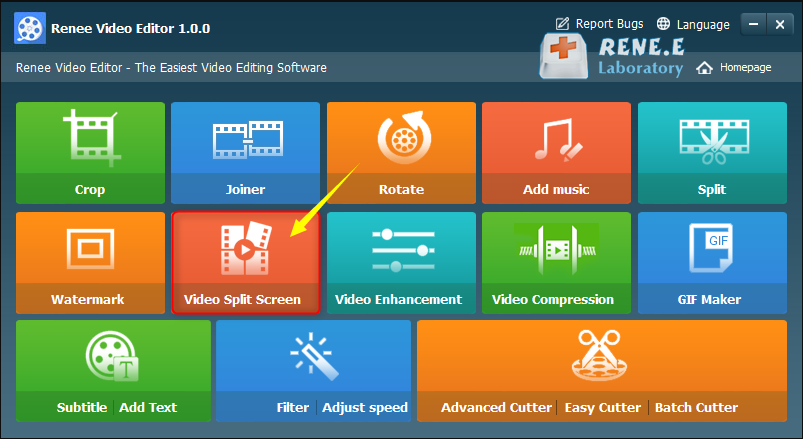
WMV, AVI, MP4, M4A, MOV, MKV, and more. Additionally, it allows you to save files in formats compatible with different devices. The software also provides a range of editing tools, including merging multiple videos, batch editing, cropping, adding subtitles, watermarks, special effects filters, background music, and converting videos to GIF. Enjoy the convenience of playing multiple videos simultaneously on the same screen.

Separate videos with different parametersUsers can separate videos into equal clips by time, size and self-set parameter.
Cut Videos & AudiosUsers are free to cut videos and audios clips by setting start and end time.
Multiple Edit ToolsMerge, crop, rotate, cut and transform video easily. Change and add background music, subtitles and watermark to video.
Format ConversionSupport to convert videos and audios into different formats.
Separate videosSeparate videos into equal clips by time, size and self-set parameter.
Cut Videos & AudiosCut videos and audios clips by setting start and end time.
Format ConversionConvert videos and audios into different formats.
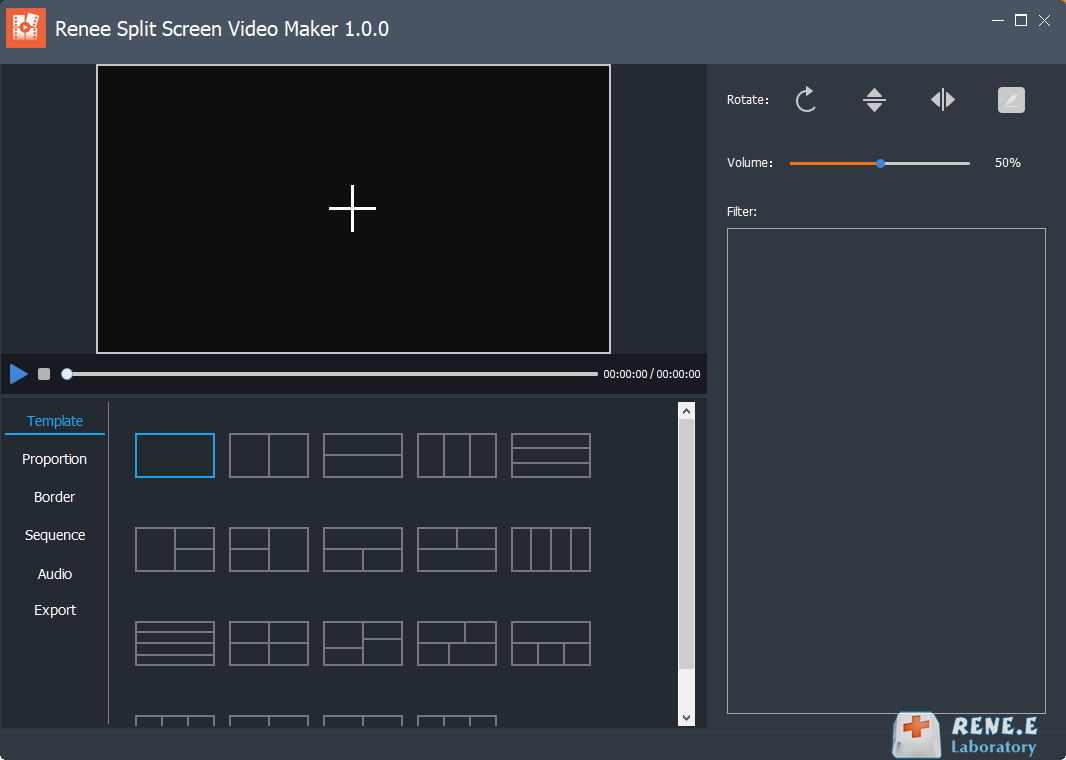
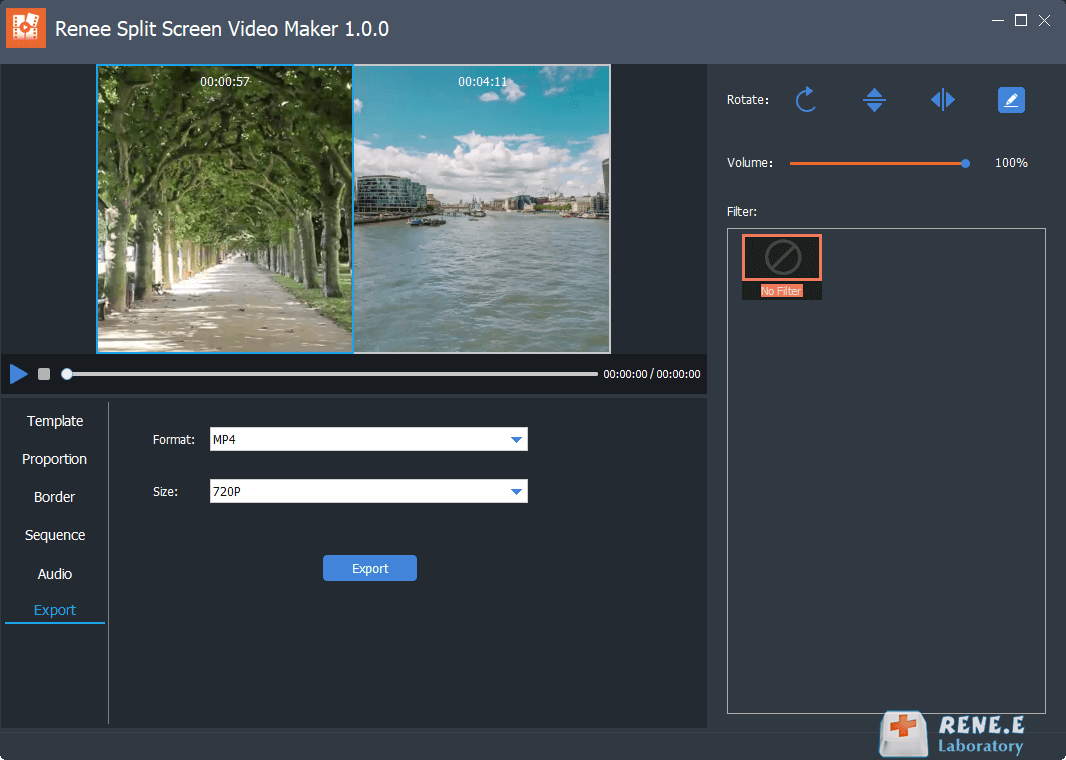
type: The template for splitting video screens supports splicing and combination of 2-5 video screens.
Aspect Ratio: Ratio setting of split video screen, including 16:9, 9:16, 4:3, 1:1 four ratios.
frame: Set the border width and border color of the split video screen, including white, red, gray, yellow, green, blue, etc.
order: You can set the video playback mode in the split screen, which is divided into two types: (simultaneous playback) and (sequential playback).
Background music: You can add background music to split-screen videos.
output: You can set (format) and (resolution). The (format) includes two types: MP4 and AVI; (resolution) includes three types: 360P, 720P, and 1080P.
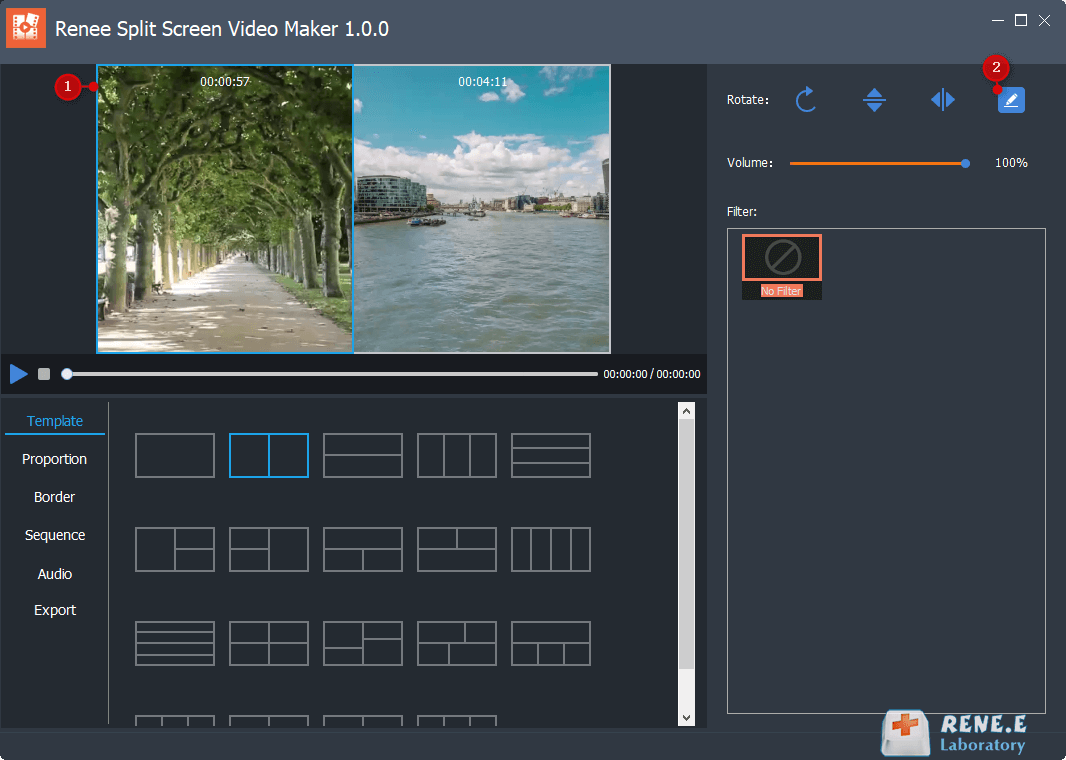
edit button on the right, set the start and end time for each video, and click (OK) after completing the setting. Then, adjust the aspect ratio, frame, playback order, and background music for a more perfect result.
Relate Links :
Best Split Screen Video Software: Expert Recommendations & How-To Guide

09-11-2026
John Weaver : Explore the powerful technique of split-screen video to enhance your storytelling by presenting multiple content streams simultaneously. Dive...
Best MP4 Converters for Mac OS
09-11-2026
Amanda J. Brook : Discover the best mac mp4 converter to efficiently convert and edit video files. Enhance transmission and usability with...
Best MP4 to 3GP Converters for Windows
09-11-2026
Amanda J. Brook : Learn how to convert MP4 to 3GP on Windows. Discover two powerful format conversion tools to easily convert...


User Comments
Leave a Comment