
Master Win 10′s Newest Screenshot Tricks

Summary
Discover the revamped screenshot function in Windows 10's latest update. Learn all the tips and tricks included with this essential tool.

Screen RecordingRecord screen and webcam in Windows computer.
Cut Videos & AudiosUsers are free to cut videos and audios clips with setting start and end time.
Multiple Edit ToolsMerge, crop, rotate, cut and transform video easily. Change and add background music, subtitles and remove watermark from video.
Format ConversionSupport to convert videos and audios into different formats.
Screen Recording Record screen and webcam in Windows computer.
Multiple Edit ToolsCut Videos & Audios Users are free to cut videos and audios clips with setting start and end time.
Multiple Edit ToolsMerge, crop, rotate, cut and transform video easily. Change and add background music, subtitles and remove watermark from video.
Format ConversionSupport to convert videos and audios into different formats.
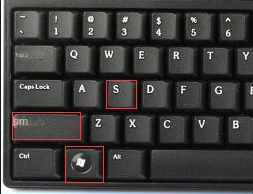
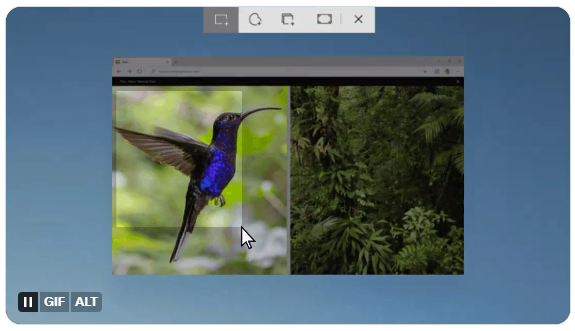
Method 1: Shortcut key “Win+Shift+S” specifies a screenshot of the area
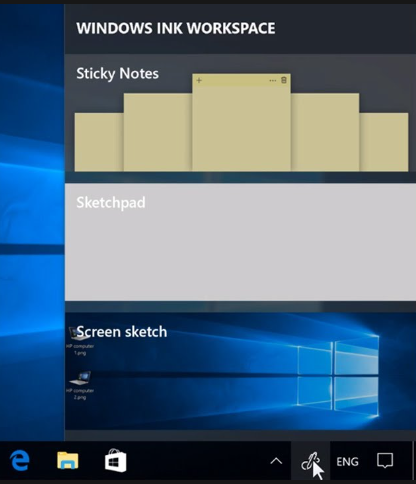
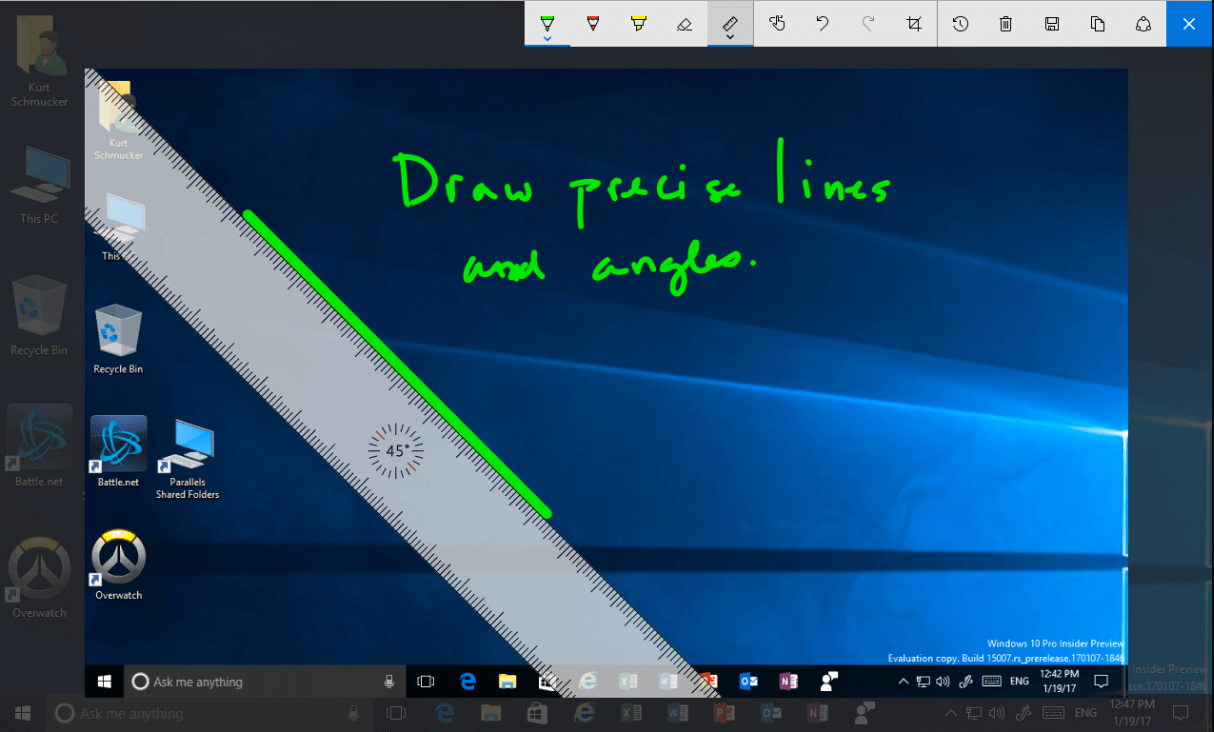
Method 2: “Screen Sketch” Screenshot
Instructions:
1. Call out the Windows Ink workspace by pressing “Win+W”
Screen RecordingRecord screen and webcam in Windows computer.
Cut Videos & AudiosUsers are free to cut videos and audios clips with setting start and end time.
Multiple Edit ToolsMerge, crop, rotate, cut and transform video easily. Change and add background music, subtitles and remove watermark from video.
Format ConversionSupport to convert videos and audios into different formats.
Screen Recording Record screen and webcam in Windows computer.
Multiple Edit ToolsCut Videos & Audios Users are free to cut videos and audios clips with setting start and end time.
Multiple Edit ToolsMerge, crop, rotate, cut and transform video easily. Change and add background music, subtitles and remove watermark from video.
Format ConversionSupport to convert videos and audios into different formats.
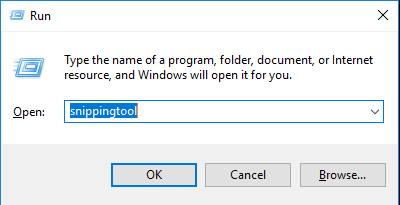
Method 3: Use the “snipping tool” that comes with Windows
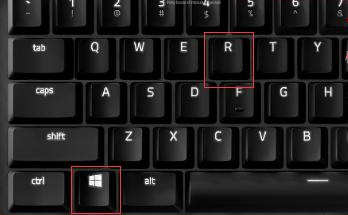
1. Press the key combination Win + R on the keyboard, and enter “snippingtool” (note: there is no space in it)
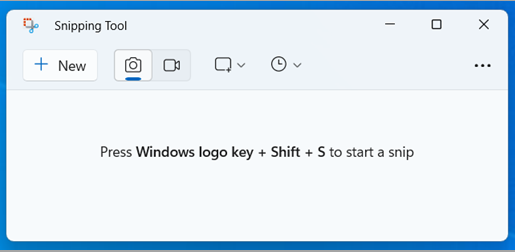
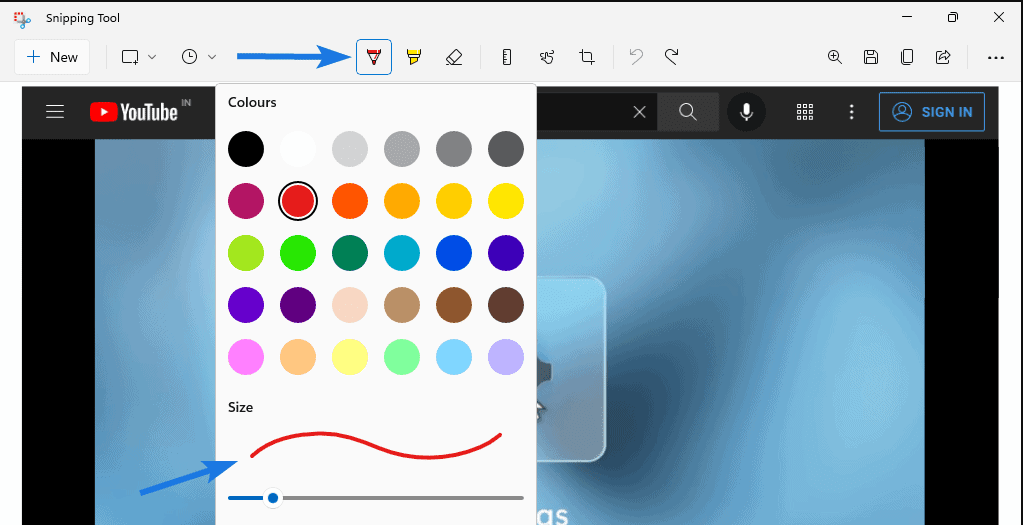
2. Click “New” to start screenshot
If you want to record the screen and add sound, try our flagship products Rene.E Laboratory ™ screen recording and Renee Video Editor Pro. They allow you to add video effects, crop videos, and convert them.
Screen RecordingRecord screen and webcam in Windows computer.
Cut Videos & AudiosUsers are free to cut videos and audios clips with setting start and end time.
Multiple Edit ToolsMerge, crop, rotate, cut and transform video easily. Change and add background music, subtitles and remove watermark from video.
Format ConversionSupport to convert videos and audios into different formats.
Screen Recording Record screen and webcam in Windows computer.
Multiple Edit ToolsCut Videos & Audios Users are free to cut videos and audios clips with setting start and end time.
Multiple Edit ToolsMerge, crop, rotate, cut and transform video easily. Change and add background music, subtitles and remove watermark from video.
Format ConversionSupport to convert videos and audios into different formats.
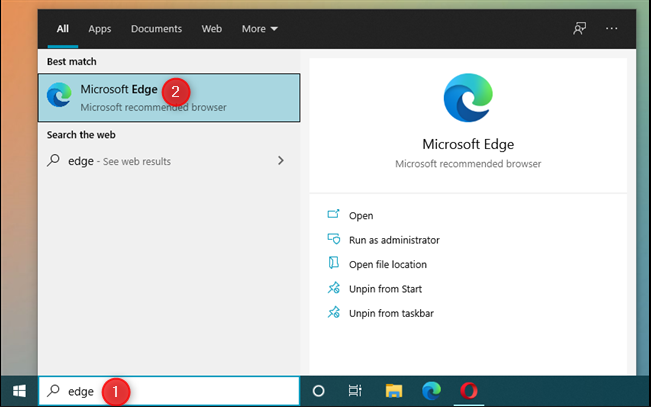
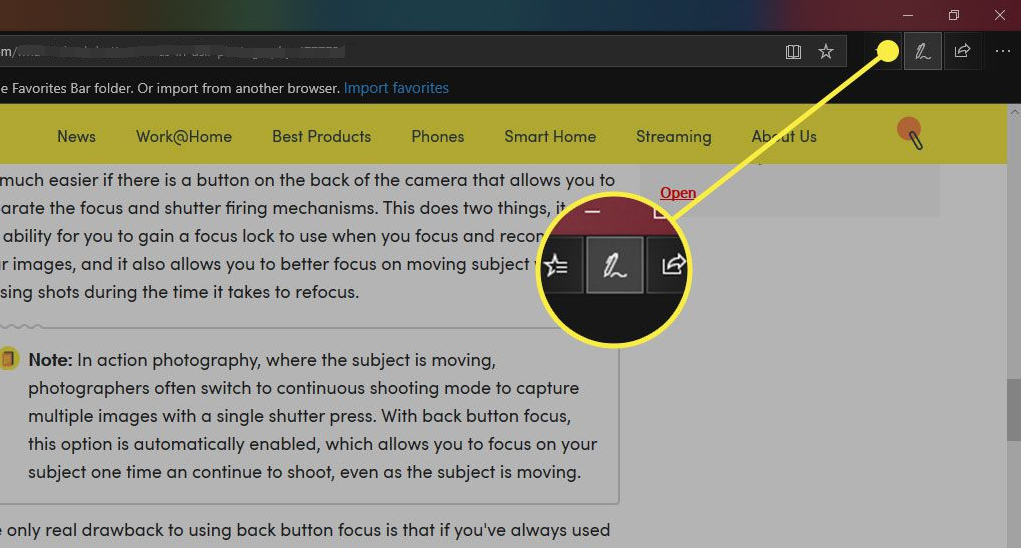
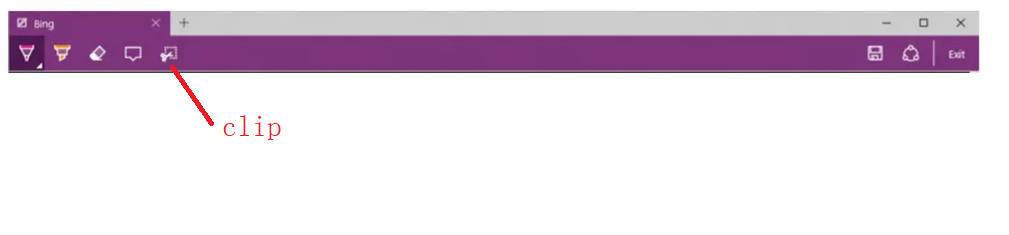
Others: Win10 long webpage screenshot
Screen RecordingRecord screen and webcam in Windows computer.
Cut Videos & AudiosUsers are free to cut videos and audios clips with setting start and end time.
Multiple Edit ToolsMerge, crop, rotate, cut and transform video easily. Change and add background music, subtitles and remove watermark from video.
Format ConversionSupport to convert videos and audios into different formats.
Screen Recording Record screen and webcam in Windows computer.
Multiple Edit ToolsCut Videos & Audios Users are free to cut videos and audios clips with setting start and end time.
Multiple Edit ToolsMerge, crop, rotate, cut and transform video easily. Change and add background music, subtitles and remove watermark from video.
Format ConversionSupport to convert videos and audios into different formats.
Relate Links :
Free & Easy: Top Online Video Editor

09-11-2026
Jennifer Thatcher : Discover a range of efficient online video editors and offline software for editing videos effortlessly. Learn essential video...
Best Free Video Editing Software with No Watermark: Our Top Picks

09-11-2026
Amanda J. Brook : Discover the best free video editing software no watermark for Windows and Mac. Enhance your videos with professional...
How To Record Laptop Screen: The Ultimate Guide
09-11-2026
Ashley S. Miller : How to record laptop screen? Discover effective methods to record your notebook screen for software tutorials, gaming, and...


User Comments
Leave a Comment