
Fix Clipbox Download Errors: Boost Your Success Rate Now!

Summary
Learn how to troubleshoot failed downloads with Clipbox, a versatile file viewer and audio-video downloader, by following our comprehensive guide.
I. Clipbox downloader
It is very convenient to use Clipbox to download videos, but there are also some shortcomings:
- Supports fewer devices:
The devices that Clipbox software can support now are Android devices. The service for Apple devices has been suspended. It is no longer possible to find and download the iPhone and iPad versions of Clipbox in the App Store. Users who have already downloaded the software before can still use it, but once it is removed it cannot be reinstalled. - Downloading from video publishing sites is time-consuming:
Downloading videos through mobile phones will be affected by the speed of the network and the size of the video, so the waiting time for downloading will be longer. - Unable to download videos from all websites:
Clipbox software can no longer download videos on the YouTube video website. Currently, the only websites supported by Clipbox are Facebook, Twitter, Instagram, Tube8, Niconico Animation, PANDORA.TV, Dailymotion, AniTube, Sunflower Animation, SayMove, B9Dm, FC2 Animation, XVIDEOS, ThisAV, Pornhub.

Screen RecordingRecord screen and webcam in Windows computer.
Cut Videos & AudiosUsers are free to cut videos and audios clips with setting start and end time.
Multiple Edit ToolsMerge, crop, rotate, cut and transform video easily. Change and add background music, subtitles and remove watermark from video.
Format ConversionSupport to convert videos and audios into different formats.
Screen Recording Record screen and webcam in Windows computer.
Multiple Edit ToolsCut Videos & Audios Users are free to cut videos and audios clips with setting start and end time.
Multiple Edit ToolsMerge, crop, rotate, cut and transform video easily. Change and add background music, subtitles and remove watermark from video.
Format ConversionSupport to convert videos and audios into different formats.
II. How to deal with Clipbox download failure
1. Check if the video has clicked Play
2. Check whether Clipbox supports video download from this website
It’s important to note that Clipbox software does not support videos from all websites, which may result in download failures. It’s advisable to verify if the website supports downloading before initiating the download process.
YouTube, a globally recognized video platform, hosts a vast array of video content. Many users enjoy viewing videos on YouTube and often wish to download them. Regrettably, since 2018, YouTube has prohibited direct downloads via Clipbox software.
If you’re looking to download YouTube videos and are unable to use Clipbox software, you’ll need to resort to other video download software.
3. Use other video download software
Screen RecordingRecord screen and webcam in Windows computer.
Cut Videos & AudiosUsers are free to cut videos and audios clips with setting start and end time.
Multiple Edit ToolsMerge, crop, rotate, cut and transform video easily. Change and add background music, subtitles and remove watermark from video.
Format ConversionSupport to convert videos and audios into different formats.
Screen Recording Record screen and webcam in Windows computer.
Multiple Edit ToolsCut Videos & Audios Users are free to cut videos and audios clips with setting start and end time.
Multiple Edit ToolsMerge, crop, rotate, cut and transform video easily. Change and add background music, subtitles and remove watermark from video.
Format ConversionSupport to convert videos and audios into different formats.
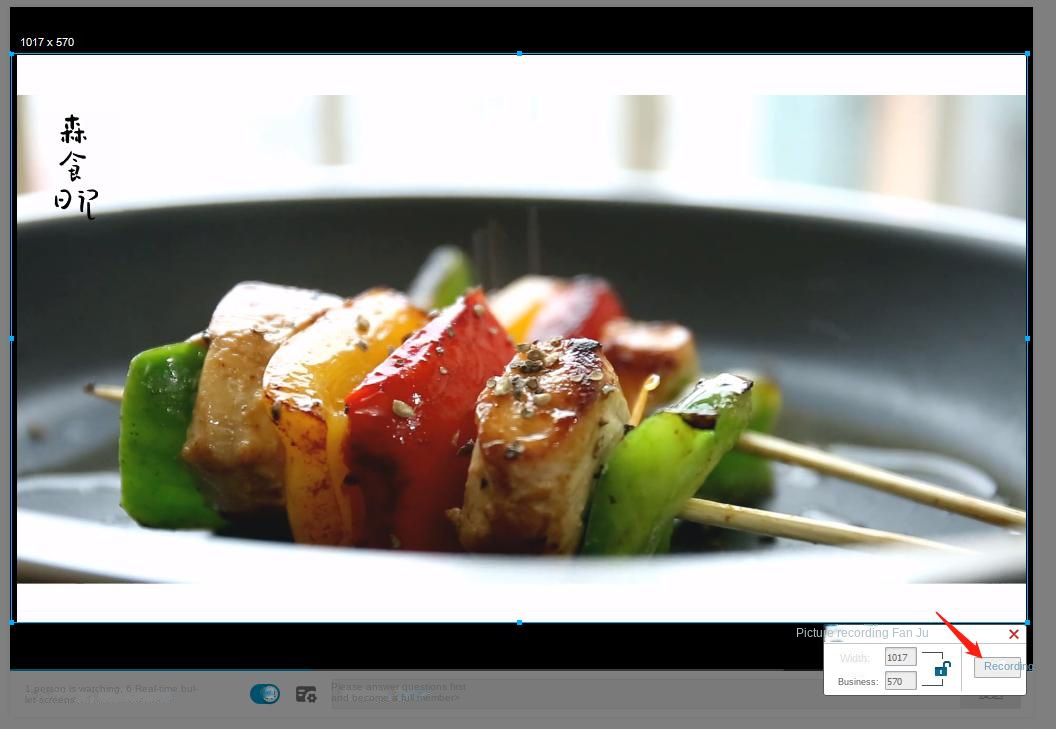
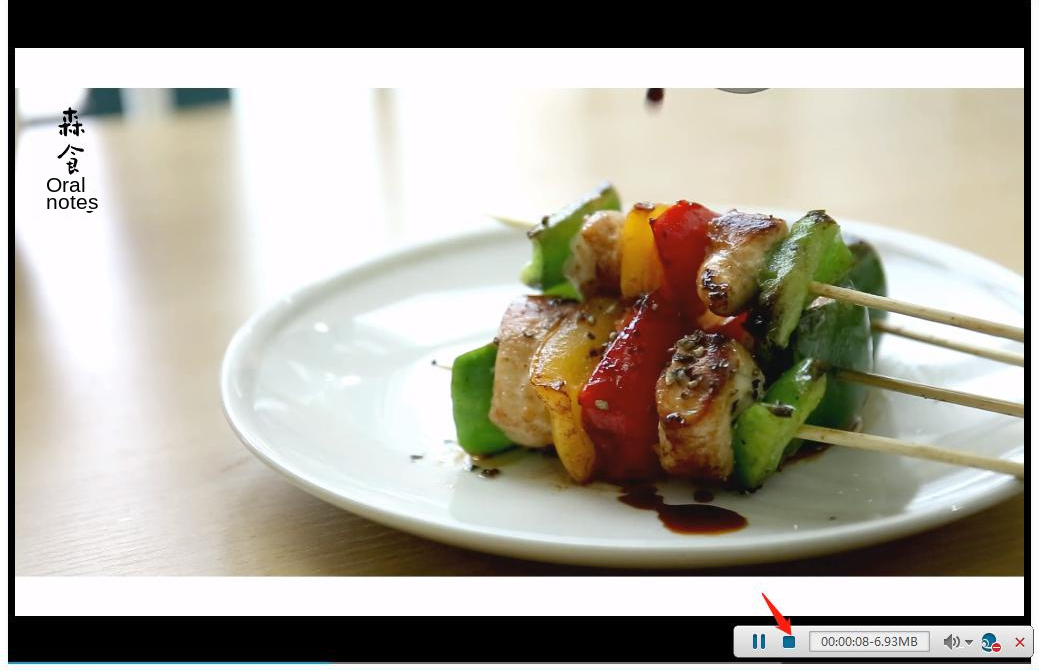
III. How to edit video
Screen RecordingRecord screen and webcam in Windows computer.
Cut Videos & AudiosUsers are free to cut videos and audios clips with setting start and end time.
Multiple Edit ToolsMerge, crop, rotate, cut and transform video easily. Change and add background music, subtitles and remove watermark from video.
Format ConversionSupport to convert videos and audios into different formats.
Screen Recording Record screen and webcam in Windows computer.
Multiple Edit ToolsCut Videos & Audios Users are free to cut videos and audios clips with setting start and end time.
Multiple Edit ToolsMerge, crop, rotate, cut and transform video easily. Change and add background music, subtitles and remove watermark from video.
Format ConversionSupport to convert videos and audios into different formats.
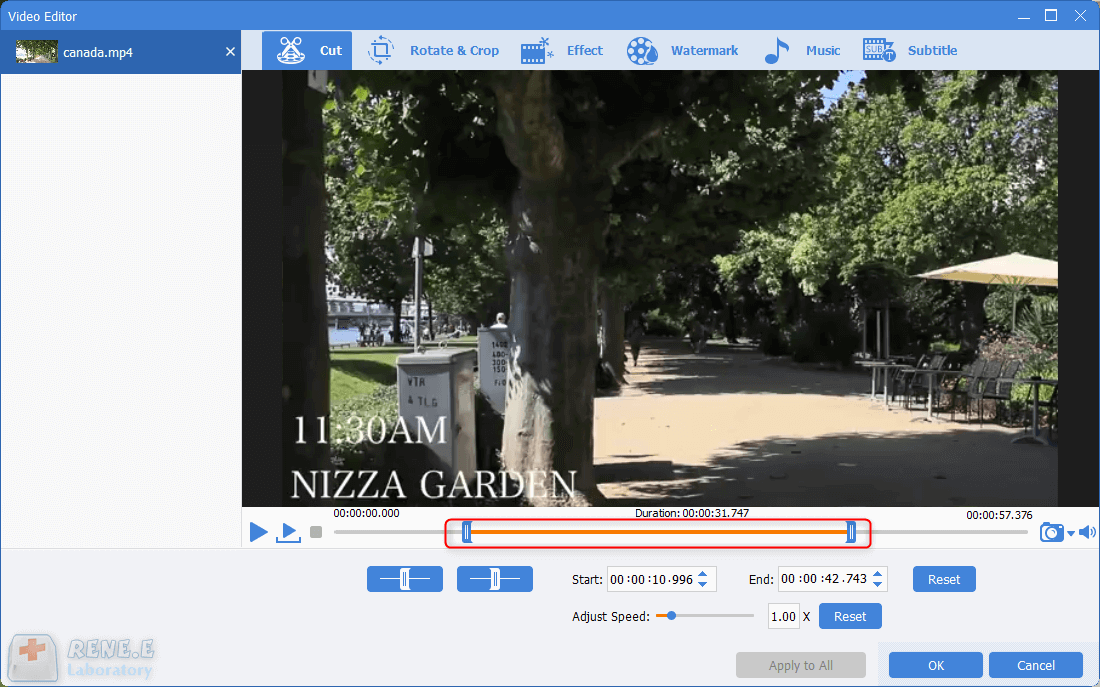
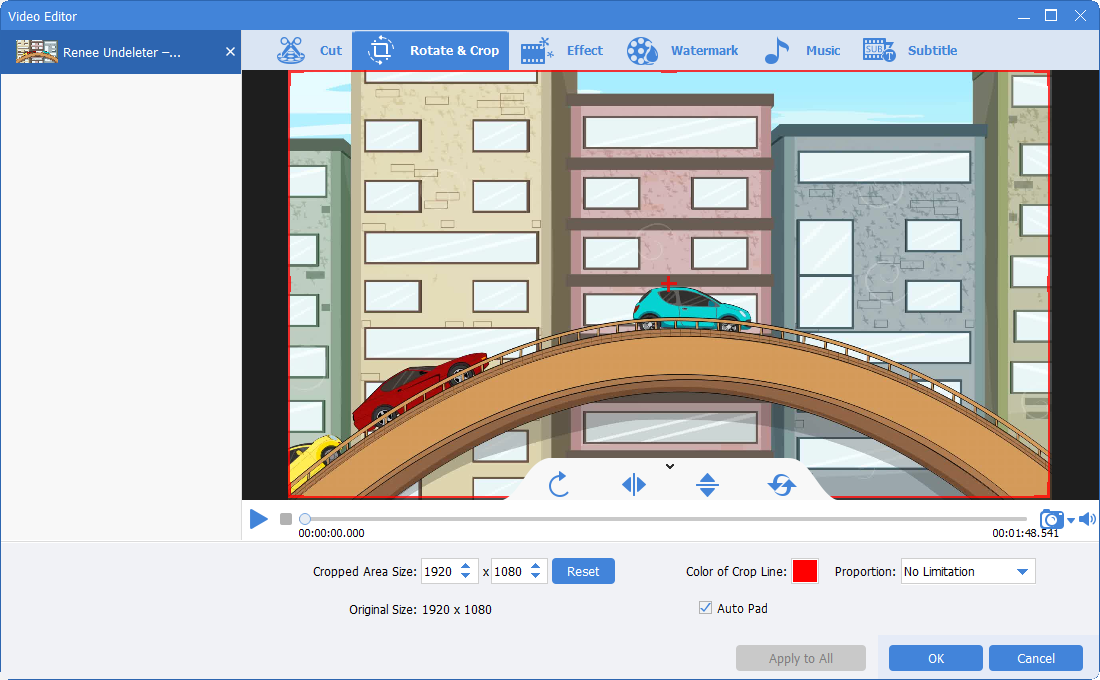
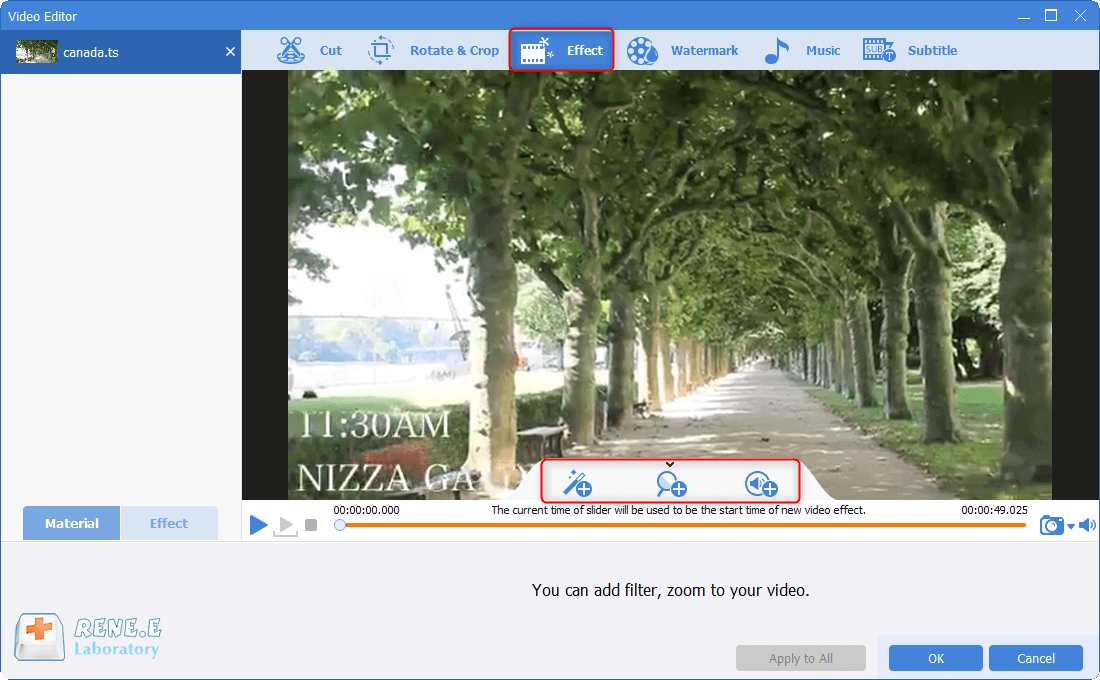
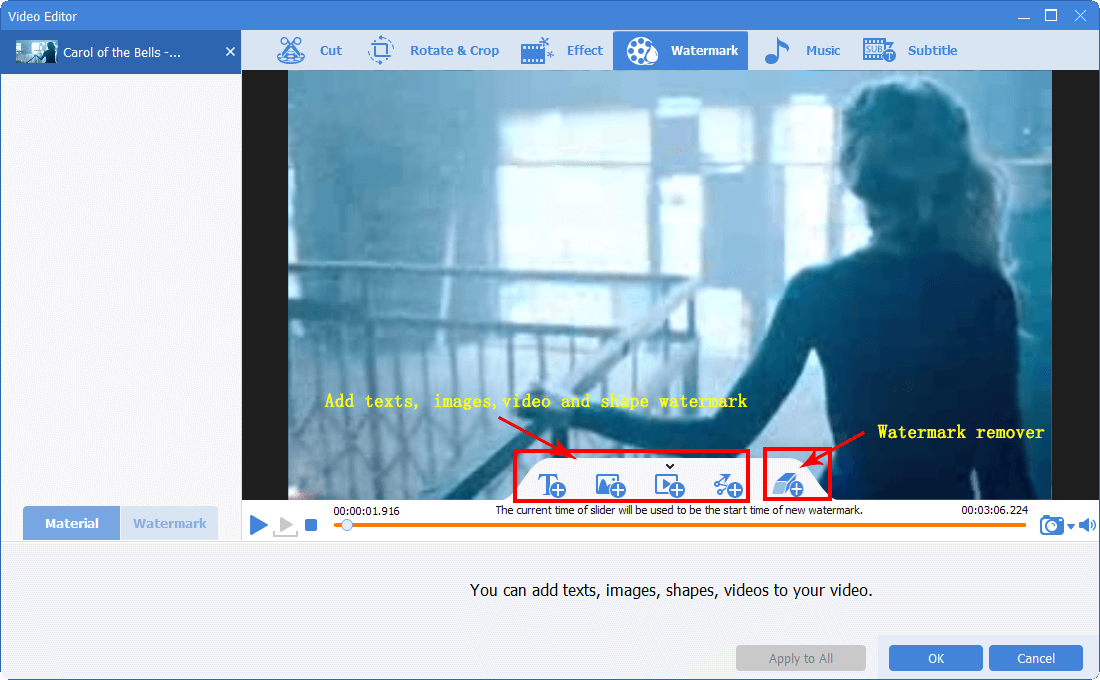
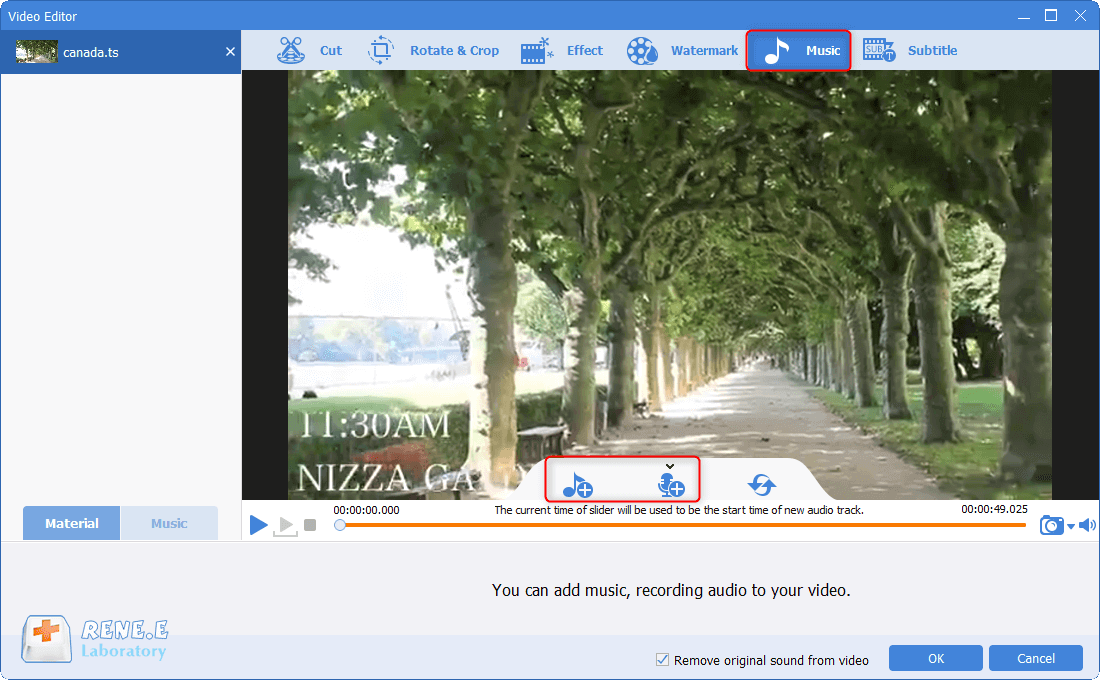
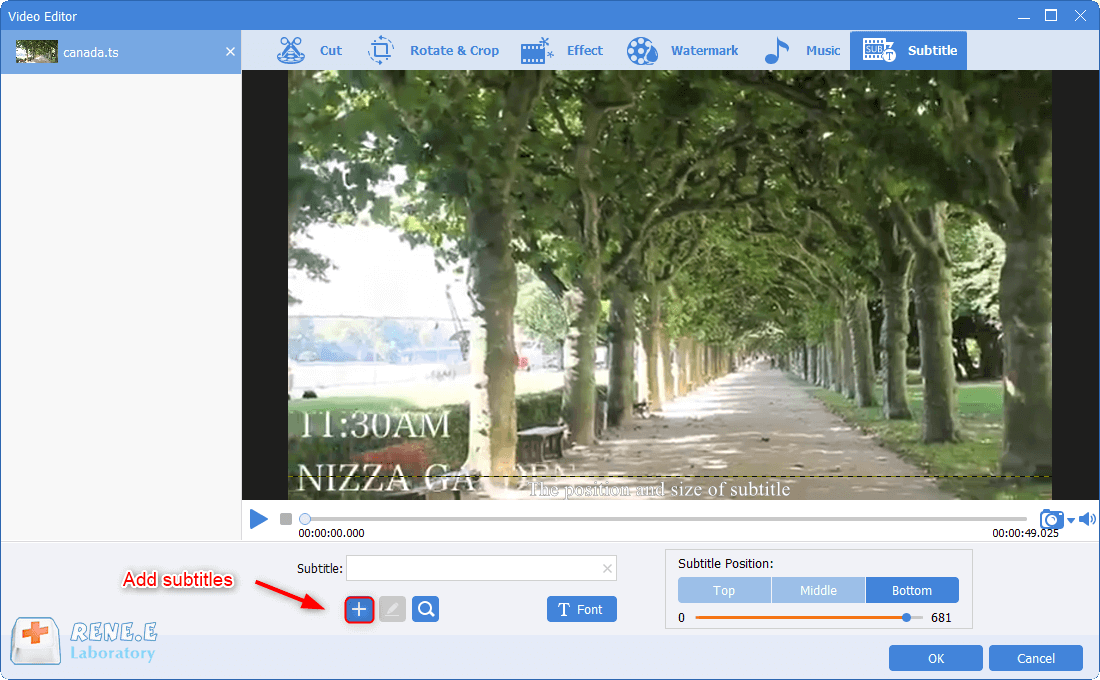
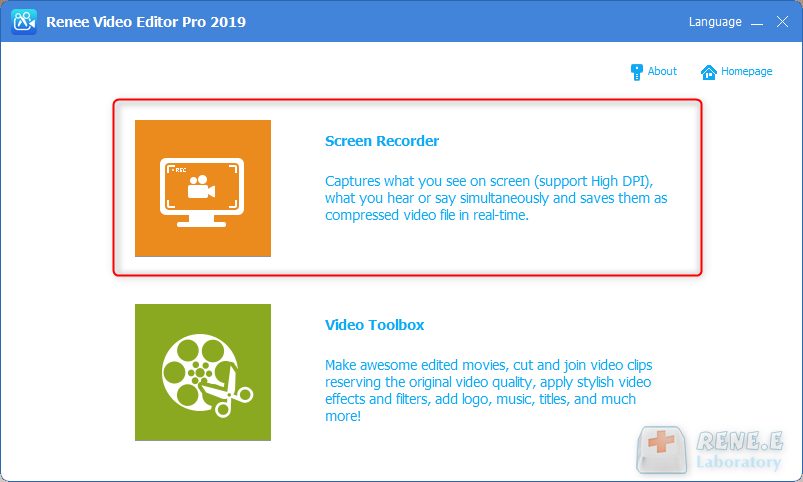
Renee Video Editor Pro – software di editing video multifunzionale:
- Editing video: Una varietà di filtri ed effetti speciali tra cui scegliere, è possibile aggiungere watermark per rimuovere watermark, è possibile tagliare, ritagliare e unire video, è possibile anche cambiare la musica di sottofondo con un clic, aggiungere sottotitoli e creare i propri titoli di apertura e di chiusura.
- Conversione di formato: Convertire video e audio in formati diversi l’uno con l’altro. Conversione del formato di codifica video e audio, metodo di compressione, conversione di codifica in batch. Personalizza il metodo di compressione e la codifica e salvalo.
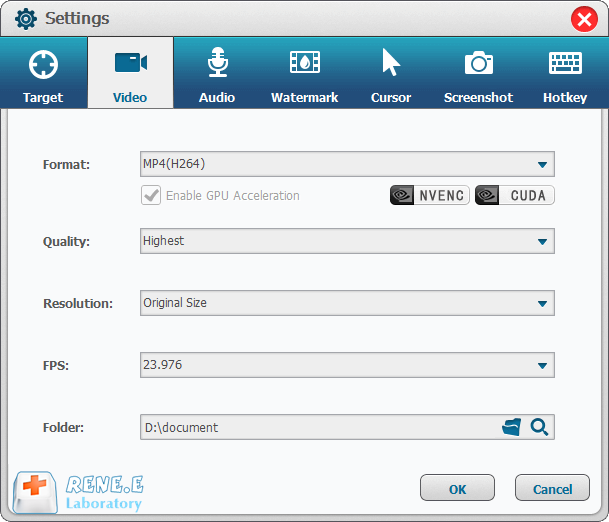
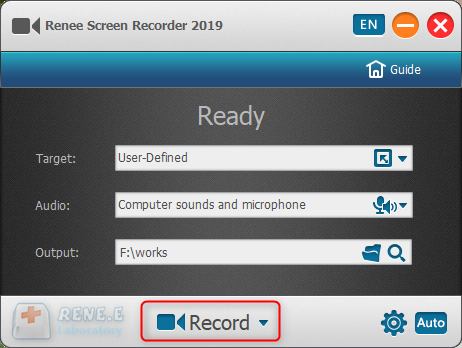
- Registrazione dello schermo: Può registrare lo schermo. Supporta la realizzazione del tempo di registrazione, la personalizzazione della dimensione della finestra di registrazione, la risoluzione, il frame rate, ecc. Puoi impostare la commutazione della velocità, il watermark personalizzato e gli effetti del mouse durante la registrazione.
Screen RecordingRecord screen and webcam in Windows computer.
Cut Videos & AudiosUsers are free to cut videos and audios clips with setting start and end time.
Multiple Edit ToolsMerge, crop, rotate, cut and transform video easily. Change and add background music, subtitles and remove watermark from video.
Format ConversionSupport to convert videos and audios into different formats.
Screen Recording Record screen and webcam in Windows computer.
Multiple Edit ToolsCut Videos & Audios Users are free to cut videos and audios clips with setting start and end time.
Multiple Edit ToolsMerge, crop, rotate, cut and transform video easily. Change and add background music, subtitles and remove watermark from video.
Format ConversionSupport to convert videos and audios into different formats.
Relate Links :
Download Free Intros for a Video - Your Ultimate Guide

09-11-2026
Amanda J. Brook : Explore a curated selection of websites featuring an array of free title templates to enhance your videos. Dive...
Must-Have YouTube Downloaders for Easy Video Access
09-11-2026
Amanda J. Brook : Discover the top 5 YouTube downloaders to easily save and watch your favorite videos offline. Gain access to...
Ultimate Guide: Download Facebook Videos like a Pro
09-11-2026
Amanda J. Brook : Learn how to download facebook video to your local device with these 4 methods. Say goodbye to the...
Best Android Video Downloader App

09-11-2026
Ashley S. Miller : Discover the best video download apps for Android users. Explore our recommendations to enhance your video streaming and...


User Comments
Leave a Comment