
A Step-by-Step Guide on How to Make Video Effects

Summary
Discover the top software for creating stunning special effects videos. Learn how they can enhance visuals and bring imagination to life in our following article.

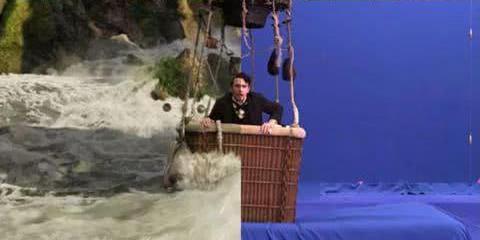
Before computers, special effects relied on traditional methods such as makeup, scenery, pyrotechnics, and early film techniques. In the 1980s, the monsters and ghosts in “Journey to the West” were created using traditional special effects makeup. Professionals made monster masks for actors to wear during filming. The scenery and pyrotechnics were used to create the cloud-covered Tiangong scene by building palace-like structures and generating smoke.
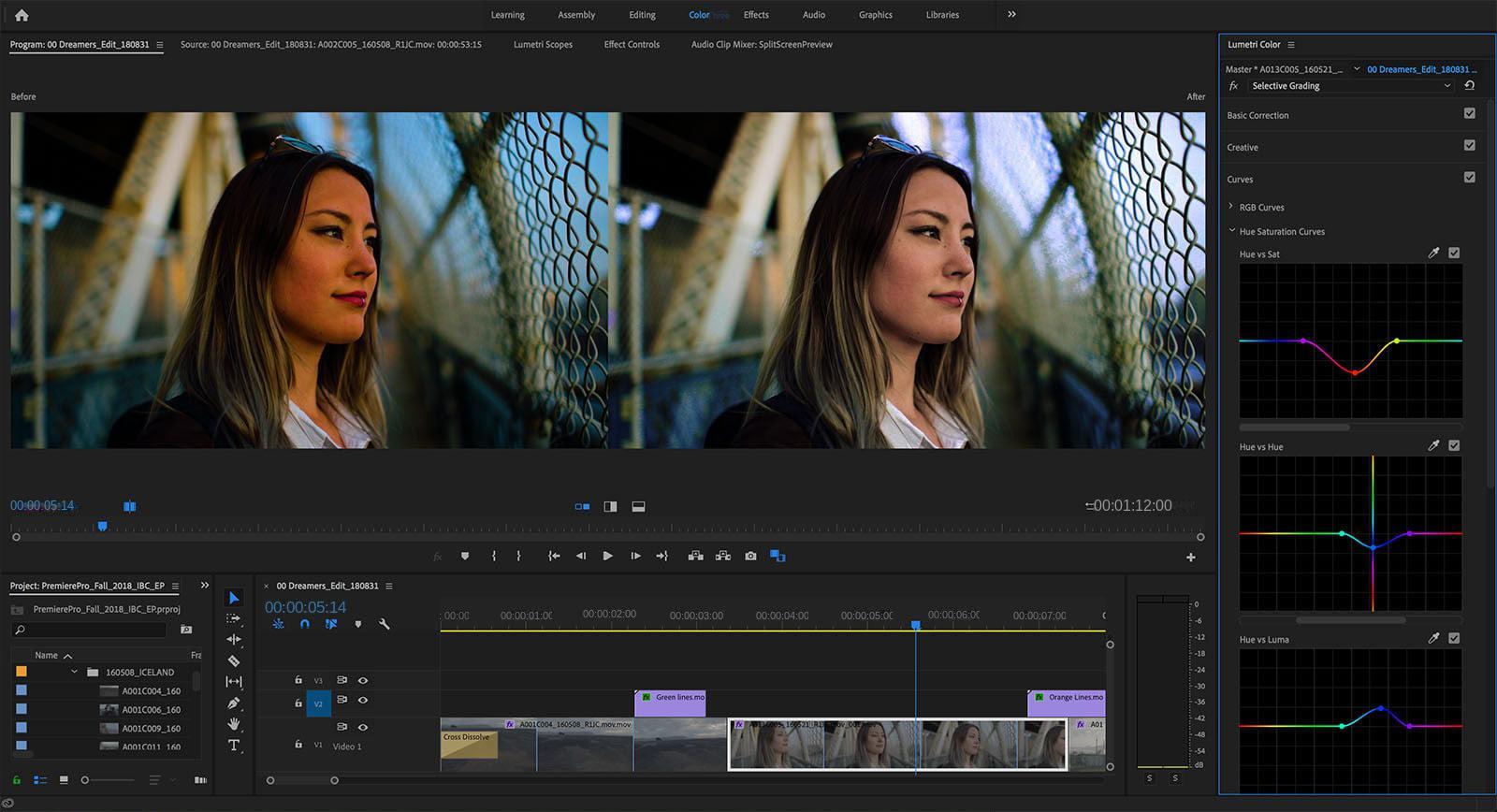
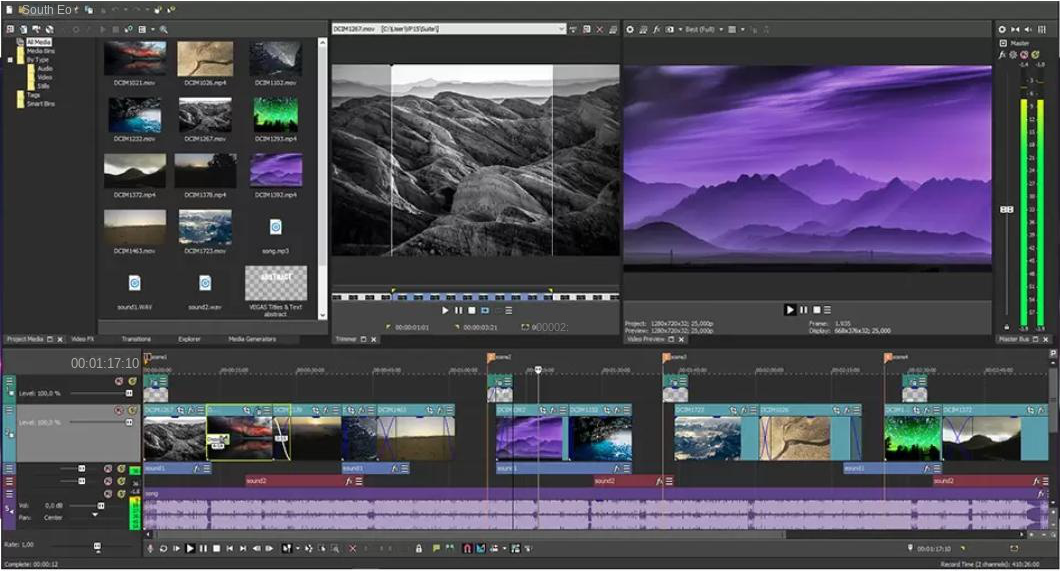
Avatar, 2012, Transformers, Iron Man, The Avengers, The Lord of the Rings, and The Day After Tomorrow. It is widely regarded as one of the most popular movie special effects software.

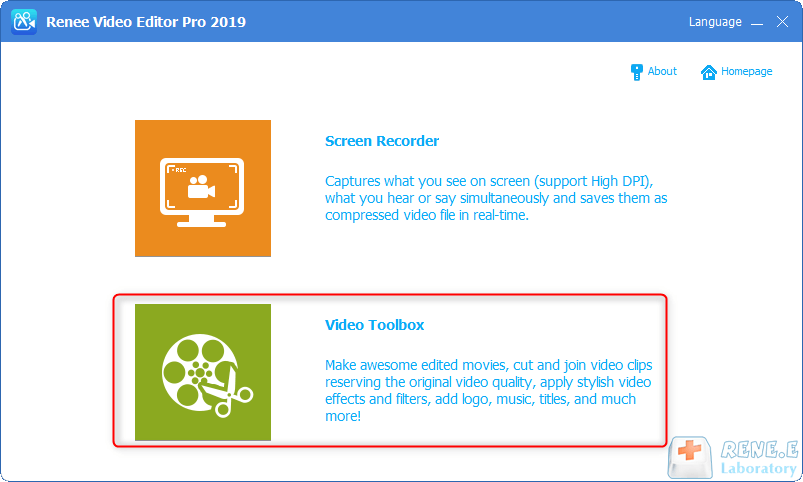
Screen RecordingRecord screen and webcam in Windows computer.
Cut Videos & AudiosUsers are free to cut videos and audios clips with setting start and end time.
Multiple Edit ToolsMerge, crop, rotate, cut and transform video easily. Change and add background music, subtitles and remove watermark from video.
Format ConversionSupport to convert videos and audios into different formats.
Screen Recording Record screen and webcam in Windows computer.
Multiple Edit ToolsCut Videos & Audios Users are free to cut videos and audios clips with setting start and end time.
Multiple Edit ToolsMerge, crop, rotate, cut and transform video easily. Change and add background music, subtitles and remove watermark from video.
Format ConversionSupport to convert videos and audios into different formats.
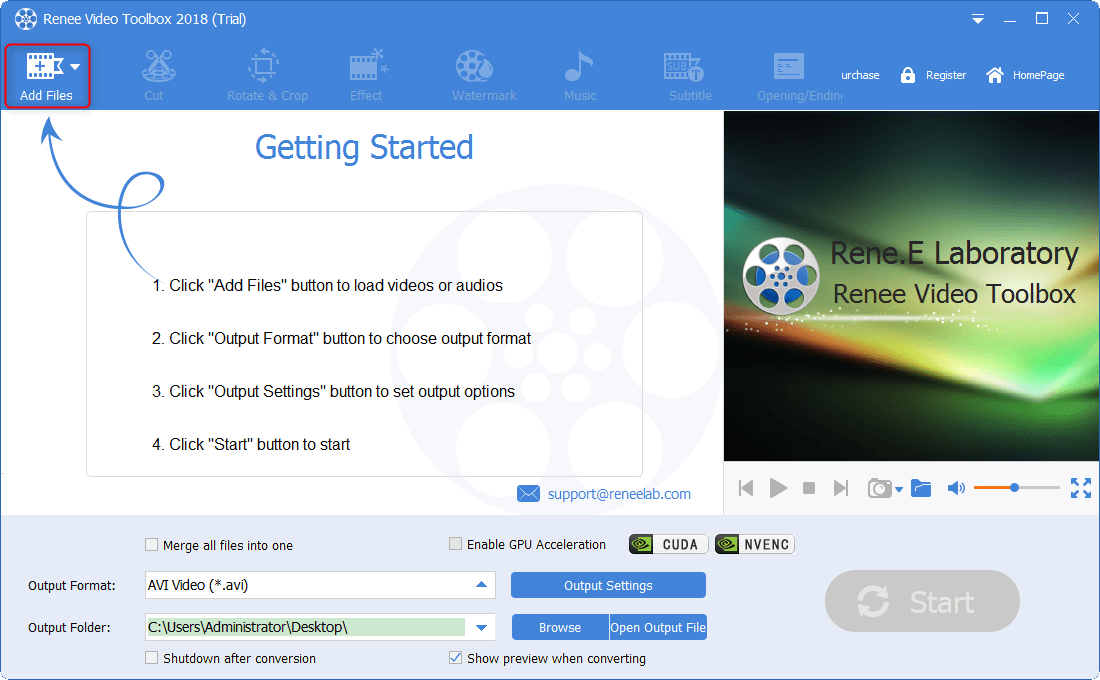
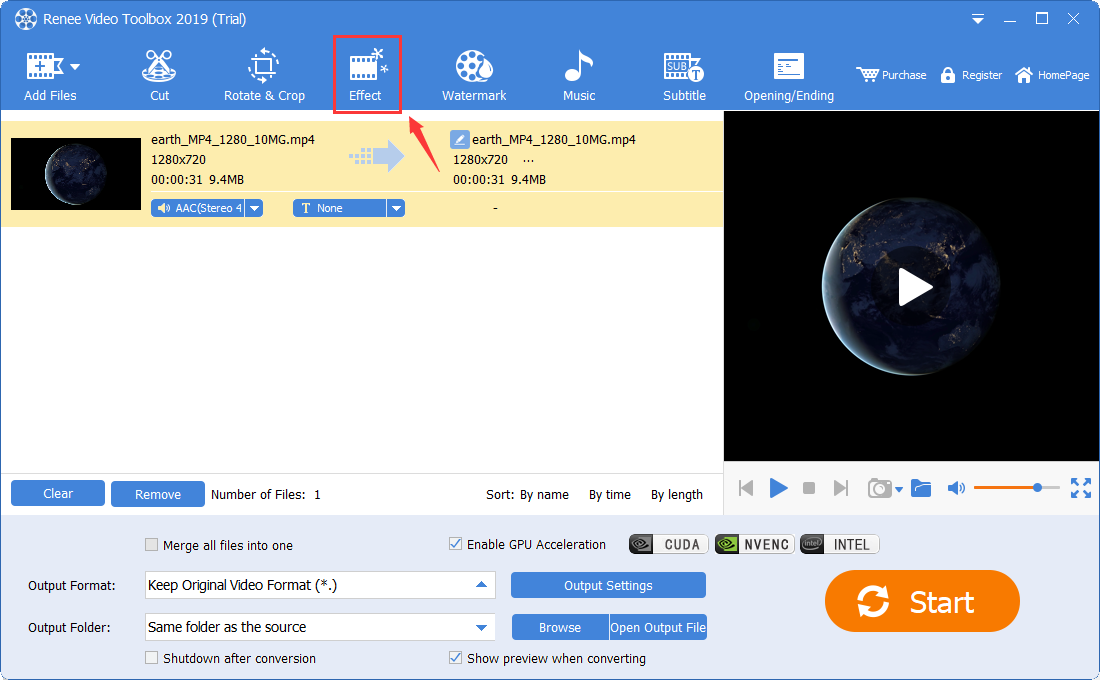
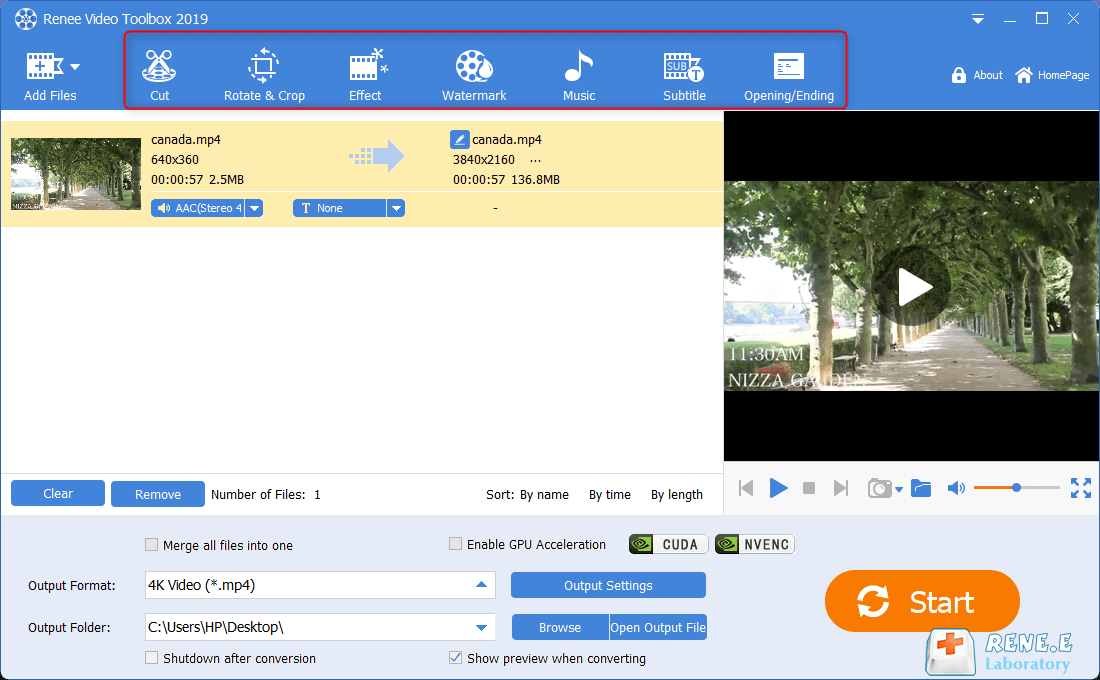
cut: Trim video clips; adjust playback speed.
Rotate and crop: Rotate the video 90/180/270 degrees clockwise, flip the video horizontally or vertically; crop the size of the video screen.
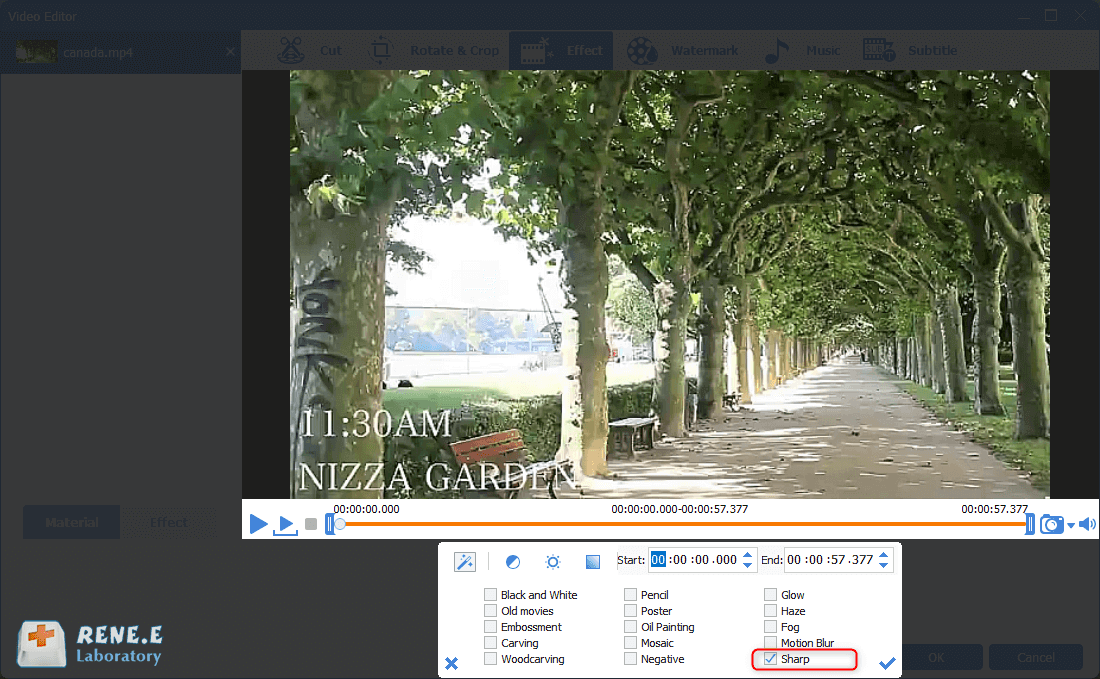
special effects: Add filter effects, zoom effects or volume effects to your video.
watermark: Add text, pictures, video or graphic watermarks to video files; you can also remove watermarks from videos.
music: You can import audio files into the video, or directly record the sound of the computer or microphone and import it into the video; it can also remove the original audio of the video.
subtitle: Import or create subtitles into the movie, and customize the position, font and size of subtitles.
Opening/Ending: You can add pictures or videos as titles or trailers, set the duration and transition effects of titles and trailers, add text to titles and trailers, and support adjusting the color and font size of text, etc.
Relate Links :
How to Create Stunning Videos: A Step-by-Step Guide
09-11-2026
Amanda J. Brook : Discover the essential techniques for crafting a captivating and comprehensive video with this expert guide. Gain insights and...
Record Screen on iPhone : Step-by-Step Guide

09-11-2026
Jennifer Thatcher : Learn how to record your iPhone screen effortlessly with our step-by-step guide. Capture game clips or record live...


User Comments
Leave a Comment