
How to Separate Audio from Video

Summary
In the era of Internet, more and more videos and music are shared online. Of course, you can search the name to download music. You can also separate background music from videos. How to separate audio from video? This essay will provide you with 4 methods.
Method 1: Renee Video Editor Pro

Screen RecordingRecord screen and webcam in Windows computer.
Cut Videos & AudiosUsers are free to cut videos and audios clips with setting start and end time.
Multiple Edit ToolsMerge, crop, rotate, cut and transform video easily. Change and add background music, subtitles and remove watermark from video.
Format ConversionSupport to convert videos and audios into different formats.
Screen Recording Record screen and webcam in Windows computer.
Multiple Edit ToolsCut Videos & Audios Users are free to cut videos and audios clips with setting start and end time.
Multiple Edit ToolsMerge, crop, rotate, cut and transform video easily. Change and add background music, subtitles and remove watermark from video.
Format ConversionSupport to convert videos and audios into different formats.
How to separate audio from video
Steps:
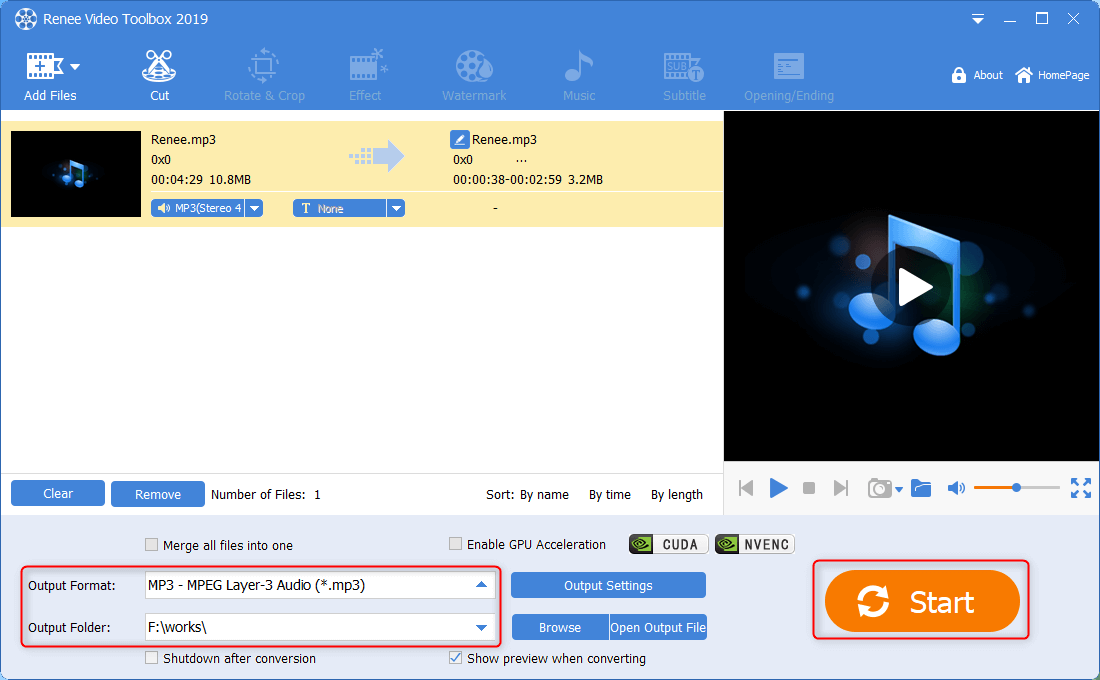
① Install and launch Renee Video Editor Pro. After clicking [Video Toolbox] > [Add Files], select the target video file.
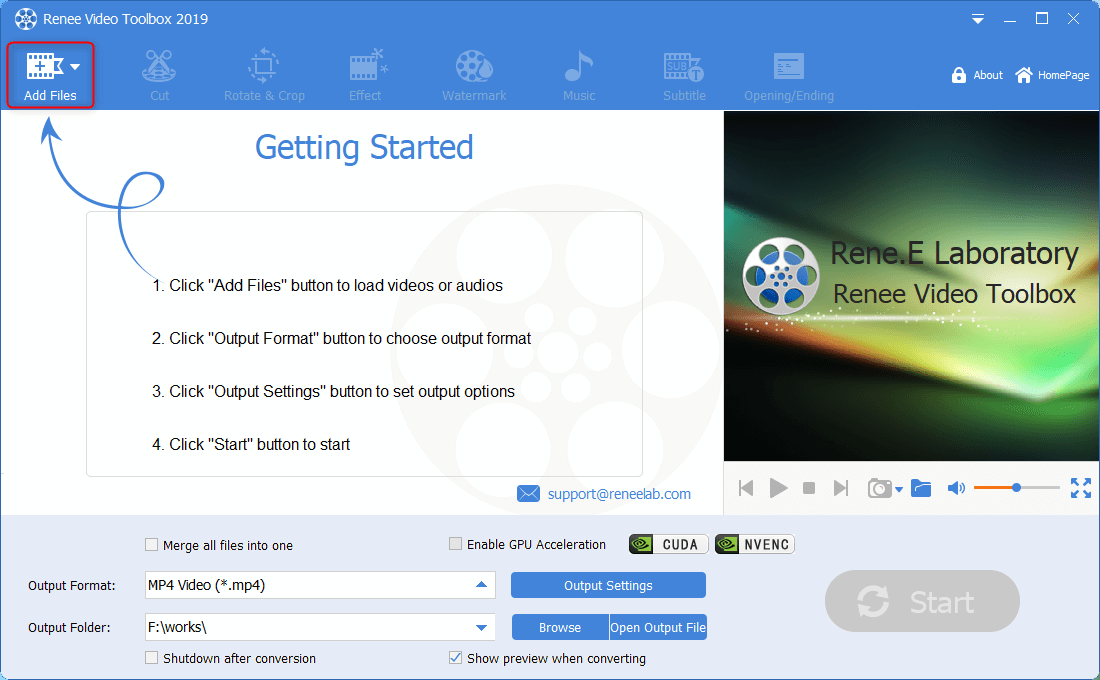
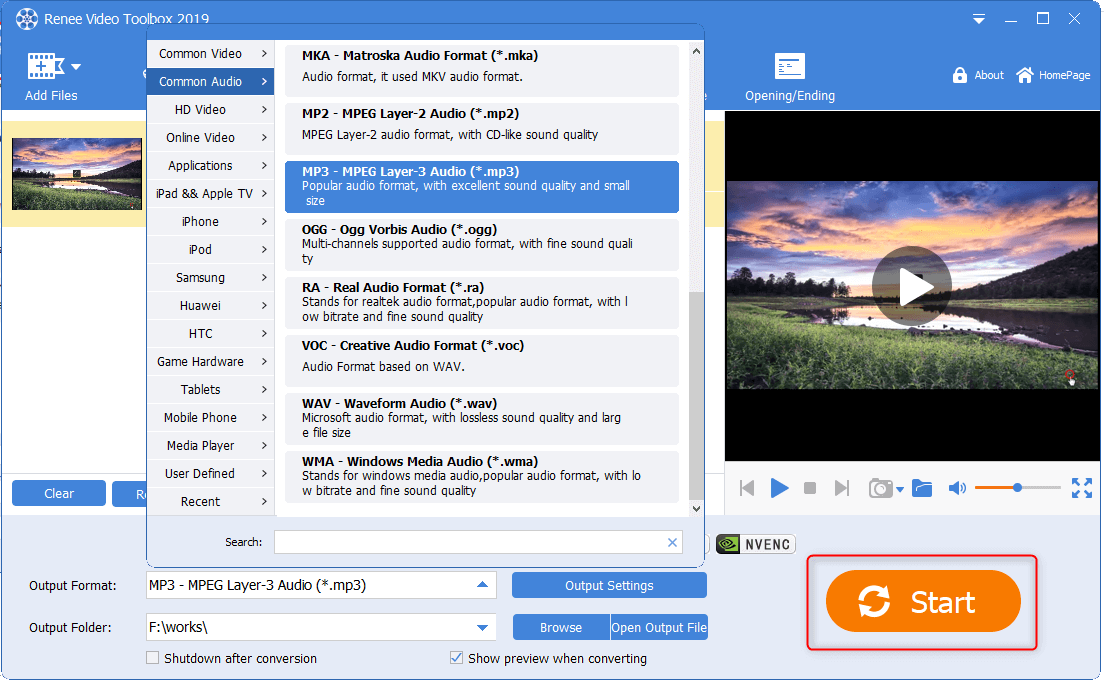
② In the sector [Output Format], select an audio format (MP3/M4A/others). Then, select a file location in [Output Folder]. Finally, click [Start] to output and save the separated audio file.
How to cut separated audio
Steps:
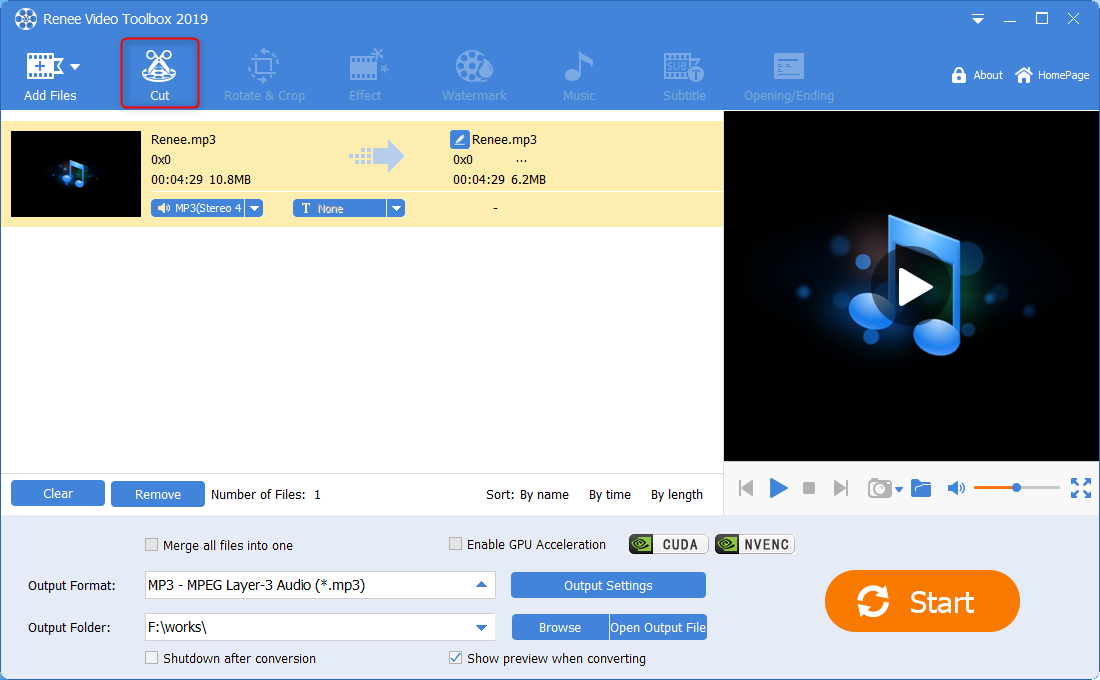
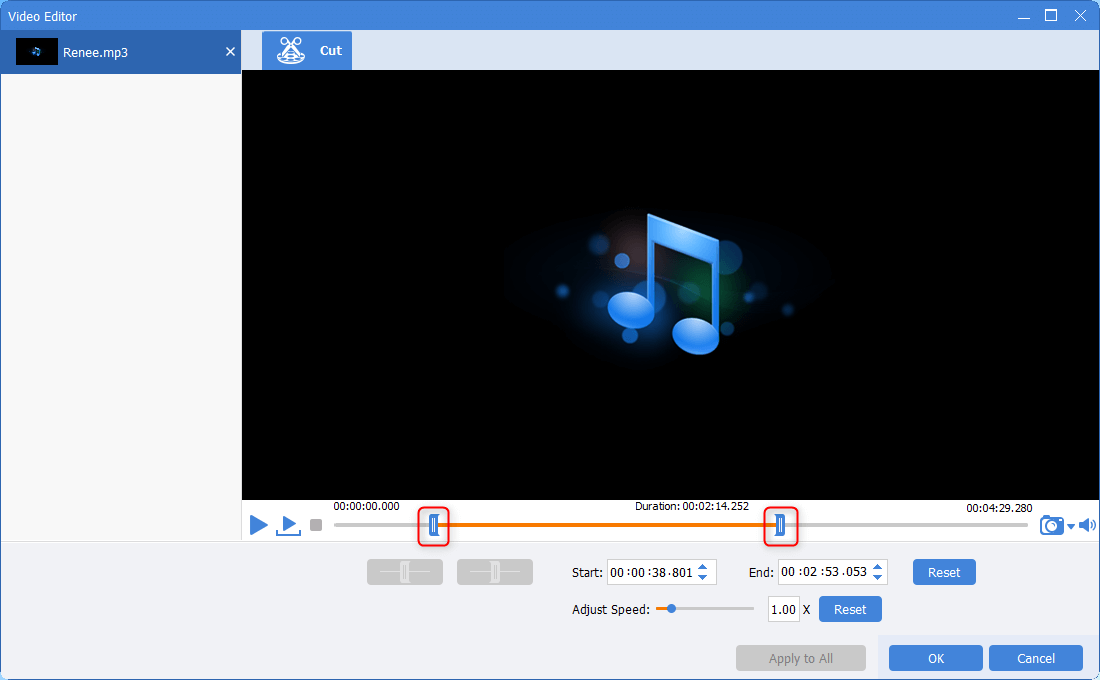
① Click [Add Files] to select the target audio file. Then, go to the function [Cut].
Method 2: Renee Audio Tools
Screen RecordingRecord screen and webcam in Windows computer.
Cut Videos & AudiosUsers are free to cut videos and audios clips with setting start and end time.
Multiple Edit ToolsMerge, crop, rotate, cut and transform video easily. Change and add background music, subtitles and remove watermark from video.
Format ConversionSupport to convert videos and audios into different formats.
Screen Recording Record screen and webcam in Windows computer.
Multiple Edit ToolsCut Videos & Audios Users are free to cut videos and audios clips with setting start and end time.
Multiple Edit ToolsMerge, crop, rotate, cut and transform video easily. Change and add background music, subtitles and remove watermark from video.
Format ConversionSupport to convert videos and audios into different formats.
How to use Renee Audio Tools to record sounds:
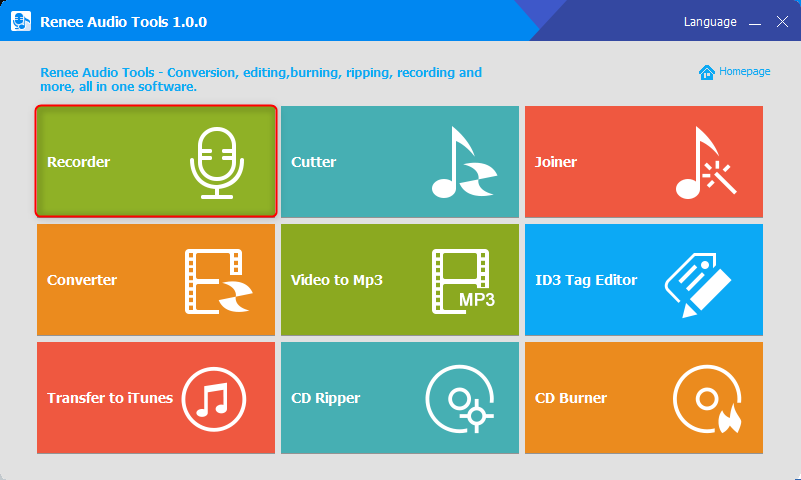
① Install and launch Renee Audio Tools. Then, click [Recorder].
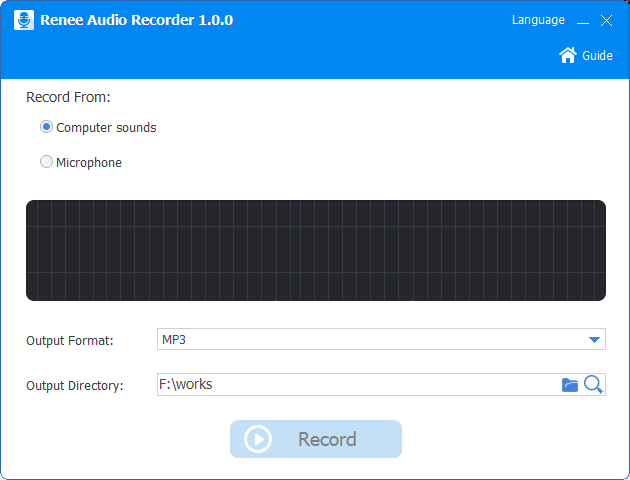
② Set in [Record from], [Output format] and [Output folder].
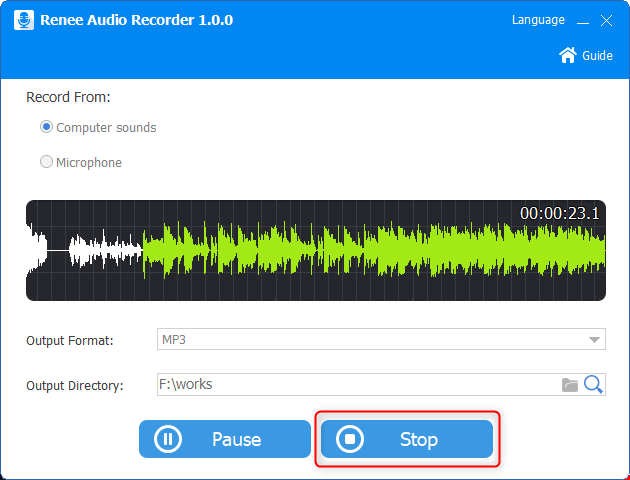
③ Click [Record] while the video is playing. As it is finished, click [Stop] to end recording and save the file.
Method 3: FFmpeg
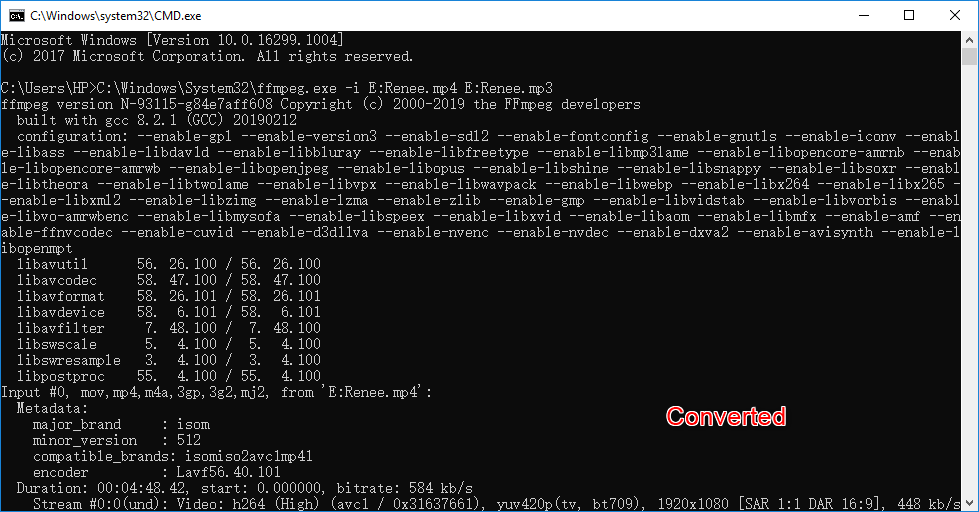
How to separate audio from video via FFmpeg:
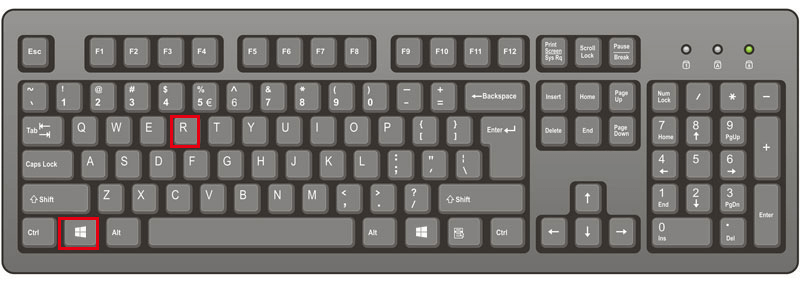
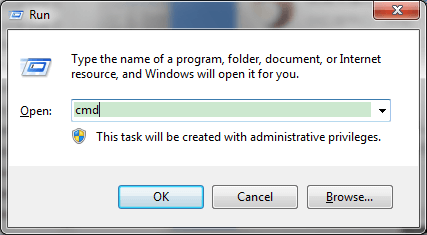
① Download and install FFmpeg. Press the keys [Win + R] to open Run. Then, type and search [cmd].
Method 4: VLC Media Player
How to separate audio from video with VLC Media Player:
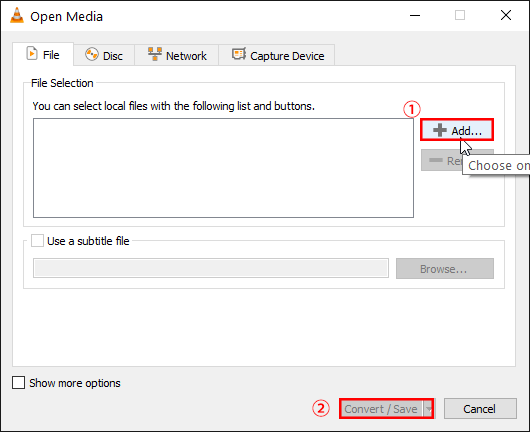
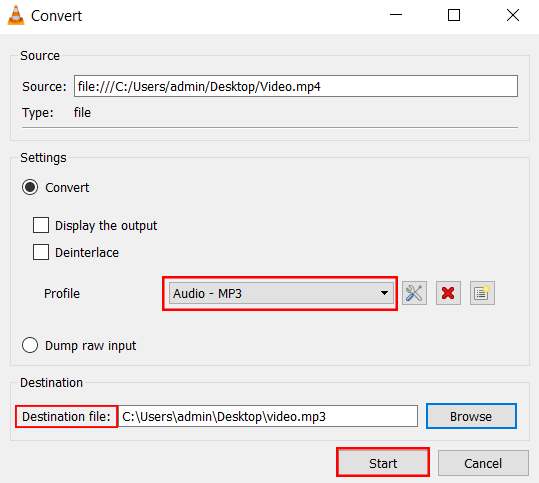
① Install and launch VLC Media Player. In the menu, select [Media] > [Convert/Save].
② Click [Add] to select the target video, then click [Convert/Save].
Relate Links :
Free Video to MP3 Converter: Separate Audio from Video

09-11-2026
Jennifer Thatcher : As we know, a video is combination of image and audio. Sometimes, we are attracted by the video...
How to Create Stunning Videos: A Step-by-Step Guide

09-11-2026
Amanda J. Brook : Discover the essential techniques for crafting a captivating and comprehensive video with this expert guide. Gain insights and...
09-11-2026
Amanda J. Brook : Discover 5 top online video editing tools to effortlessly complete basic editing tasks without the need for software...


User Comments
Leave a Comment