Renee Video Editor Pro is a comprehensive tool for video recording and editing. It integrates
screen recording,
post-production, and
format conversion. You can customize the
recording area,
screen size,
watermark,
cursor style,
sound source, and
output format. It also supports
automatic recording schedules. Whether recording
online movies,
meeting videos,
game screens, or
software tutorials, it enables you to save them to your computer with one click.
The software can optimize video content during post-production by editing or merging clips, cropping, rotating, flipping, adding opening/ending animations, applying transition effects, switching between filter styles, dubbing, adding or removing sound effects, and importing or creating subtitles. After editing, you can convert the video to various formats, including MXF, AVI, MKV, MP4, MOV, M2TS, M4V, AAC, and AC3, with support for free conversion between video and audio formats.
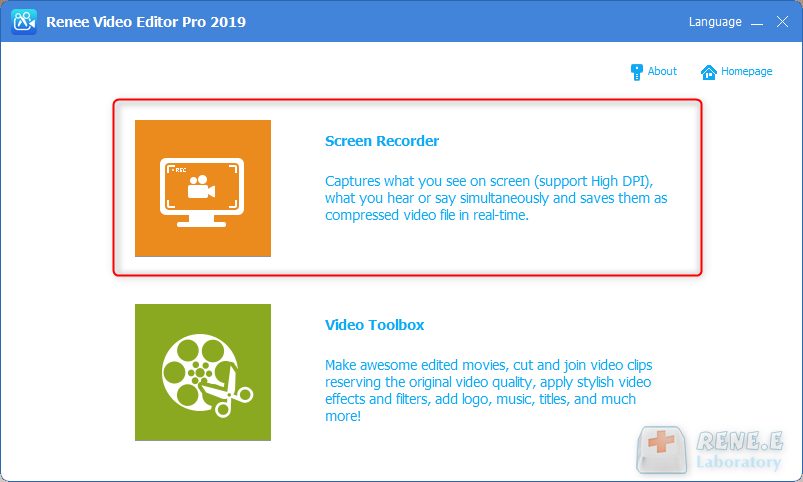
Step 1: After running the software, click the (Screen Recorder) option on the main page.
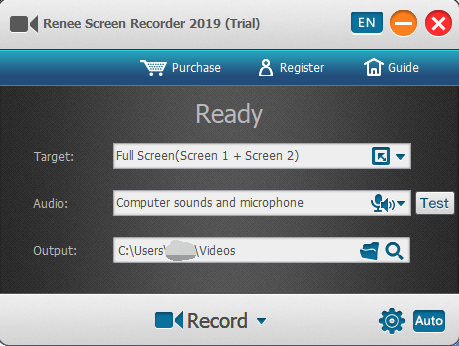
Step 2: In the “Ready” interface, personalize the recording target, recording, and output directory. Select the “Custom” recording area and the option to record “Computer Sound and Microphone”.
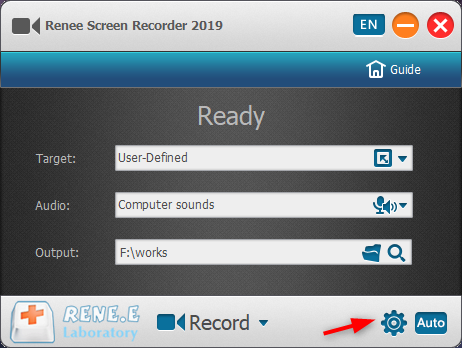
Step 3: Click the (small gear) icon in the lower right corner, and you can also personalize parameters such as recording format, video quality, resolution, video frame rate, output directory, watermark, and mouse display effect.
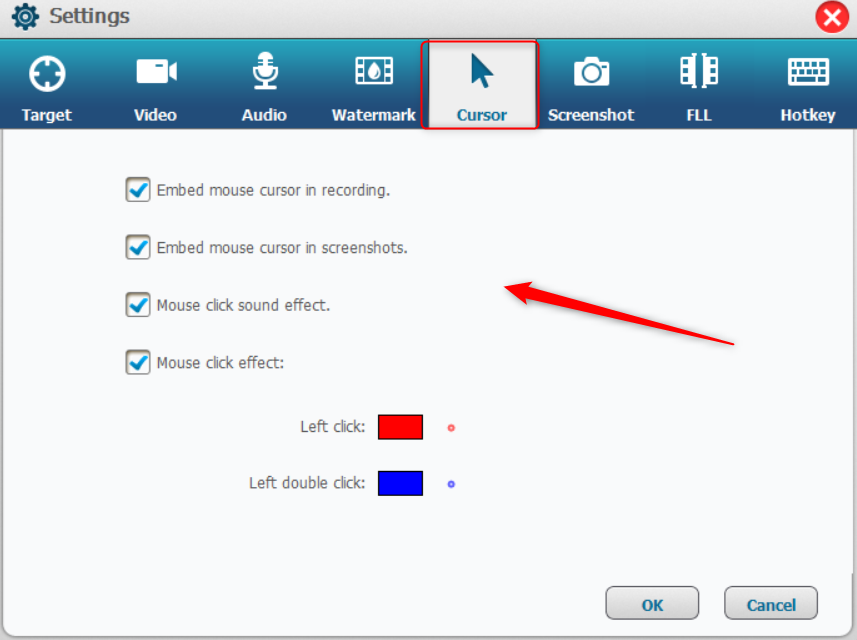
After entering the settings page, click the Cursor option to set the mouse effect during recording. To record cursor operations, check “Embed mouse cursor in recording”, “Embed mouse cursor in screenshots”, “Mouse click and effect”, and “Mouse click effect”. You can also view the dynamic effects of mouse left click and double click. After setting, click OK to save.
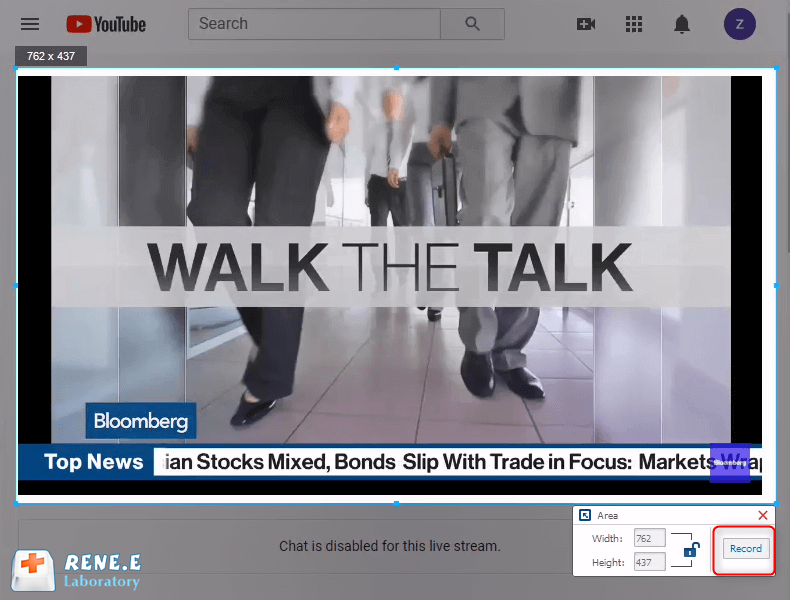
Step 4: On the “Ready” interface, click the Record button, select the area you want to record, and then click the Record button in the lower right corner to start recording the screen. You can perform clicks, drags, or other operations with the mouse, which will be displayed in the recording. The special effect of the mouse click will be visible after saving the video.
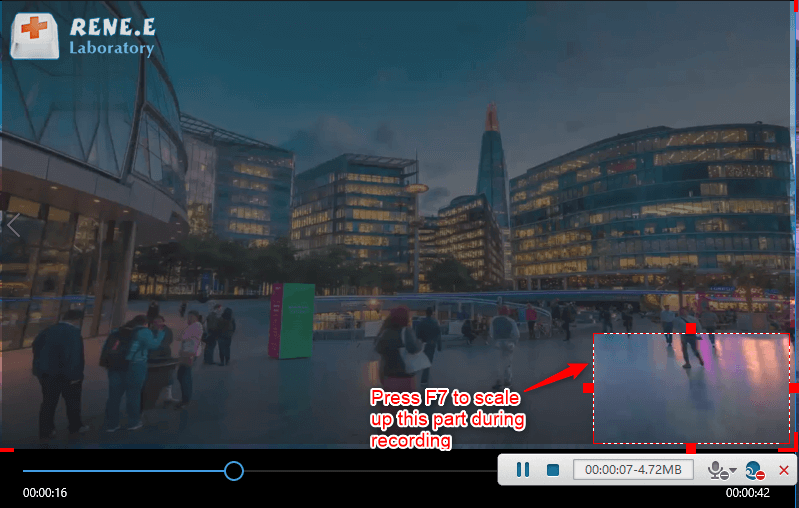
Step 5: You can pause or continue recording at any time. Once completed, click the small square button in the recording option box in the lower right corner to save the video file to the preset path.
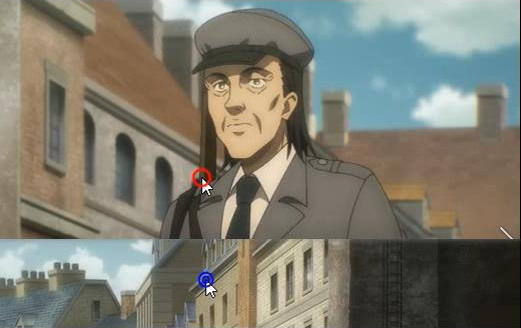
The picture below is the mouse click effect that you can see after saving the recording file. The red circle is the effect of left-clicking, and the blue circle is the effect of double-clicking the left arrow.
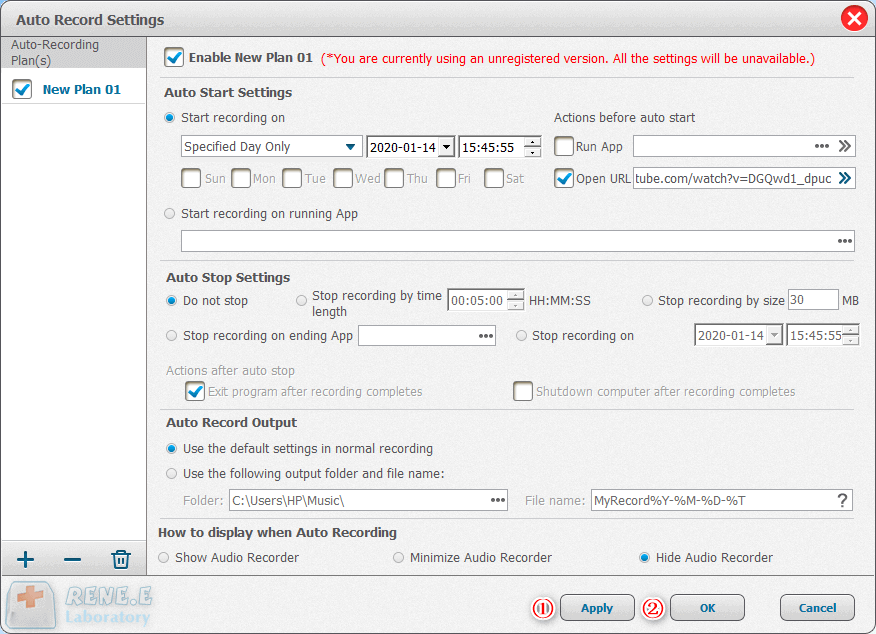
Renee Video Editor Pro features an easy-to-use automatic recording function. Click the Auto button in the lower right corner of the “Ready to Record” interface to access the automatic recording settings. You can specify the start and end times for the recording. When the start time arrives, the software will automatically begin recording, making the process convenient and worry-free.
Notice: If you select “do not stop” in “automatically stop setting” and “hide the software” in “how to display the software when recording automatically”, use the shortcut key Ctrl+Alt+F3 to stop recording. Alternatively, end the Screen Recorder task in the task manager’s background processes. The recording file will be in the preset output folder.








User Comments
Leave a Comment