
Transform YouTube Videos to HD Mp4 – Easy Download Tutorial

Summary
Learn how to download YouTube videos to mp4 format with ease. Although visitors cannot directly download videos on the site, it is still possible.

I. How to download YouTube HD video to MP4
Method 1: Renee Video Editor Pro

Screen RecordingRecord screen and webcam in Windows computer.
Cut Videos & AudiosUsers are free to cut videos and audios clips with setting start and end time.
Multiple Edit ToolsMerge, crop, rotate, cut and transform video easily. Change and add background music, subtitles and remove watermark from video.
Format ConversionSupport to convert videos and audios into different formats.
Screen Recording Record screen and webcam in Windows computer.
Multiple Edit ToolsCut Videos & Audios Users are free to cut videos and audios clips with setting start and end time.
Multiple Edit ToolsMerge, crop, rotate, cut and transform video easily. Change and add background music, subtitles and remove watermark from video.
Format ConversionSupport to convert videos and audios into different formats.
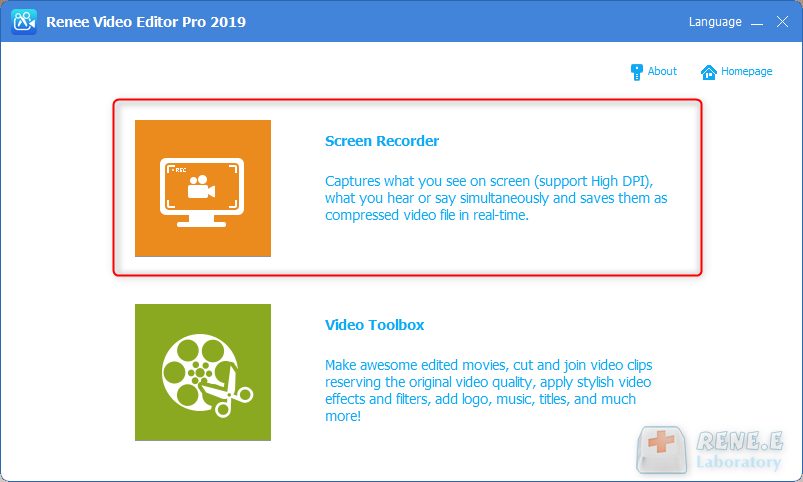
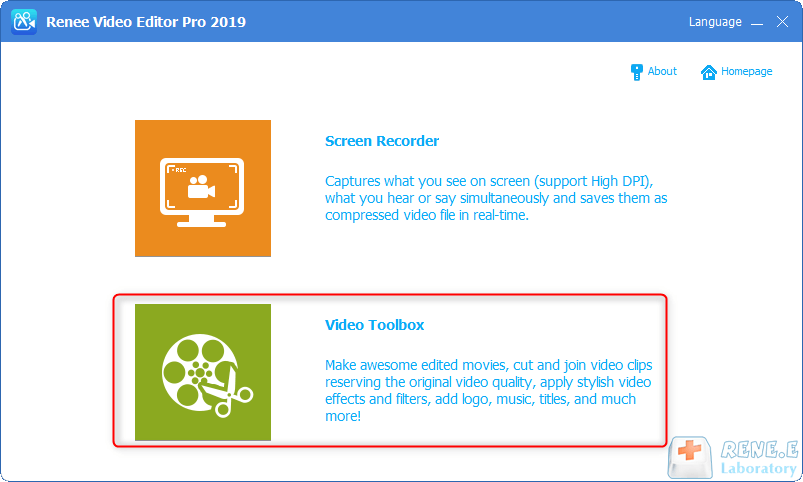
① Open Renee Video Editor Pro, select Screen Recorder.
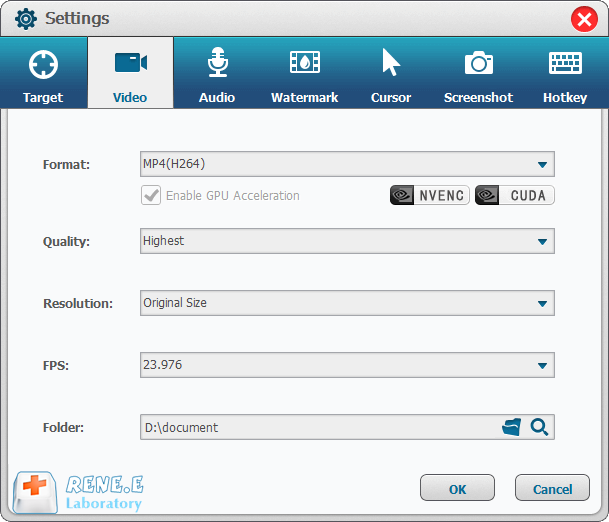
② Click the setting button in the lower right corner, select the recording format MP4 on the opened setting page, and then select the video quality, resolution, video frame rate and output directory according to the needs, and click OK.
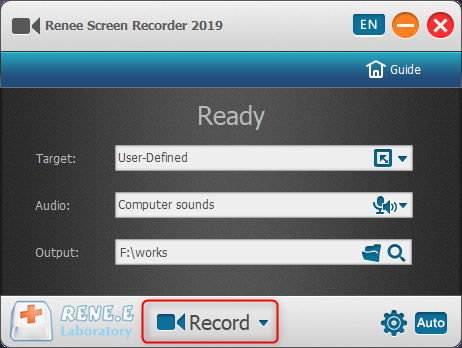
③ Then select Custom in the recording target column, select Computer Sound for recording, confirm your file storage directory, open the video playback page to be recorded, and click the Record button.
④ Directly select the recording size, customize the range of screen recording, then click Record and start playing the video.

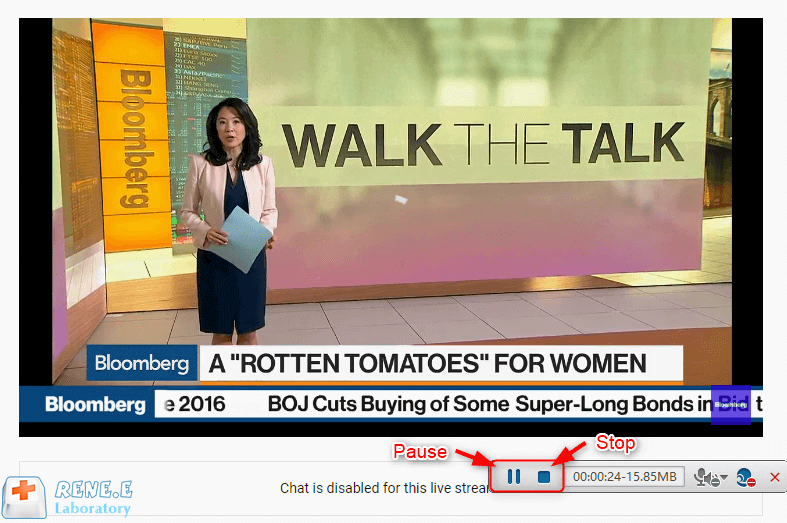
⑤ After the video playback is complete, click the Stop button to end the recording, and the recorded video will be automatically saved in the preset folder.
Method 2: 4K Video Downloader
Specific steps:
① First, you need to download and install 4K Video Downloader on your computer.
Software download link: 4kdownload.com/products/product-videodownloader
②Open the YouTube video you want to download from your browser and copy the link.
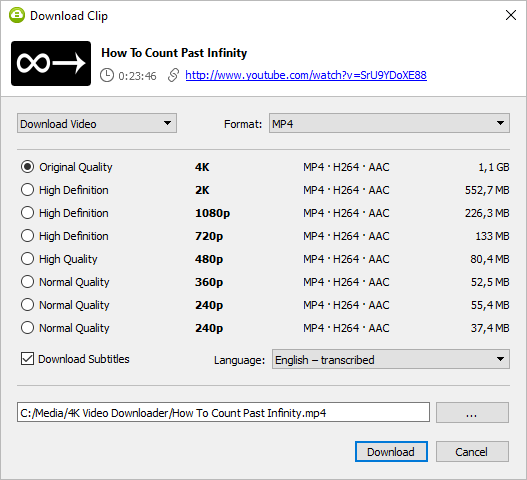
③Open the 4k video downloader and click “Paste Link” on the software.

④ After the analysis is completed, select the output audio format and click “download” to download.
Method 3: OFFMP4 extension
Specific steps:
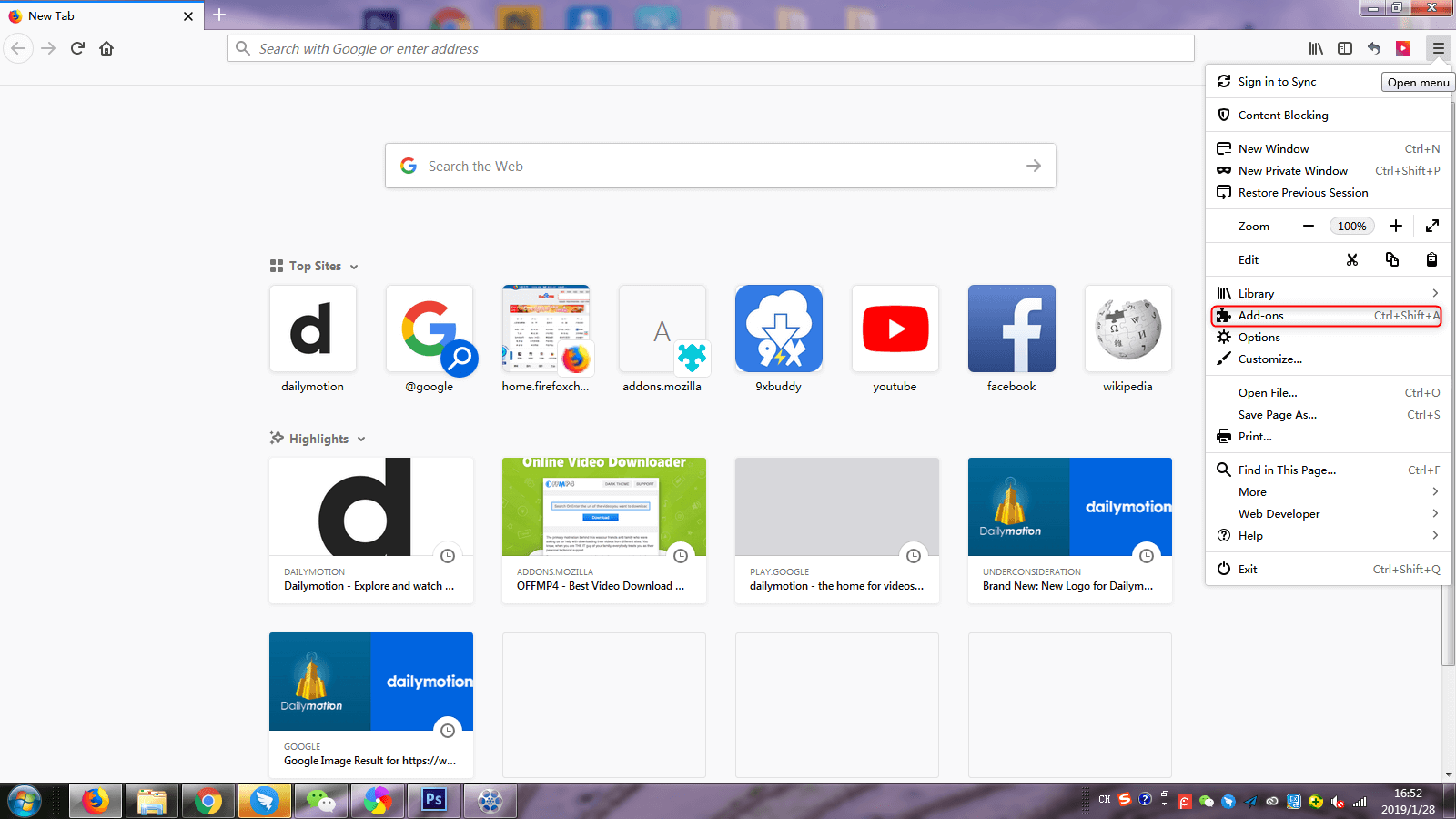
① First open the Firefox browser, then open the menu bar and select “Add Component”.
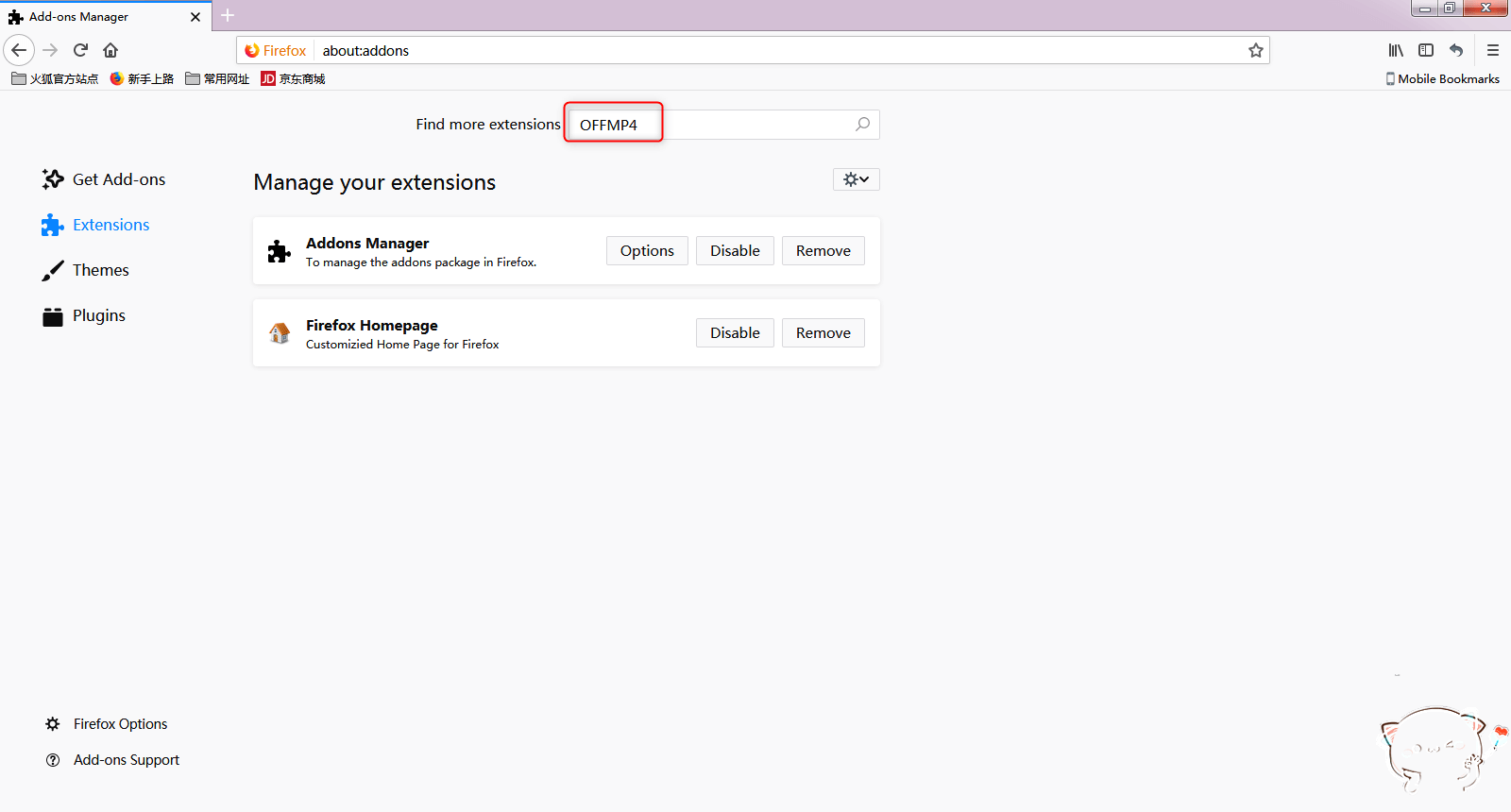
② Select the first “OFFMP4-Best Video Download Helper” in the search result, and click to enter. Click the “Add to Fierfox” button on the opened page to add the extension to the Firefox browser.
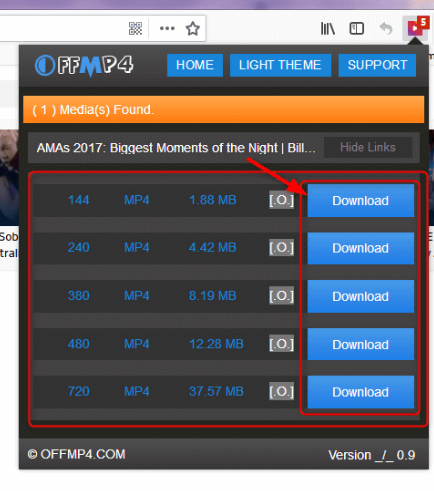
③ Next, open the YouTube video website, open and play the video you want to download; then click the red OFFMP4 icon in the toolbar at the upper right corner, and click “download”.
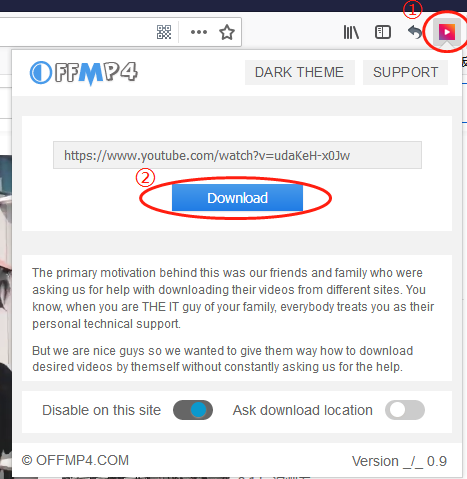
④ Select the type of video you want to download, and click the “Download” button to download the video locally.
Method 4: VidPaw online conversion
Website link: https://www.vidpaw.com/blog/youtubemp4.html
① Copy the link of the YouTube video you want to download, paste it into the text box on the web page, and press Enter.
② After the download link is generated, click the video version to be saved and wait for the download to succeed.
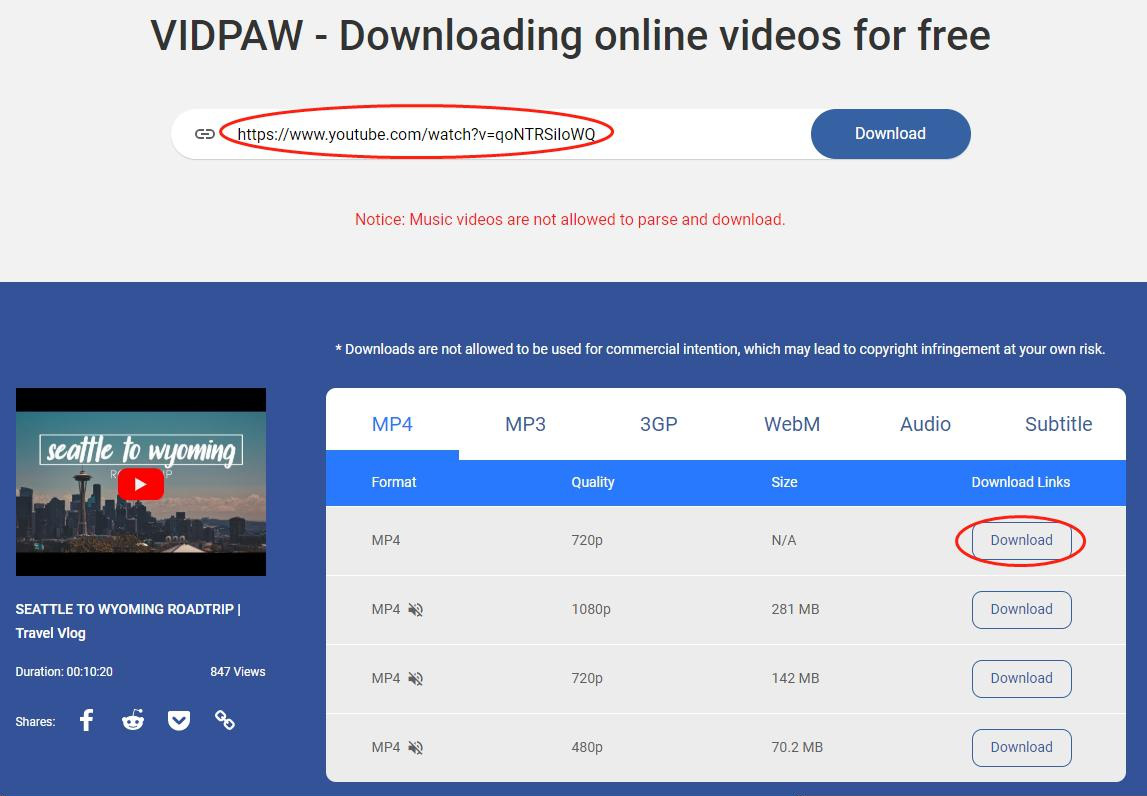
The downloaded video format may not be in MP4 format. To convert the video format, you can use Renee Video Editor Pro to convert.
II. Convert and edit YouTube videos
Screen RecordingRecord screen and webcam in Windows computer.
Cut Videos & AudiosUsers are free to cut videos and audios clips with setting start and end time.
Multiple Edit ToolsMerge, crop, rotate, cut and transform video easily. Change and add background music, subtitles and remove watermark from video.
Format ConversionSupport to convert videos and audios into different formats.
Screen Recording Record screen and webcam in Windows computer.
Multiple Edit ToolsCut Videos & Audios Users are free to cut videos and audios clips with setting start and end time.
Multiple Edit ToolsMerge, crop, rotate, cut and transform video easily. Change and add background music, subtitles and remove watermark from video.
Format ConversionSupport to convert videos and audios into different formats.
1. Convert YouTube video format
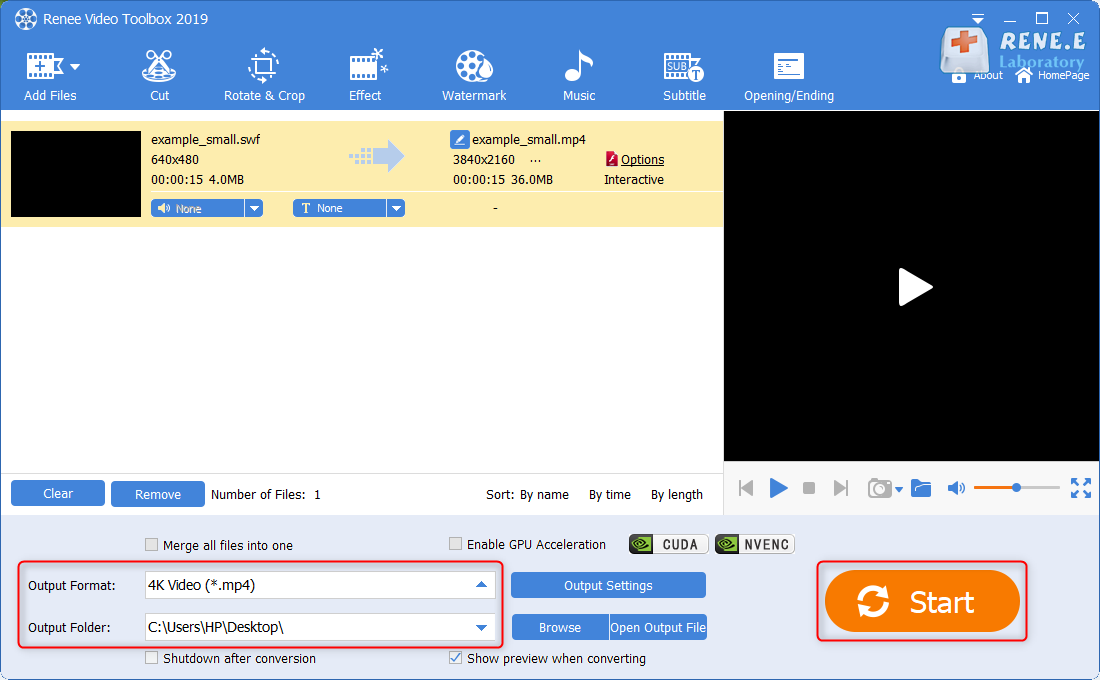
②After dragging the video into the software, select the MP4 format in the “Output Format”; select the video storage location in the “Output Folder”, and finally click “Start”.
2. Edit YouTube videos
① Rotation and cropping function, which can rotate or partially intercept the video. You can directly drag the cropping frame or enter the precise value below the video to crop. Because the video screen opened through the emulator may appear upside down, it is recommended to rotate the video to normal before watching.
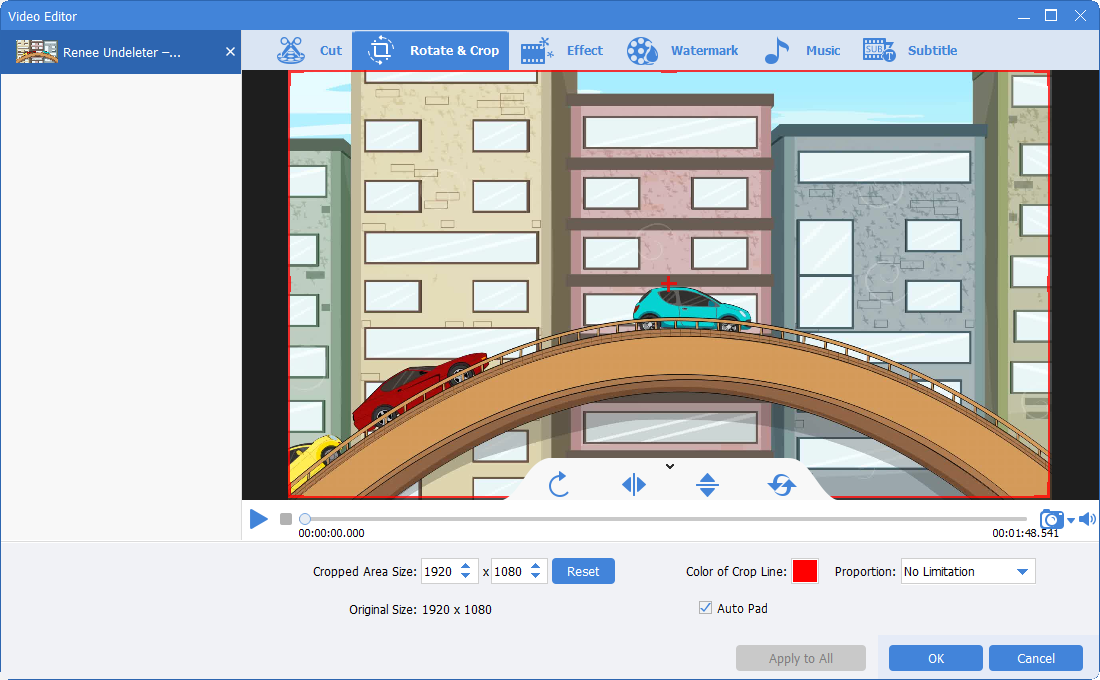
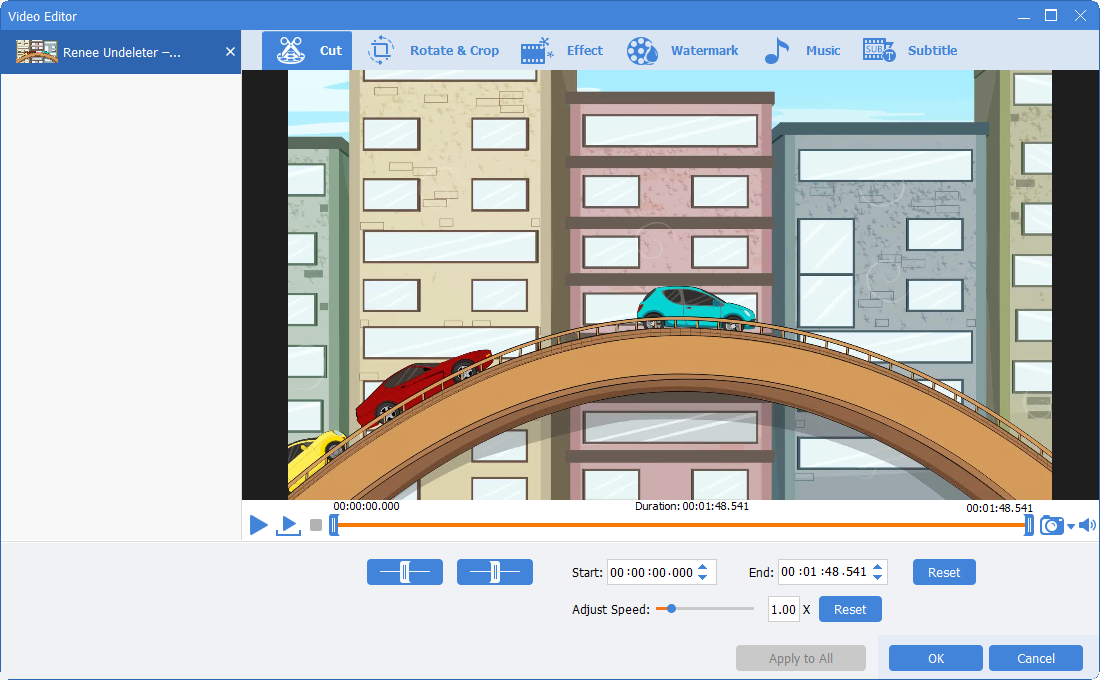
② Video cutting function, you can move the slider to start time and end time to cut the length of the video; you can adjust the video playback speed and adjust the double speed.
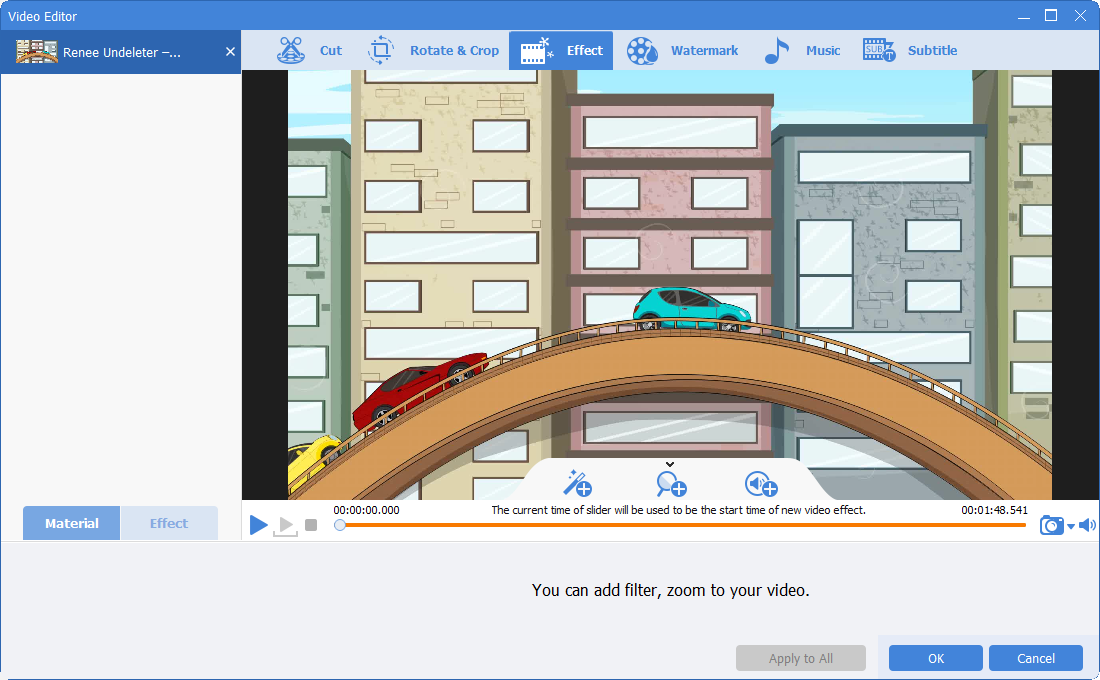
③ Special effect function, you can choose “Filter Special Effect”, “Zoom in and Zoom out Special Effect”, “Volume Special Effect”.
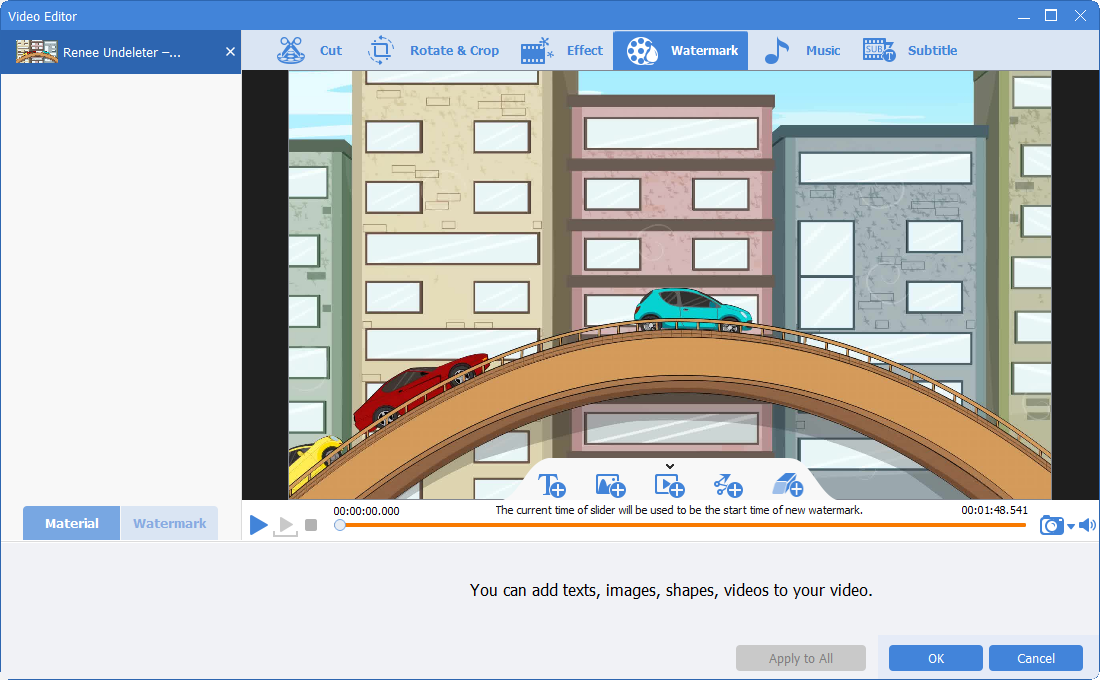
④ Watermark function, which can add text, pictures, video, and graphic watermarks to videos, and can also remove redundant watermarks from videos.
⑤ Add background music, you can choose to add local music or dub your own to make the movie more interesting. In the setting items, you can adjust the music volume, the original video volume, set fade-in, fade-out, etc.
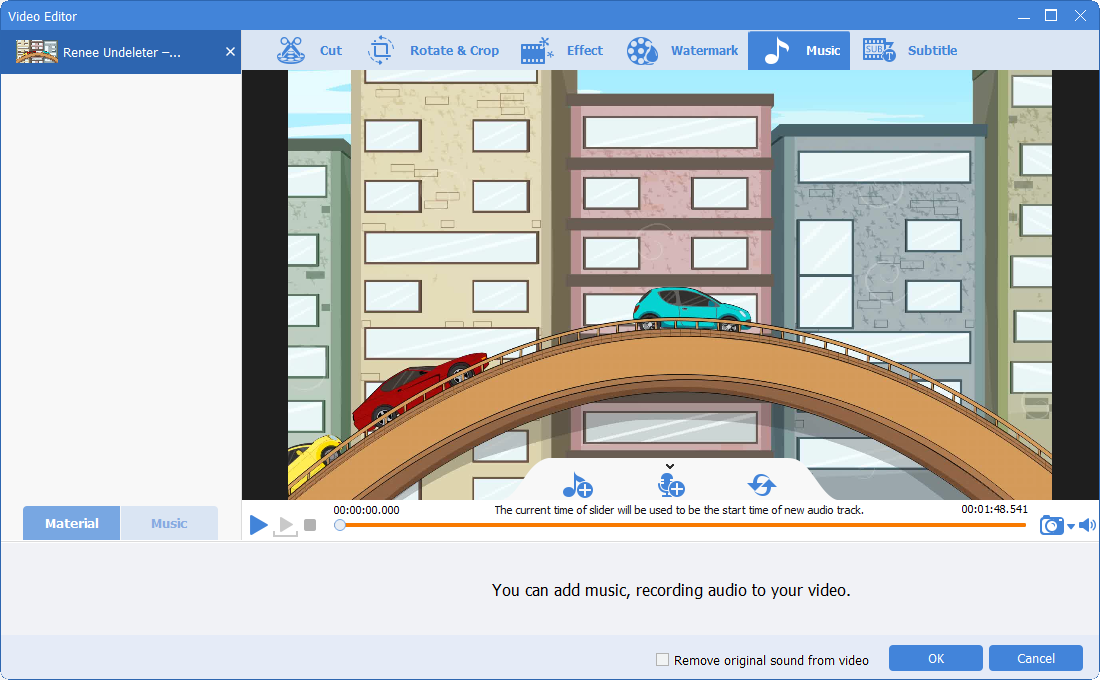
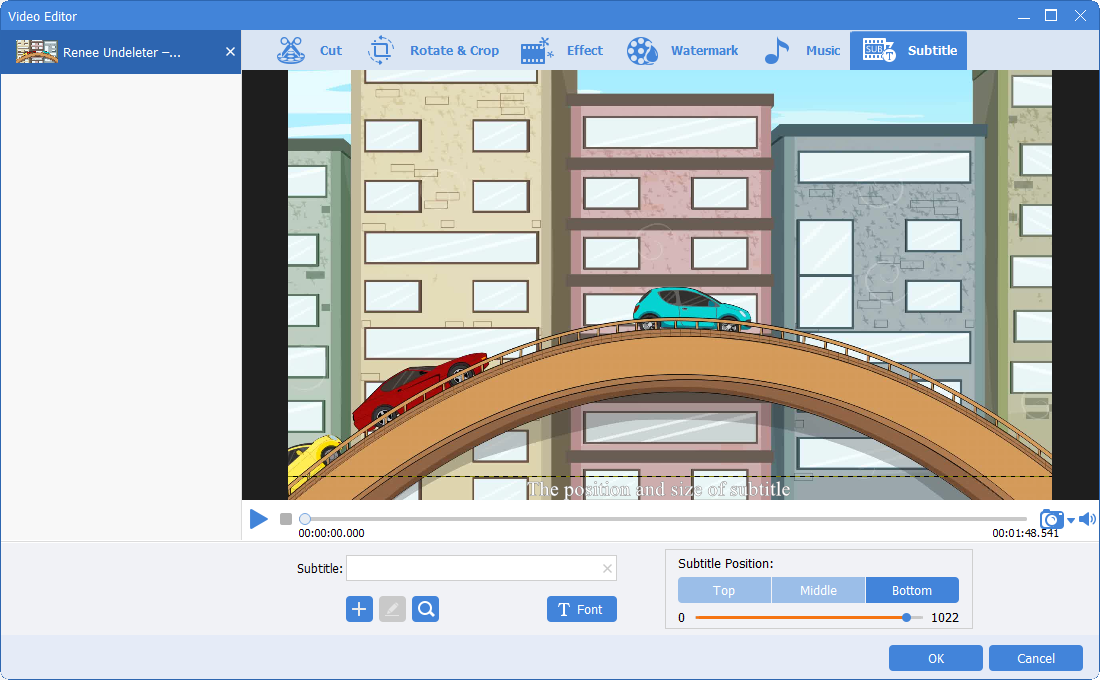
⑥ Add subtitles, you can add some lines and narration to the video. You can also set the subtitle position and subtitle font style of the subtitle.
Relate Links :
Effortlessly Transform ISO Files to MP4 in Simple Steps
09-11-2026
John Weaver : Discover the seamless process of transforming your ISO files into versatile MP4s, alongside expert tips for editing your...
Convert PPT to MP4: The Ultimate Guide

09-11-2026
Amanda J. Brook : Learn how to convert PPT to MP4 video format and edit it using Renee Video Editor Pro for...
Remove DRM iTunes Movies - The Ultimate Guide

09-11-2026
Jennifer Thatcher : Learn how to remove drm itunes movies and enjoy the freedom to play and transmit them on any...


User Comments
Leave a Comment